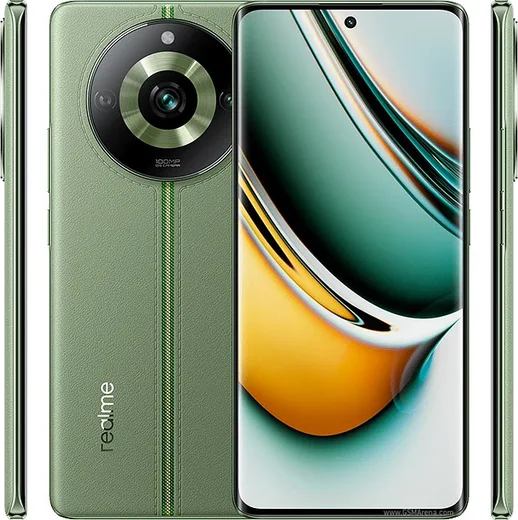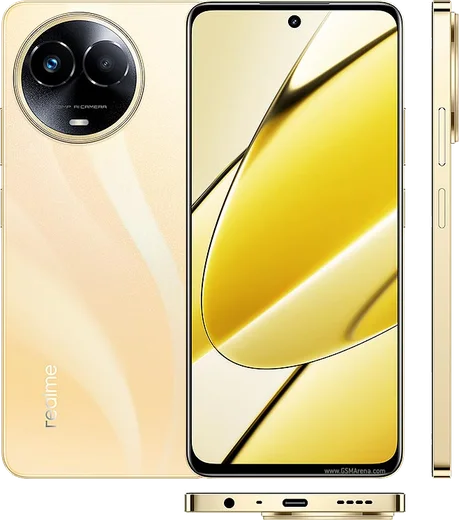
Realme Android

WhatsApp for Realme GT 5

Snapdragon 8 Gen 2, 240W fast charging, 6.74-inch AMOLED

WhatsApp Messenger 4.7 · 64.2M reviews Free · Android · ~40 MB · by WhatsApp LLC
Download WhatsApp

Ask a question / report a problem

You can ask any question about WhatsApp support on the Realme GT 5 — leave it below and we'll help.

Ask a question

Can the Realme GT 5 run WhatsApp?

Fully supported
  • Operating systemAndroid
  • ProcessorSnapdragon 8 Gen 2
  • WhatsApp versionLatest supported

Latest known WhatsApp problems on Realme GT 5

1

Why does WhatsApp drain so much battery on my Realme GT 5 after the realme UI 6 update?

realme UI 6's aggressive battery manager throttles WhatsApp in the background, which forces it to re-sync and consume more power when you reopen it. Go to Settings > Apps > App management > WhatsApp > Power saver (or Battery usage) and set it to "Allow background activity" / "Don't optimize." Then lock WhatsApp in the Recent Apps screen (open the recents view, swipe down on the WhatsApp card or tap the menu, and choose Lock) so the system stops killing it. Keeping the app from being force-stopped is what reduces the wake-and-resync battery drain. See how others solved this on Reddit
2

WhatsApp notifications are delayed or don't arrive on my Realme GT 5 until I open the app

realme UI puts WhatsApp into deep sleep, which blocks push notifications until you manually open it. Go to Settings > Apps > App management > WhatsApp > Power saver and select "Allow background activity," then enable WhatsApp under Settings > Apps > Auto-launch (Auto-launch manager). Next open Settings > Notification & status bar > Manage notifications > WhatsApp and make sure notifications plus the Lock screen and Banner styles are turned on. Finally, confirm WhatsApp is not restricted under App management > Data usage / background data. See how others solved this on Reddit
3

WhatsApp notification bug on Realme GT 5 keeps showing a badge or repeating notifications

This is usually a stuck notification cache that clearing the cache or a software update resolves. Go to Settings > Apps > App management > WhatsApp > Storage usage > Clear cache (do not clear data), then toggle WhatsApp notifications off and back on under Settings > Notification & status bar. If it persists, check Settings > Software update and install the latest realme UI patch, since several notification bugs were fixed in recent rollouts. See how others solved this on Reddit
4

Should I update my Realme GT 5 to fix WhatsApp problems, and how do I get the latest firmware?

Many WhatsApp background and notification issues on the GT 5 are tied to realme UI bugs that later firmware builds patch, so updating is worth trying. Open Settings > Software update > tap "Check for updates" and install whatever is offered. If no update appears, contacting realme support (in-app or through their support channels) sometimes results in the build being pushed to your device. After updating, reboot and re-confirm WhatsApp's battery and notification permissions, since updates can reset them. See how others solved this on Reddit
5

Is the Realme GT 5 Pro available globally, and will it run WhatsApp and Google services?

The GT 5 Pro launched primarily in China, and Chinese (CN) units ship without Google Mobile Services, which breaks WhatsApp's push notifications and verification until you add Google services manually. A global/international model includes the Play Store and full WhatsApp support out of the box. Before relying on a unit as your main WhatsApp phone, confirm it is the global ROM version rather than a CN model. See how others solved this on Reddit
6

My Realme GT 5 (Chinese version) won't receive WhatsApp calls or messages properly

On CN-ROM GT 5 devices, WhatsApp calls and push fail because Google Play Services is missing, so messages only arrive when the app is open. Install the Google Play Services and Play Store APKs from a trusted source such as APKMirror (the built-in App Market does not carry them), sign in with a Google account, then grant WhatsApp background and auto-launch permissions under Settings > Apps > App management and Settings > Apps > Auto-launch. If problems continue, flashing the global firmware is the most reliable long-term fix. See how others solved this on Reddit

Ask a question / report a problem

You can ask any question about WhatsApp support on the Realme GT 5 — leave it below and we'll help.

Ask a question

Watch: setting up WhatsApp

Prefer to watch? This short walkthrough shows the whole installation and number-verification flow.

How to install WhatsApp on Realme GT 5 — video walkthrough

How to install WhatsApp on Realme GT 5

1

Choose how to download

On your Realme GT 5 you can get the official app two ways: from the Google Play Store — the easiest option, since it keeps WhatsApp updated automatically — or directly from the official website. You can download an APK file, by clicking a link “Download WhatsApp directly”.

2

Open WhatsApp

Launch WhatsApp from your home screen or app drawer and accept the Terms of Service to start setup.

3

Verify your phone number

Enter your phone number. If your Realme GT 5 uses dual SIM, pick the line you want WhatsApp tied to, then enter the 6-digit code it sends by SMS — it usually fills in automatically.

4

Restore chats and finish setup

Restore your chat history from Google Drive (use the same Google account), add your name and photo, and tap Allow for notifications so messages and calls arrive reliably.

Stay safe: only ever install WhatsApp from the official Android source. The Download button above already points there — modified copies (GB/Plus/Aero WhatsApp) can get your number banned.

Comments (13)

No registration needed. No email required.
T
techguyJun 4, 2026

quick q installed it but it wont open just a black screen

AppWhatsOfficialJun 5, 2026

Hi! Restart the phone, and if the black screen stays, clear the app data and install the latest build again. Enjoy WhatsApp on your your phone!

A
amy.lApr 19, 2026

Simple and fast thanks again

L
lil_maxxFeb 24, 2026

Guys whatsapp works fine on my realme gt 5 🎉

AppWhatsOfficialFeb 27, 2026

Nice one, enjoy WhatsApp!

G
gabe48Dec 24, 2025

Ok so the Realme GT 5 steps actually work unlike other sites ✌️

J
just_kevDec 11, 2025

best guide for the gt5 by far 👌

G
gabe46Nov 6, 2025

yo cheers for the clear instructions

Y
yasin3Nov 1, 2025

أفضل شرح شكراً

W
whatsappfanAug 11, 2025

ey muy fácil, lo hice en 2 minutos

I
im_andyMay 30, 2025

Guys been at this for hours pls someone help me pls

AppWhatsOfficialJun 3, 2025

Relax, it is simpler than it looks. Press Download, install, then verify with the SMS code. You got this! You will be set up on your phone in no time.

M
ms_chrisApr 25, 2025

echt alles läuft, vielen dank

P
pablo7Mar 29, 2025

will this really work on my gt 5 pls

AppWhatsOfficialApr 4, 2025

Hi! Yes, WhatsApp supports the your phone. Just make sure your phone is on an up to date version of its operating system for the best experience. Happy chatting!

H
helpmeFeb 13, 2025

Sorry but where do i change my profile photo anyone

AppWhatsOfficialFeb 14, 2025

Thanks for asking, open WhatsApp, go to Settings, tap your name at the top, then tap the camera icon to set a new photo.

R
rob_rayDec 24, 2024

easy install on my gt5 thx