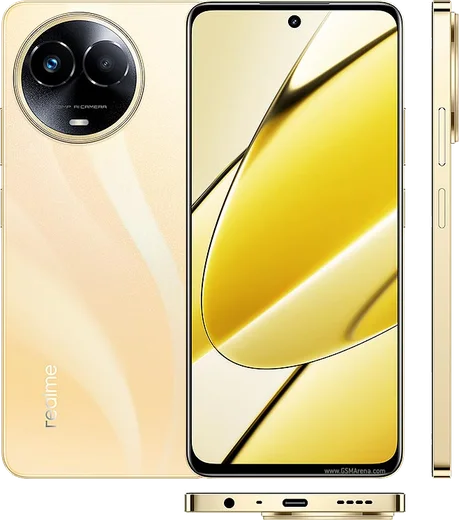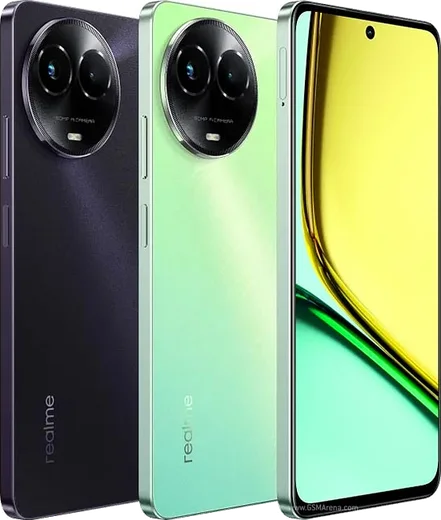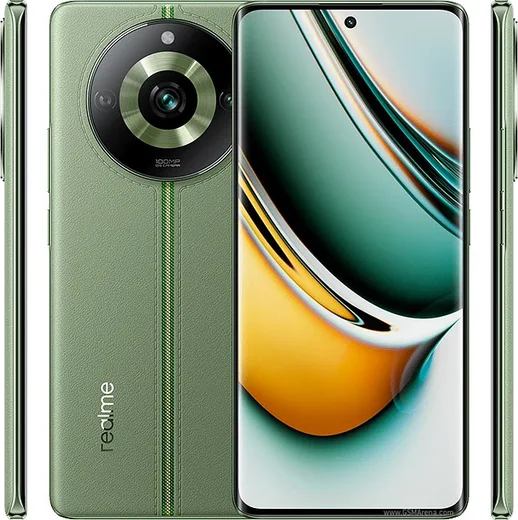
WhatsApp on Realme 11
Realme Android

WhatsApp for Realme 11

Helio G99, 6.4-inch Super AMOLED, 108MP camera

WhatsApp Messenger 4.7 · 64.2M reviews Free · Android · ~40 MB · by WhatsApp LLC
Download WhatsApp

Ask a question / report a problem

You can ask any question about WhatsApp support on the Realme 11 — leave it below and we'll help.

Ask a question

Can the Realme 11 run WhatsApp?

Fully supported
  • Operating systemAndroid
  • ProcessorHelio G99
  • WhatsApp versionLatest supported

Latest known WhatsApp problems on Realme 11

1

Why are my WhatsApp notifications not showing at all on my Realme 11?

ColorOS aggressively kills background apps to save battery, which stops WhatsApp from delivering notifications. First open Settings > Apps > App management > WhatsApp > Notifications and make sure Allow notifications is on. Then go to Settings > Battery > App battery usage > WhatsApp (or App management > WhatsApp > Battery usage) and enable Allow background activity and Allow auto-launch. Finally open the Recent apps screen, hold or tap the menu on the WhatsApp card and choose Lock so the system can't clear it from memory. See how others solved this on Reddit
2

WhatsApp messages on my Realme 11 only arrive when I open the app — how do I get them in real time?

This delayed-notification behaviour comes from ColorOS battery restrictions freezing WhatsApp until you reopen it. Go to Settings > Battery, open App battery usage (or More settings > Optimize battery use), find WhatsApp and turn off optimization for it. Then under Settings > Apps > App management > WhatsApp > Battery usage, enable Allow background activity and Allow auto-launch. After that messages will push through even with the app closed. See how others solved this on Reddit
3

My Realme 11 WhatsApp notifications are unreliable even though everything looks enabled — how do I force them to work?

Sometimes the notification channel gets stuck and needs to be re-registered. Open Settings > Apps > App management > WhatsApp > Notifications, turn Allow notifications off, wait a few seconds, then turn it back on. If notifications are still delayed, confirm WhatsApp is not being optimized under Settings > Battery and that Allow background activity and Allow auto-launch are enabled under WhatsApp > Battery usage. See how others solved this on Reddit
4

WhatsApp notifications don't show on my Realme 11 lock screen — what setting is wrong?

Lock-screen previews are controlled by a separate setting that ColorOS sometimes leaves off. Go to Settings > Notifications & status bar > Manage notifications > WhatsApp and make sure Lock screen notifications is on. Then in Settings > Notifications & status bar > Lock screen notifications, set it to Show content (not Hide content or Off) so message text appears. Also make sure Do Not Disturb is off, as it can hide them. See how others solved this on Reddit
5

I hear the WhatsApp notification sound on my Realme 11 but no banner or popup appears — why?

The notification is arriving but the heads-up banner is disabled for that channel in ColorOS. Open Settings > Apps > App management > WhatsApp > Notifications > Messages and turn on Banners (also called Floating notifications or heads-up). Make sure the same Messages channel is not silenced. If banners still don't appear after that, restart the phone to clear the stuck notification state. See how others solved this on Reddit

Ask a question / report a problem

You can ask any question about WhatsApp support on the Realme 11 — leave it below and we'll help.

Ask a question

Watch: setting up WhatsApp

Prefer to watch? This short walkthrough shows the whole installation and number-verification flow.

How to install WhatsApp on Realme 11 — video walkthrough

How to install WhatsApp on Realme 11

1

Choose how to download

On your Realme 11 you can get the official app two ways: from the Google Play Store — the easiest option, since it keeps WhatsApp updated automatically — or directly from the official website. You can download an APK file, by clicking a link “Download WhatsApp directly”.

2

Open WhatsApp

Launch WhatsApp from your home screen or app drawer and accept the Terms of Service to start setup.

3

Verify your phone number

Enter your phone number. If your Realme 11 uses dual SIM, pick the line you want WhatsApp tied to, then enter the 6-digit code it sends by SMS — it usually fills in automatically.

4

Restore chats and finish setup

Restore your chat history from Google Drive (use the same Google account), add your name and photo, and tap Allow for notifications so messages and calls arrive reliably.

Stay safe: only ever install WhatsApp from the official Android source. The Download button above already points there — modified copies (GB/Plus/Aero WhatsApp) can get your number banned.

Comments (13)

No registration needed. No email required.
P
priya_katJun 12, 2026

pls help why cant i see my contacts in the app

AppWhatsOfficialJun 17, 2026

Hey there, add the contact in your phone with the full country code, then open WhatsApp and refresh. They should appear. Happy chatting!

J
justmeJan 5, 2026

omg did it without any help, very simple 💯

L
lina.gAug 25, 2025

so worked like a charm

B
ben.tJul 27, 2025

Sorry but my phone has no google services, is it possible thanks

AppWhatsOfficialAug 1, 2025

Sure, sure. Turn on unknown sources for your browser and grab the official APK, the guide explains how.

S
saaaaamMay 15, 2025

Me funcionó al instante en mi 11 💯

R
rob07Apr 1, 2025

Finally whatsapp is working on my realme 11 now 🙏

T
the_real_tomMar 9, 2025

Anyone? the code never arrives, what do i do thanks

AppWhatsOfficialMar 13, 2025

Happy to help, if the SMS will not arrive, you can choose the call option to hear the code, just make sure your number is entered correctly. Hope that helps!

N
noobmasterFeb 23, 2025

So my new 11 is all set up now

A
ali41Dec 13, 2024

تم التثبيت بدون مشاكل على Realme 11

K
kai_kevNov 26, 2024

ok so no registration needed, love that lol

S
sam.dNov 24, 2024

todo bien en mi 11, mil gracias

R
randomuserAug 10, 2024

Ok so clear and to the point :)

B
big_joeJul 24, 2024

Omg anyone pls i cant download it heeeelp me

AppWhatsOfficialJul 26, 2024

Breathe! Follow the steps above one by one, tap Download first, and you will be chatting in no time.