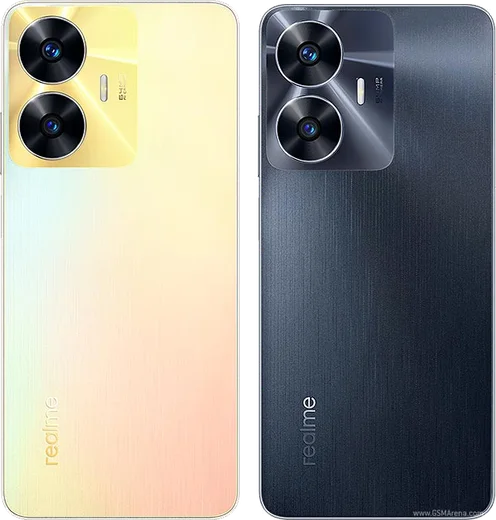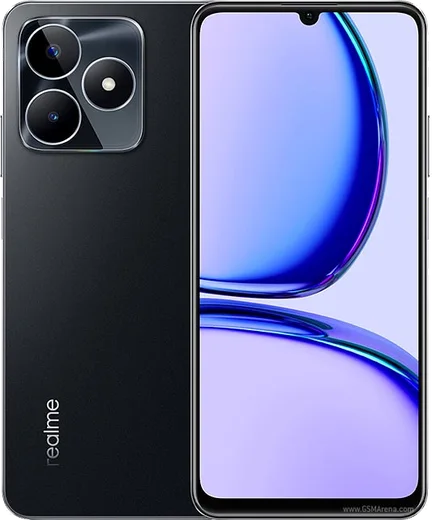
WhatsApp on Realme C55
Realme Android

WhatsApp for Realme C55

Helio G88, 6.72-inch 90Hz LCD, 64MP camera

WhatsApp Messenger 4.7 · 64.2M reviews Free · Android · ~40 MB · by WhatsApp LLC
Download WhatsApp

Ask a question / report a problem

You can ask any question about WhatsApp support on the Realme C55 — leave it below and we'll help.

Ask a question

Can the Realme C55 run WhatsApp?

Fully supported
  • Operating systemAndroid
  • ProcessorHelio G88
  • WhatsApp versionLatest supported

Latest known WhatsApp problems on Realme C55

1

Why are my WhatsApp notifications delayed or not showing up on my Realme C55?

realme UI's aggressive battery management is almost always the cause. Go to Settings > Apps > App management > WhatsApp > Battery usage and set it to 'Allow background activity'. Then go to Settings > Apps > Auto-launch and turn WhatsApp on so it can wake itself for incoming messages. Finally, open the Recent apps screen, swipe down on the WhatsApp card (or tap the icon at the top) and tap the lock so the system stops clearing it from memory. See how others solved this on Reddit
2

WhatsApp messages only arrive when I open the app on my Realme C55 - how do I fix it?

This happens when the phone freezes WhatsApp in the background to save power. Go to Settings > Apps > App management > WhatsApp > Battery usage and select 'Allow background activity' (don't restrict it), then enable WhatsApp under Settings > Apps > Auto-launch. Confirm push is working by opening WhatsApp > Settings > Notifications and making sure 'High priority notifications' is enabled. See how others solved this on Reddit
3

My Realme C55 WhatsApp notifications stopped working after a software update - what changed?

realme UI updates can reset battery-optimization and auto-launch permissions, so WhatsApp loses its background allowance. After any update, re-check Settings > Apps > App management > WhatsApp > Battery usage = 'Allow background activity', re-enable WhatsApp in Settings > Apps > Auto-launch, and re-lock WhatsApp in the Recent apps screen. If notifications are still stuck, clearing the cache via Settings > Apps > App management > WhatsApp > Storage usage > Clear cache can help. See how others solved this on Reddit
4

Why don't WhatsApp notifications appear on my Realme C55 lock screen?

Lock-screen display is controlled separately from the basic notification toggle. Go to Settings > Notification & status bar > Manage notifications > WhatsApp and turn on 'Lock screen' (set it to 'Show content' if you want the message text visible). Inside the app, also check WhatsApp > Settings > Notifications to confirm pop-up/high-priority alerts are on. If they still hide, make sure Do Not Disturb isn't active. See how others solved this on Reddit
5

How do I control which WhatsApp alerts come through Do Not Disturb on my Realme C55?

realme UI's Do Not Disturb silences notifications by default, and you decide what gets through. Go to Settings > Sound & vibration > Do Not Disturb and review the People and Apps exceptions: add WhatsApp under 'Apps' only if you want its alerts to break through, or leave it out to keep it silenced. Use 'Calls' > 'Allow repeat callers' if you only want urgent calls to ring while everything else stays muted. See how others solved this on Reddit

Ask a question / report a problem

You can ask any question about WhatsApp support on the Realme C55 — leave it below and we'll help.

Ask a question

Watch: setting up WhatsApp

Prefer to watch? This short walkthrough shows the whole installation and number-verification flow.

How to install WhatsApp on Realme C55 — video walkthrough

How to install WhatsApp on Realme C55

1

Choose how to download

On your Realme C55 you can get the official app two ways: from the Google Play Store — the easiest option, since it keeps WhatsApp updated automatically — or directly from the official website. You can download an APK file, by clicking a link “Download WhatsApp directly”.

2

Open WhatsApp

Launch WhatsApp from your home screen or app drawer and accept the Terms of Service to start setup.

3

Verify your phone number

Enter your phone number. If your Realme C55 uses dual SIM, pick the line you want WhatsApp tied to, then enter the 6-digit code it sends by SMS — it usually fills in automatically.

4

Restore chats and finish setup

Restore your chat history from Google Drive (use the same Google account), add your name and photo, and tap Allow for notifications so messages and calls arrive reliably.

Stay safe: only ever install WhatsApp from the official Android source. The Download button above already points there — modified copies (GB/Plus/Aero WhatsApp) can get your number banned.

Comments (10)

No registration needed. No email required.
T
tina.uMay 2, 2026

hat super funktioniert, danke 🙏

M
mia_ellApr 15, 2026

someone been at this for hours pls someone help me pls

AppWhatsOfficialApr 17, 2026

No panic needed. The Download button takes you to the official app, then just install and verify your number. It is easier than it looks, promise.

F
finn_yukApr 13, 2026

Guys no play store on my phone, will this work anyone

AppWhatsOfficialApr 18, 2026

No worries, sure. Turn on unknown sources for your browser and grab the official APK, the guide explains how. Feel free to ask if you get stuck.

A
andy21Apr 12, 2026

wow ahora mi Realme C55 tiene whatsapp, genial gracias

A
anonJan 16, 2026

well running whatsapp on my realme c55 like new 💯

L
lucy51Jan 11, 2026

Well the realme c55 guide was spot on 💯

I
im_beaSep 4, 2025

Installed whatsapp on my c55 with no issues thanks again

T
tan66Aug 5, 2025

Finally perfect steps for the C55 lol

L
luca.vJun 25, 2025

anyone? how to add a profile photo anyone

AppWhatsOfficialJun 28, 2025

Happy to help, head to Settings, tap your name, then the camera icon to choose your profile photo.

N
not_kateFeb 21, 2025

my whatsapp keeps crashing after install thanks

AppWhatsOfficialFeb 26, 2025

Sure, crashes are often an old version. Remove it, update your OS, and reinstall the newest build from the official source. Let us know if you need anything else.