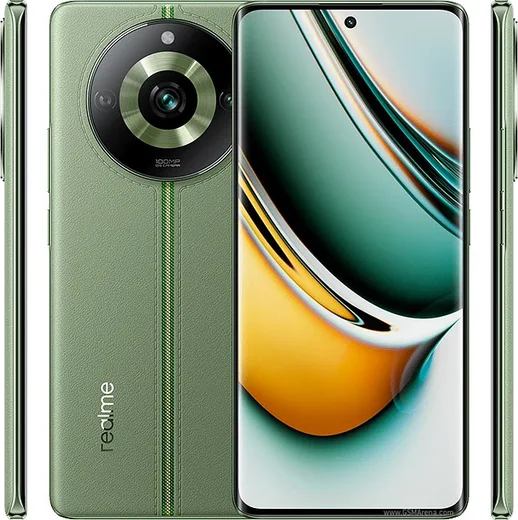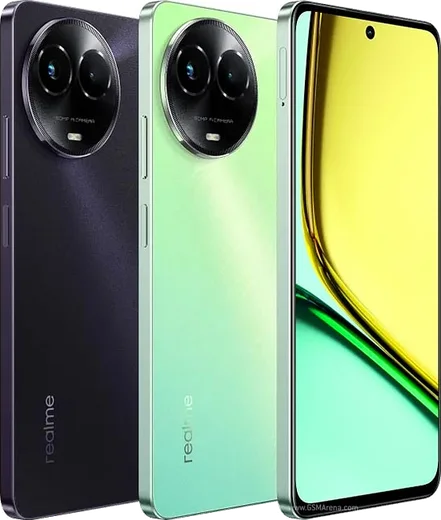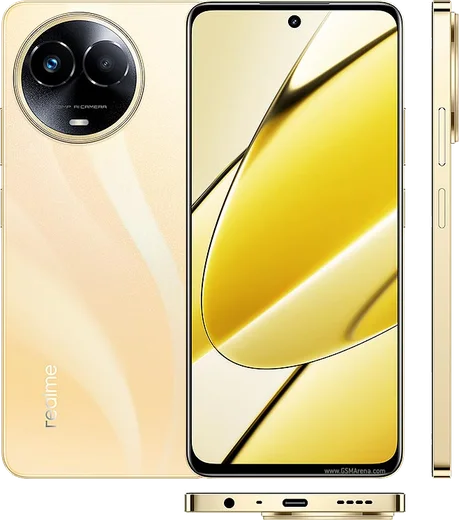
WhatsApp on Realme 11 Pro
Realme Android

WhatsApp for Realme 11 Pro

Dimensity 7050, 6.7-inch curved AMOLED 120Hz

WhatsApp Messenger 4.7 · 64.2M reviews Free · Android · ~40 MB · by WhatsApp LLC
Download WhatsApp

Ask a question / report a problem

You can ask any question about WhatsApp support on the Realme 11 Pro — leave it below and we'll help.

Ask a question

Can the Realme 11 Pro run WhatsApp?

Fully supported
  • Operating systemAndroid
  • ProcessorDimensity 7050
  • WhatsApp versionLatest supported

Latest known WhatsApp problems on Realme 11 Pro

1

Why does WhatsApp keep crashing on my Realme 11 Pro?

Crashes are usually caused by a corrupted cache or an outdated build. First open the Play Store, search WhatsApp and tap Update if one is available. If it still closes, go to Settings > Apps > App management > WhatsApp > Storage usage and tap Clear cache (not Clear data, which would wipe your local setup), then reboot the phone. If crashing continues, back up your chats via WhatsApp > Settings > Chats > Chat backup (to Google Drive), then uninstall and reinstall WhatsApp. See how others solved this on Reddit
2

WhatsApp is lagging and feels slow to open on my Realme 11 Pro - how do I fix it?

Realme's ColorOS aggressively manages memory, so a sluggish WhatsApp is often the app being throttled or frozen in the background. Go to Settings > Apps > App management > WhatsApp, open its battery usage and set it to Allow background activity, then turn off battery optimization for WhatsApp. Also clear the cache via Settings > Apps > App management > WhatsApp > Storage usage > Clear cache, since a bloated media cache makes scrolling and loading noticeably slower. See how others solved this on Reddit
3

WhatsApp notifications are delayed or only show up when I open the app on my Realme 11 Pro

This is the classic ColorOS power-saving behavior killing WhatsApp in the background. In Settings > Apps > App management > WhatsApp, enable Allow background activity and Allow auto-launch, and set battery usage to not optimize WhatsApp. Then lock WhatsApp in the Recent apps screen by swiping down on its card and tapping the lock icon, so the system stops clearing it from memory. See how others solved this on Reddit
4

I'm not getting any WhatsApp notification sounds or banners on my Realme 11 Pro

First confirm notifications are switched on inside the app at WhatsApp > Settings > Notifications, then check the system side at Settings > Notification & status bar > Manage notifications > WhatsApp and make sure Allow notifications, Banners and Sound are all enabled. Also verify Do Not Disturb is off in the quick settings panel, as it silently suppresses incoming alerts. See how others solved this on Reddit
5

Even after changing battery settings my WhatsApp notifications still don't come through on time on Realme - what else can I try?

When background and battery tweaks aren't enough, the cause is often a stale Google Play Services push channel that ColorOS keeps suspending. In Settings > Apps > App management, enable background activity and auto-launch for both WhatsApp and Google Play Services, and make sure Play Services is also exempt from battery optimization. As a final step, toggle WhatsApp notifications off and back on in WhatsApp > Settings > Notifications to force the app to re-register with the push service. See how others solved this on Reddit

Ask a question / report a problem

You can ask any question about WhatsApp support on the Realme 11 Pro — leave it below and we'll help.

Ask a question

Watch: setting up WhatsApp

Prefer to watch? This short walkthrough shows the whole installation and number-verification flow.

How to install WhatsApp on Realme 11 Pro — video walkthrough

How to install WhatsApp on Realme 11 Pro

1

Choose how to download

On your Realme 11 Pro you can get the official app two ways: from the Google Play Store — the easiest option, since it keeps WhatsApp updated automatically — or directly from the official website. You can download an APK file, by clicking a link “Download WhatsApp directly”.

2

Open WhatsApp

Launch WhatsApp from your home screen or app drawer and accept the Terms of Service to start setup.

3

Verify your phone number

Enter your phone number. If your Realme 11 Pro uses dual SIM, pick the line you want WhatsApp tied to, then enter the 6-digit code it sends by SMS — it usually fills in automatically.

4

Restore chats and finish setup

Restore your chat history from Google Drive (use the same Google account), add your name and photo, and tap Allow for notifications so messages and calls arrive reliably.

Stay safe: only ever install WhatsApp from the official Android source. The Download button above already points there — modified copies (GB/Plus/Aero WhatsApp) can get your number banned.

Comments (13)

No registration needed. No email required.
B
budgetkingApr 14, 2026

ok so did it on my 11pro in like 2 minutes thanks again

AppWhatsOfficialApr 18, 2026

Nice one, enjoy WhatsApp!

B
big_linaFeb 7, 2026

wow el mejor sitio, funcionó a la primera 😍

T
tom_kevDec 1, 2025

ok so whatsapp works fine on my realme 11 pro 😍

M
maxx_ashNov 3, 2025

finally my new 11pro is all set up now 💯

S
saaaaamOct 29, 2025

ngl all set up and chatting now

S
sam_benAug 26, 2025

ngl best guide for the 11 Pro by far

L
luca88Jun 19, 2025

guys SOS i cant figure out how to install whatsapp heeelp pls

AppWhatsOfficialJun 22, 2025

Take a breath, we got you. Press Download above, then Install, then verify your number. That is all it takes. Reply here if you get stuck.

M
mmmaaaxxxMay 4, 2025

wow sehr einfach, in 2 minuten erledigt

X
xX_valFeb 13, 2025

sorry but should i remove the old version before this pls

AppWhatsOfficialFeb 16, 2025

Happy to help, no need. Installing the latest version updates the existing app and keeps your chats. Just follow the steps above. Hope that helps!

S
sara_kFeb 1, 2025

والله أخيراً ثبّت واتساب

H
helpmeeeJan 7, 2025

Omg the 11 Pro guide was spot on

T
theo_solNov 9, 2024

quick q is this gb whatsapp

AppWhatsOfficialNov 11, 2024

Sure, it is the official WhatsApp from the real app store. We do not recommend modded versions like GB or Plus, they can get your number banned. Enjoy WhatsApp on your your phone!

M
mr_ellaOct 12, 2024

Sorry but download takes forever for me pls

AppWhatsOfficialOct 18, 2024

Good question, a slow download is usually the network. A stable wifi connection will speed it up a lot. Glad to help.