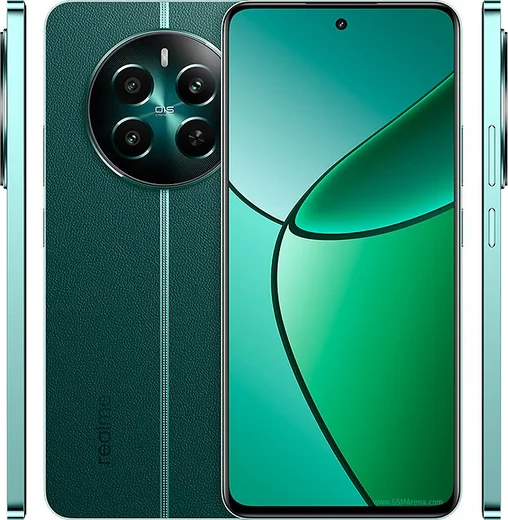
WhatsApp on Realme GT 7
Realme Android

WhatsApp for Realme GT 7

Dimensity 9400e, 7000mAh battery, 6.78-inch AMOLED

WhatsApp Messenger 4.7 · 64.2M reviews Free · Android · ~40 MB · by WhatsApp LLC
Download WhatsApp

Ask a question / report a problem

You can ask any question about WhatsApp support on the Realme GT 7 — leave it below and we'll help.

Ask a question

Can the Realme GT 7 run WhatsApp?

Fully supported
  • Operating systemAndroid
  • ProcessorDimensity 9400e
  • WhatsApp versionLatest supported

Latest known WhatsApp problems on Realme GT 7

1

Why am I not getting WhatsApp notifications on my Realme GT 7?

Realme UI's aggressive battery management freezes WhatsApp in the background, so messages only arrive when you open the app. Go to Settings > Apps > App management > WhatsApp > Power saver, allow 'Allow background activity' and 'Allow auto launch', and make sure 'Allow foreground activity' is on too. Then open Settings > Notification & status bar > Manage notifications > WhatsApp and confirm 'Allow notifications' plus the message categories are enabled. A reboot afterward helps the new permissions take effect. See how others solved this on Reddit
2

WhatsApp notifications stopped working after the Realme UI 7.1 update on my GT 7 — how do I fix it?

Major Realme UI updates often reset per-app power permissions, putting WhatsApp back into restricted background mode. Reopen Settings > Apps > App management > WhatsApp > Power saver and re-enable 'Allow background activity' and 'Allow auto launch'. Then open the Recents (multitask) screen, pull the WhatsApp card down (or long-press it) and tap the lock icon so the system won't clear it from memory. A reboot after re-applying these usually restores instant notifications. See how others solved this on Reddit
3

Why are my WhatsApp notifications delayed by several minutes on the Realme GT 7 Pro?

Delayed (rather than missing) notifications usually come from Realme's sleep/standby battery optimization and Wi-Fi being dropped while the screen is off. Open Settings > Battery, tap the gear/more menu, and turn off 'Sleep standby optimization'. Then go to Settings > Wi-Fi > the advanced/extra settings and set 'Keep Wi-Fi on during sleep' to 'Always'. Finally, in WhatsApp's Power saver page allow background activity so its push connection isn't throttled. See how others solved this on Reddit
4

After a recent CN ROM update my Realme GT 7 Pro stopped receiving WhatsApp notifications — what changed?

Newer firmware builds (especially Chinese ROM ones) re-apply strict background limits and silence apps that aren't whitelisted; CN ROMs also lack full Google Play Services, which breaks push. First confirm Google Play Services and Play Store are installed and updated, since WhatsApp push relies on Firebase/FCM. Then set WhatsApp's Power saver (Settings > Apps > App management > WhatsApp > Power saver) to allow background activity and auto launch. If you're on a CN ROM, flashing the global ROM is the most reliable long-term fix. See how others solved this on Reddit
5

Realme UI keeps closing WhatsApp in the background on my GT 7 — how do I stop apps being killed?

Realme UI clears 'idle' apps from memory to save RAM, which breaks live messaging. In Settings > Apps > App management > WhatsApp > Power saver, set everything to 'Don't optimize' / allowed (background activity, auto launch, foreground activity). Then open Recents, pull the WhatsApp card down and tap the lock icon to pin it so it isn't cleared. Keeping it locked and whitelisted stops Realme UI from force-stopping it between messages. See how others solved this on Reddit
6

How do I reduce WhatsApp battery drain on the Realme GT 7 Pro without losing notifications?

Instead of restricting WhatsApp's background access (which kills notifications), cut down what it does: in WhatsApp go to Settings > Storage and data and turn off media auto-download on mobile data and Wi-Fi, and clear large media. Leave WhatsApp allowed under Settings > Apps > App management > WhatsApp > Power saver so push stays alive. For overall drain, use Settings > Battery > Power saving mode or the high-drain app list to limit the apps you don't need live, leaving WhatsApp untouched. See how others solved this on Reddit

Ask a question / report a problem

You can ask any question about WhatsApp support on the Realme GT 7 — leave it below and we'll help.

Ask a question

Watch: setting up WhatsApp

Prefer to watch? This short walkthrough shows the whole installation and number-verification flow.

How to install WhatsApp on Realme GT 7 — video walkthrough

How to install WhatsApp on Realme GT 7

1

Choose how to download

On your Realme GT 7 you can get the official app two ways: from the Google Play Store — the easiest option, since it keeps WhatsApp updated automatically — or directly from the official website. You can download an APK file, by clicking a link “Download WhatsApp directly”.

2

Open WhatsApp

Launch WhatsApp from your home screen or app drawer and accept the Terms of Service to start setup.

3

Verify your phone number

Enter your phone number. If your Realme GT 7 uses dual SIM, pick the line you want WhatsApp tied to, then enter the 6-digit code it sends by SMS — it usually fills in automatically.

4

Restore chats and finish setup

Restore your chat history from Google Drive (use the same Google account), add your name and photo, and tap Allow for notifications so messages and calls arrive reliably.

Stay safe: only ever install WhatsApp from the official Android source. The Download button above already points there — modified copies (GB/Plus/Aero WhatsApp) can get your number banned.

Comments (11)

No registration needed. No email required.
N
newbieApr 28, 2026

downloaded and installed on my gt 7 thx

M
marc46Feb 26, 2026

Uff súper sencillo, ya está listo gracias

Y
yuki14Feb 24, 2026

Guys whyyy is this so hard pls help me get whatsapp 😭😭

AppWhatsOfficialFeb 25, 2026

Breathe! Follow the steps above one by one, tap Download first, and you will be chatting in no time.

M
marc33Jan 29, 2026

well best guide for the gt7 by far 👌

A
amy11Dec 13, 2025

super easy, alles startklar 💯

C
chris.eNov 3, 2025

ok so im not techy and i still managed lol

L
leo.xMay 15, 2025

guys the download was a bit slow but it worked

AppWhatsOfficialMay 16, 2025

Thanks, enjoy the app!

N
not_danApr 29, 2025

yo the gt 7 steps actually work unlike other sites lol

C
confuuusedFeb 27, 2025

Update whatsapp is working on my Realme GT 7 now

M
ms_robDec 14, 2024

Guys installed whatsapp on my gt7 with no issues thanks again

B
big_noahJul 24, 2024

man wasnt expecting it to be this easy