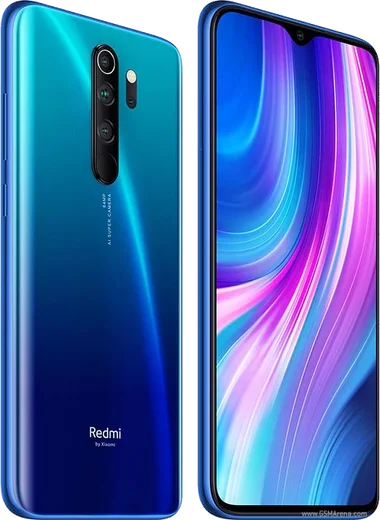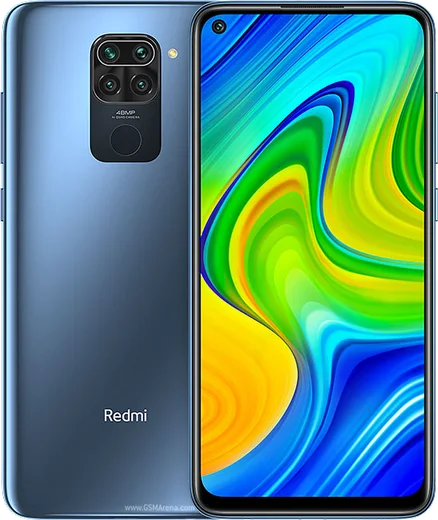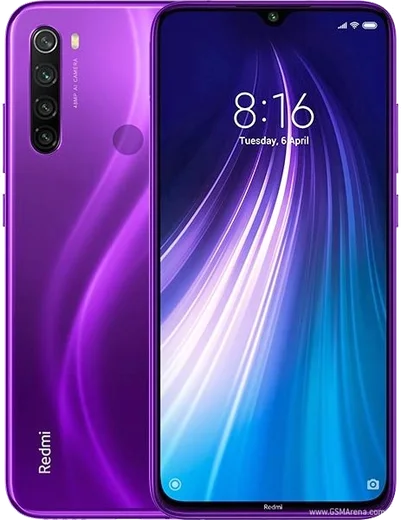
WhatsApp on Redmi Note 8 Pro
Xiaomi Android

WhatsApp for Redmi Note 8 Pro

Helio G90T, 64MP quad camera, 6.53-inch LCD, 4500mAh

WhatsApp Messenger 4.7 · 64.2M reviews Free · Android · ~40 MB · by WhatsApp LLC
Download WhatsApp

Ask a question / report a problem

You can ask any question about WhatsApp support on the Redmi Note 8 Pro — leave it below and we'll help.

Ask a question

Can the Redmi Note 8 Pro run WhatsApp?

Fully supported
  • Operating systemAndroid
  • ProcessorHelio G90T
  • WhatsApp versionLatest supported

Latest known WhatsApp problems on Redmi Note 8 Pro

1

WhatsApp notifications are delayed or don't show up on my Redmi Note 8 Pro

MIUI's aggressive battery management freezes WhatsApp in the background, which is the main cause. Go to Settings > Apps > Manage apps > WhatsApp and set 'Battery saver' to No restrictions, turn on 'Autostart', and open 'Notifications' to make sure they're allowed (including the 'Show on lock screen' and 'Floating notification' options). Then open the Security app > Battery & performance and confirm WhatsApp isn't being optimized, so messages arrive in real time. See how others solved this on Reddit
2

WhatsApp stopped working after updating to MIUI 12.5 on my Redmi Note 8 Pro

MIUI 12.5 reset and tightened background limits, so re-grant WhatsApp's permissions after the update: Settings > Apps > Manage apps > WhatsApp, turn 'Autostart' back on, and set 'Battery saver' to No restrictions. Then make sure WhatsApp is updated to the latest version from the Play Store, since older builds can break on newer MIUI. If it still misbehaves, clear only the cache under WhatsApp > Storage (this does not delete your chats). See how others solved this on Reddit
3

I can't open PDF files received in WhatsApp on my Redmi Note 8 Pro

This usually happens when no default PDF viewer is set after WhatsApp downloads the file. Install a reader such as Google Drive PDF Viewer or Adobe Acrobat from the Play Store, then tap the PDF in WhatsApp and choose 'Open with' > your reader > Always. Alternatively, find the file in the Mi File Manager under WhatsApp > Media > WhatsApp Documents and open it from there. See how others solved this on Reddit
4

WhatsApp calls don't show on my Redmi Note 8 Pro lock screen

MIUI blocks the call's full-screen alert unless you grant it explicitly. Go to Settings > Apps > Manage apps > WhatsApp > Other permissions and enable 'Display pop-up windows while running in the background' and 'Show on Lock screen'. Also set WhatsApp's 'Battery saver' to No restrictions and turn on 'Autostart', otherwise incoming calls arrive late or silently. See how others solved this on Reddit
5

How do I transfer my WhatsApp chat history to or from a Redmi Note 8 Pro?

Back up your chats first via WhatsApp > Settings > Chats > Chat backup, linking a Google account so the backup saves to Google Drive. On the new phone, install WhatsApp from the Play Store, verify the same phone number, and tap 'Restore' when prompted to pull the Google Drive backup. Make sure both phones use the same Google account and that the backup finished before you switch devices. See how others solved this on Reddit
6

WhatsApp keeps crashing or showing errors on my Redmi Note 8 Pro

First update WhatsApp from the Play Store, then clear its cache via Settings > Apps > Manage apps > WhatsApp > Storage > Clear cache (cache only, not data, so your chats stay safe). If the problem continues, restart the phone and confirm your system is up to date under Settings > About phone > System update, since an outdated MIUI build combined with an old WhatsApp version is a common trigger for crashes. See how others solved this on Reddit

Ask a question / report a problem

You can ask any question about WhatsApp support on the Redmi Note 8 Pro — leave it below and we'll help.

Ask a question

Watch: setting up WhatsApp

Prefer to watch? This short walkthrough shows the whole installation and number-verification flow.

How to install WhatsApp on Redmi Note 8 Pro — video walkthrough

How to install WhatsApp on Redmi Note 8 Pro

1

Choose how to download

On your Redmi Note 8 Pro you can get the official app two ways: from the Google Play Store — the easiest option, since it keeps WhatsApp updated automatically — or directly from the official website. You can download an APK file, by clicking a link “Download WhatsApp directly”.

2

Open WhatsApp

Launch WhatsApp from your home screen or app drawer and accept the Terms of Service to start setup.

3

Verify your phone number

Enter your phone number. If your Redmi Note 8 Pro uses dual SIM, pick the line you want WhatsApp tied to, then enter the 6-digit code it sends by SMS — it usually fills in automatically.

4

Restore chats and finish setup

Restore your chat history from Google Drive (use the same Google account), add your name and photo, and tap Allow for notifications so messages and calls arrive reliably.

Stay safe: only ever install WhatsApp from the official Android source. The Download button above already points there — modified copies (GB/Plus/Aero WhatsApp) can get your number banned.

Comments (14)

No registration needed. No email required.
T
techguyMay 22, 2026

guys all good on my redmi note8pro now

J
jess38Apr 16, 2026

10 out of 10 👌

C
chris.cMar 21, 2026

Yo super easy to follow 🔥

L
leo.sOct 17, 2025

worked even on my old phone ❤️

J
justmeOct 10, 2025

No problems installing on my redmi note 8 pro

B
ben_rajSep 21, 2025

Anyone? do i need to pay for the app

AppWhatsOfficialSep 24, 2025

Happy to help, no payment needed at all. WhatsApp is free, you just need an internet connection.

L
leo_tomSep 2, 2025

worked perfect on my redmi note 8 pro thanks again

AppWhatsOfficialSep 6, 2025

Good to hear!

P
phoneaddictAug 28, 2025

A marché parfaitement, merci

Y
yuki07Aug 20, 2025

Pls help does this cost money

AppWhatsOfficialAug 22, 2025

Of course, no payment needed at all. WhatsApp is free, you just need an internet connection.

N
noah86Jul 2, 2025

so running whatsapp on my Redmi Note 8 Pro like new lol

J
joe.uJun 10, 2025

Hé le meilleur site, marché du premier coup

Z
zoe98Feb 17, 2025

smooth install on the Redmi Note 8 Pro cheers

N
nour41Dec 29, 2024

والله تمام، واتساب يشتغل شكراً

N
nina99Sep 30, 2024

someone i NEED this app pleaseeee how do i do it

AppWhatsOfficialOct 3, 2024

We are here to help. Hit Download, follow the steps on this page, and if the code is slow just request it again. You will be set up on your phone in no time.