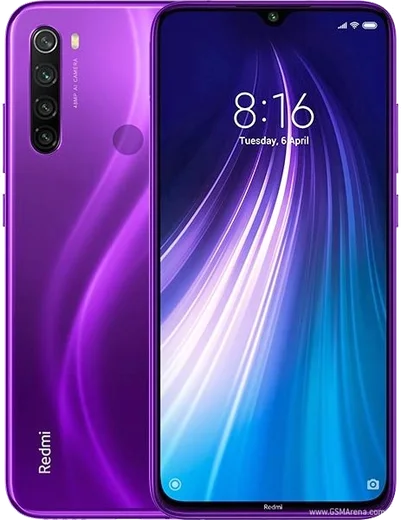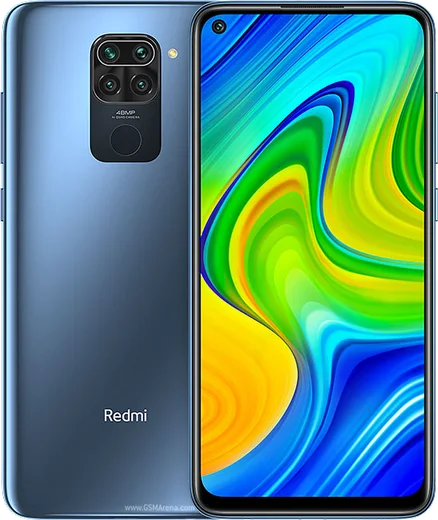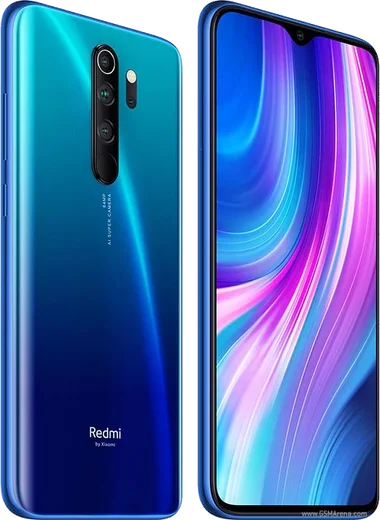
WhatsApp on Redmi Note 8
Xiaomi Android

WhatsApp for Redmi Note 8

Snapdragon 665, 48MP quad cam, 6.3-inch LCD, 4000mAh

WhatsApp Messenger 4.7 · 64.2M reviews Free · Android · ~40 MB · by WhatsApp LLC
Download WhatsApp

Ask a question / report a problem

You can ask any question about WhatsApp support on the Redmi Note 8 — leave it below and we'll help.

Ask a question

Can the Redmi Note 8 run WhatsApp?

Fully supported
  • Operating systemAndroid
  • ProcessorSnapdragon 665
  • WhatsApp versionLatest supported

Latest known WhatsApp problems on Redmi Note 8

1

WhatsApp stopped working after updating MIUI to 12.5 on my Redmi Note 8 — how do I fix it?

MIUI's aggressive memory management is usually the cause. Go to Settings > Apps > Manage apps > WhatsApp, tap 'Battery saver' and set it to 'No restrictions', then turn on 'Autostart' so WhatsApp can run in the background. Next, open the Recents screen, swipe down on the WhatsApp card (or long-press it) and tap the padlock to lock it so MIUI doesn't kill it. If messages still won't load, clear the app cache from the same WhatsApp app page. See how others solved this on Reddit
2

I can't open PDF files received in WhatsApp on my Redmi Note 8 — why?

This happens when no default PDF viewer is installed or WhatsApp can't access the file. Install a dedicated reader such as Google Drive PDF Viewer or Adobe Acrobat from the Play Store, then the first time you open a PDF, Android will ask which app to use — pick the reader and choose 'Always'. You can also set it under Settings > Apps > Default apps. Make sure WhatsApp has file access at Settings > Apps > WhatsApp > Permissions > Files and media, then re-download the PDF. See how others solved this on Reddit
3

My Redmi Note 8 microphone doesn't work in WhatsApp calls and voice notes — what should I do?

First rule out a permission block: go to Settings > Apps > Manage apps > WhatsApp > Permissions > Microphone and set it to 'Allow only while using the app'. On stock MIUI, also check that the privacy 'microphone access blocked' indicator isn't toggled in quick settings. If you recently flashed a custom ROM like LineageOS, no-mic-in-some-apps is usually a missing audio policy in the build, so reflash the correct firmware/vendor image for the Redmi Note 8 (ginkgo) or try a different ROM build. See how others solved this on Reddit
4

How do I transfer my WhatsApp chat history off my Redmi Note 8 to a new phone?

Back up first: in WhatsApp go to Settings > Chats > Chat backup, sign in with a Google account and tap 'Back up' to save to Google Drive. On the new Android phone, install WhatsApp, verify the same phone number, and choose 'Restore' when prompted. To move to an iPhone, use WhatsApp's official 'Move to iOS' tool. For a manual local copy on Android, the chat databases live under Android/media/com.whatsapp/WhatsApp/Databases — copy that folder with a file manager before resetting the device. See how others solved this on Reddit
5

WhatsApp calls don't show up on the lock screen of my Redmi Note 8 — how can I see them?

Open Settings > Apps > Manage apps > WhatsApp > Notifications and make sure 'Calls' notifications and 'Floating notifications' are enabled. Then enable 'Autostart' and, under WhatsApp's 'Other permissions', turn on 'Display pop-up windows while running in background' and 'Show on lock screen' so MIUI lets the incoming-call screen appear over the lock screen. See how others solved this on Reddit
6

I only get WhatsApp notifications when I open the app on my Redmi Note 8 — how do I fix delayed notifications?

This is MIUI battery optimization silencing background apps. Go to Settings > Apps > Manage apps > WhatsApp, set 'Battery saver' to 'No restrictions' and enable 'Autostart'. Confirm notifications are on under the same app's Notifications page with a sound selected. Turn off the global 'Battery saver' mode while testing, and lock the WhatsApp card in Recents with the padlock so the system stops closing it. See how others solved this on Reddit

Ask a question / report a problem

You can ask any question about WhatsApp support on the Redmi Note 8 — leave it below and we'll help.

Ask a question

Watch: setting up WhatsApp

Prefer to watch? This short walkthrough shows the whole installation and number-verification flow.

How to install WhatsApp on Redmi Note 8 — video walkthrough

How to install WhatsApp on Redmi Note 8

1

Choose how to download

On your Redmi Note 8 you can get the official app two ways: from the Google Play Store — the easiest option, since it keeps WhatsApp updated automatically — or directly from the official website. You can download an APK file, by clicking a link “Download WhatsApp directly”.

2

Open WhatsApp

Launch WhatsApp from your home screen or app drawer and accept the Terms of Service to start setup.

3

Verify your phone number

Enter your phone number. If your Redmi Note 8 uses dual SIM, pick the line you want WhatsApp tied to, then enter the 6-digit code it sends by SMS — it usually fills in automatically.

4

Restore chats and finish setup

Restore your chat history from Google Drive (use the same Google account), add your name and photo, and tap Allow for notifications so messages and calls arrive reliably.

Stay safe: only ever install WhatsApp from the official Android source. The Download button above already points there — modified copies (GB/Plus/Aero WhatsApp) can get your number banned.

Comments (10)

No registration needed. No email required.
M
mr_yukiJun 7, 2026

Downloaded and installed on my note8 thx

V
val62May 20, 2026

man i tried 3 other guides before this one

B
big_nickApr 15, 2026

wow had whatsapp on my redmi note 8 in no time

I
ivan94Apr 9, 2026

guys cant do this alone HELP how do i download 😩

AppWhatsOfficialApr 13, 2026

Take a breath, we got you. Press Download above, then Install, then verify your number. That is all it takes. You will be set up on your phone in no time.

F
finn30Feb 17, 2026

omg respect, this helped alot 🙏

N
nick_yukOct 13, 2025

Franchement mon note8 a enfin whatsapp, top 💯

U
ugh_helpDec 19, 2024

wow le meilleur site, marché du premier coup

W
whyyyyySep 28, 2024

so whatsapp is working on my note8 now lol

AppWhatsOfficialSep 30, 2024

Glad we could help!

B
ben_realAug 21, 2024

Finally my Redmi Note 8 was being difficult but this sorted it

T
techguyAug 21, 2024

The app opens to a black screen

AppWhatsOfficialAug 22, 2024

A black screen usually clears after a restart. If not, reinstall the newest version and it should open fine. Feel free to ask if you get stuck.