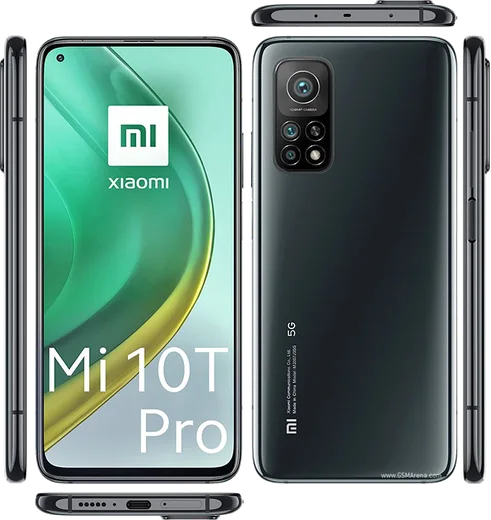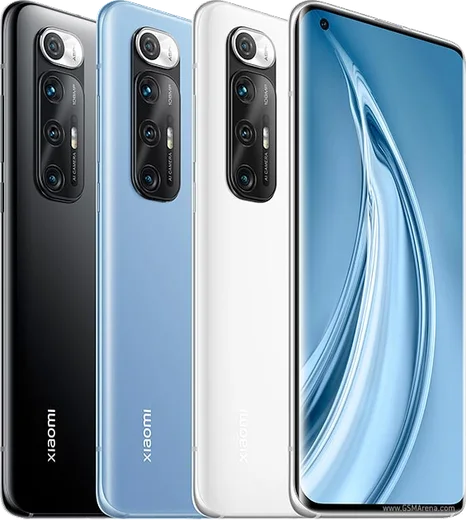
WhatsApp on Mi 10T Pro
Xiaomi Android

WhatsApp for Mi 10T Pro

Snapdragon 865, 144Hz LCD, 108MP triple camera

WhatsApp Messenger 4.7 · 64.2M reviews Free · Android · ~40 MB · by WhatsApp LLC
Download WhatsApp

Ask a question / report a problem

You can ask any question about WhatsApp support on the Mi 10T Pro — leave it below and we'll help.

Ask a question

Can the Mi 10T Pro run WhatsApp?

Fully supported
  • Operating systemAndroid
  • ProcessorSnapdragon 865
  • WhatsApp versionLatest supported

Latest known WhatsApp problems on Mi 10T Pro

1

Why are my WhatsApp notifications delayed or not showing on the Mi 10T Pro?

MIUI's aggressive battery management is stopping WhatsApp from running in the background. Go to Settings > Apps > Manage apps > WhatsApp, open Battery saver and set it to No restrictions, then enable Autostart on the same app page. Finally, open Recent apps, swipe down on the WhatsApp card to reveal the lock icon and tap it so MIUI stops clearing it from memory. See how others solved this on Reddit
2

How do I stop MIUI from managing apps so WhatsApp notifications work on my Mi 10T Pro?

Two MIUI settings cause most of this. Go to Settings > Apps > Manage apps > WhatsApp, enable Autostart so the app can wake on new messages, and open Battery saver and set it to No restrictions. For reliable banners, open WhatsApp's Notifications settings (in the same app page or in-app under WhatsApp > Settings > Notifications) and make sure Floating notifications and Lock screen display are enabled for the message categories. See how others solved this on Reddit
3

I get no WhatsApp notifications at all unless I open the app on my Mi 10T Pro, what's wrong?

WhatsApp is being frozen in the background, so notifications only arrive when you launch it. Lock WhatsApp in the Recent apps screen (swipe down on its card and tap the padlock), then go to Settings > Apps > Manage apps > WhatsApp, enable Autostart, and set Battery saver to No restrictions. If you have Restrict background data turned on, allow background data for WhatsApp under the same app's Data usage settings. See how others solved this on Reddit
4

Why do WhatsApp calls only show on my Mi 10T Pro when the screen is on or I'm in the app?

The phone is sleeping WhatsApp when the screen is off, so incoming calls never wake it. Go to Settings > Apps > Manage apps > WhatsApp, set Battery saver to No restrictions and enable Autostart. Then open Settings > Apps > Permissions > Other permissions (or the Other permissions section on WhatsApp's app page) and turn on Display pop-up windows while running in the background so the incoming-call screen can appear over the lock screen. See how others solved this on Reddit
5

The screen stays black after WhatsApp calls on my Mi 10T Pro 5G, is this a proximity sensor problem?

The proximity sensor is staying triggered, keeping the display off after you move the phone from your ear. First clean the top of the screen near the earpiece and remove any thick screen protector or case lip covering the sensor area. You can check the sensor in the built-in hardware test (dial *#*#6484#*#* to open the CIT test menu, then run the Proximity sensor test). If it still misbehaves after a MIUI update, have it checked at a Xiaomi service center, as some units shipped with a faulty sensor. See how others solved this on Reddit

Ask a question / report a problem

You can ask any question about WhatsApp support on the Mi 10T Pro — leave it below and we'll help.

Ask a question

Watch: setting up WhatsApp

Prefer to watch? This short walkthrough shows the whole installation and number-verification flow.

How to install WhatsApp on Mi 10T Pro — video walkthrough

How to install WhatsApp on Mi 10T Pro

1

Choose how to download

On your Mi 10T Pro you can get the official app two ways: from the Google Play Store — the easiest option, since it keeps WhatsApp updated automatically — or directly from the official website. You can download an APK file, by clicking a link “Download WhatsApp directly”.

2

Open WhatsApp

Launch WhatsApp from your home screen or app drawer and accept the Terms of Service to start setup.

3

Verify your phone number

Enter your phone number. If your Mi 10T Pro uses dual SIM, pick the line you want WhatsApp tied to, then enter the 6-digit code it sends by SMS — it usually fills in automatically.

4

Restore chats and finish setup

Restore your chat history from Google Drive (use the same Google account), add your name and photo, and tap Allow for notifications so messages and calls arrive reliably.

Stay safe: only ever install WhatsApp from the official Android source. The Download button above already points there — modified copies (GB/Plus/Aero WhatsApp) can get your number banned.

Comments (7)

No registration needed. No email required.
W
whatsappfanJun 4, 2026

Pls help is this safe? i dont want a virus

AppWhatsOfficialJun 5, 2026

No worries, totally safe. We only link to the genuine WhatsApp, so there is no risk of malware as long as you use the button above. Hope that helps!

M
mr_jayOct 3, 2025

auf dem 10tpro meiner mutter problemlos installiert 🙏

R
rosa39Mar 30, 2025

Ok so works like a charm on the 10tpro ❤️

P
phoneaddictMar 9, 2025

Quick q why does it crash on opening thanks

AppWhatsOfficialMar 10, 2025

No worries, try clearing the cache and updating your phone software, then install the latest version again. That usually stops the crashing. Reach out anytime.

L
lina2000Sep 27, 2024

Stuck and so stressed how do i get whatsapp on 10t pro 😩

AppWhatsOfficialOct 1, 2024

You are almost there! Tap Download, allow the install, open WhatsApp and confirm your number. You will be set up on your phone in no time.

X
xX_leoAug 7, 2024

Omg couldnt install whatsapp on my mi 10t pro until i found this cheers

G
greg1Jul 13, 2024

guys simple and fast