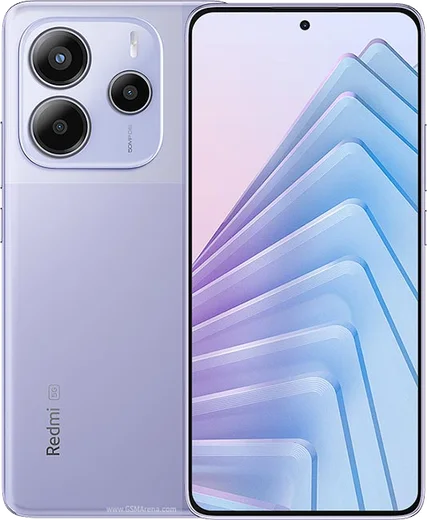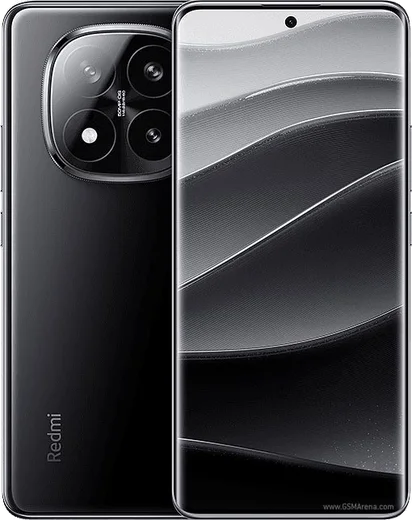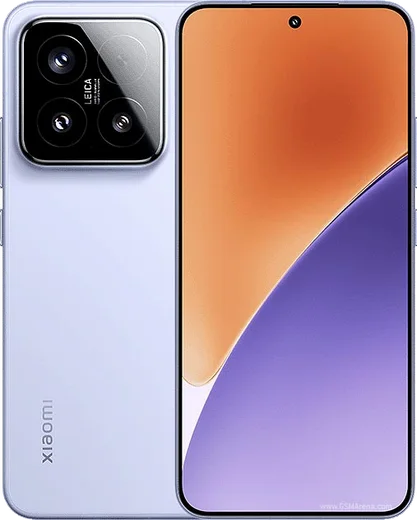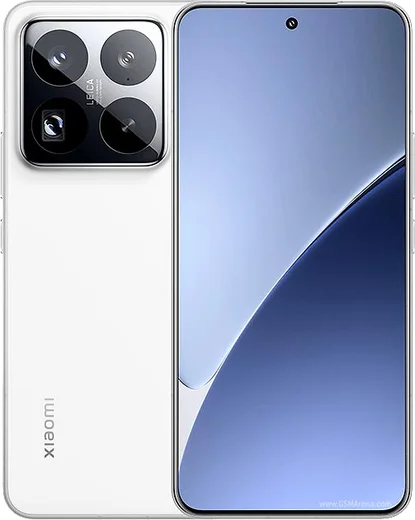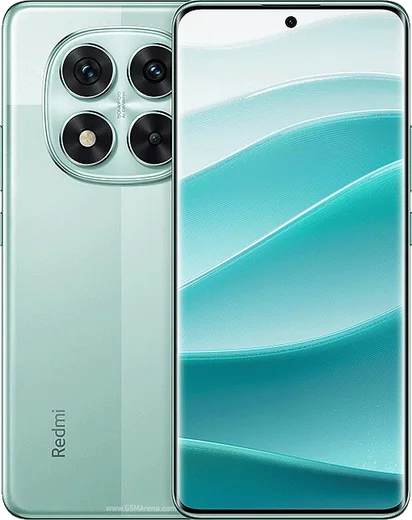
WhatsApp on Redmi Note 14
Xiaomi Android

WhatsApp for Redmi Note 14

Dimensity 7025, 108MP, 5500mAh

WhatsApp Messenger 4.7 · 64.2M reviews Free · Android · ~40 MB · by WhatsApp LLC
Download WhatsApp

Ask a question / report a problem

You can ask any question about WhatsApp support on the Redmi Note 14 — leave it below and we'll help.

Ask a question

Can the Redmi Note 14 run WhatsApp?

Fully supported
  • Operating systemAndroid
  • ProcessorDimensity 7025
  • WhatsApp versionLatest supported

Latest known WhatsApp problems on Redmi Note 14

1

Why does WhatsApp keep crashing on my Redmi Note 14?

This is usually caused by a corrupted cache or an outdated app version after a HyperOS update. Go to Settings > Apps > Manage apps > WhatsApp > Storage and tap Clear cache, then update WhatsApp from the Play Store (or reinstall it). Also make sure HyperOS itself is current under Settings > About phone > System update, since several crash reports were resolved by a system patch. See how others solved this on Reddit
2

WhatsApp closes immediately when I open it on my Redmi Note 14 - how do I fix it?

A sudden close on launch is almost always a cache or storage glitch. Open Settings > Apps > Manage apps > WhatsApp > Storage, tap Clear cache first, and if it still closes, uninstall and reinstall WhatsApp (your chats restore from the Google Drive backup during setup). If it persists, free up internal storage, since a nearly full device can force WhatsApp to crash. See how others solved this on Reddit
3

Why do I get a WhatsApp bug or error on the Redmi Note 14 Pro+ Global ROM?

On the Global ROM this is typically a version mismatch or a leftover registration issue from a previous phone. Fully update WhatsApp in the Play Store, clear its cache under Settings > Apps > Manage apps > WhatsApp > Storage, and confirm your phone's date and time are set to Automatic under Settings > Additional settings > Date & time. If the error stays, reinstall WhatsApp so it re-verifies your number cleanly. See how others solved this on Reddit
4

WhatsApp call notifications don't show on my Redmi Note 14 but the phone still rings - how do I fix it?

HyperOS battery restrictions are blocking the notification banner from appearing. Go to Settings > Apps > Manage apps > WhatsApp, open Battery saver and set it to No restrictions, then enable Autostart. Also open WhatsApp > Settings > Notifications and confirm that call notifications and pop-up (heads-up) alerts are turned on. See how others solved this on Reddit
5

Is the Redmi Note 14 reliable for WhatsApp, or should I worry about the reported bugs?

Most reported WhatsApp issues on the Redmi Note 14 are software-side and fixable: crashes clear up by updating the app and HyperOS, and notification problems are solved by enabling Autostart and setting Battery saver to No restrictions under Settings > Apps > Manage apps > WhatsApp. Keep both WhatsApp and HyperOS updated, and the phone handles WhatsApp normally for messaging, calls, and backups to Google Drive. See how others solved this on Reddit

Ask a question / report a problem

You can ask any question about WhatsApp support on the Redmi Note 14 — leave it below and we'll help.

Ask a question

Watch: setting up WhatsApp

Prefer to watch? This short walkthrough shows the whole installation and number-verification flow.

How to install WhatsApp on Redmi Note 14 — video walkthrough

How to install WhatsApp on Redmi Note 14

1

Choose how to download

On your Redmi Note 14 you can get the official app two ways: from the Google Play Store — the easiest option, since it keeps WhatsApp updated automatically — or directly from the official website. You can download an APK file, by clicking a link “Download WhatsApp directly”.

2

Open WhatsApp

Launch WhatsApp from your home screen or app drawer and accept the Terms of Service to start setup.

3

Verify your phone number

Enter your phone number. If your Redmi Note 14 uses dual SIM, pick the line you want WhatsApp tied to, then enter the 6-digit code it sends by SMS — it usually fills in automatically.

4

Restore chats and finish setup

Restore your chat history from Google Drive (use the same Google account), add your name and photo, and tap Allow for notifications so messages and calls arrive reliably.

Stay safe: only ever install WhatsApp from the official Android source. The Download button above already points there — modified copies (GB/Plus/Aero WhatsApp) can get your number banned.

Comments (15)

No registration needed. No email required.
M
mia21Jun 19, 2026

so smooth install on the redmi note14 ❤️

T
the_real_kateMay 27, 2026

pls help can i use the same number on two phones

AppWhatsOfficialMay 31, 2026

Sure, you can link extra devices from Settings, that lets the same number work on another phone. Let us know if you need anything else.

N
nooooNov 19, 2025

ok so finally got whatsapp running on my note 14

L
leo.jNov 17, 2025

Guys installed on my note 14, super simple thanks again

O
omar59Oct 17, 2025

Hey hat super funktioniert, danke

C
chris60Aug 4, 2025

Hey does this cost money

AppWhatsOfficialAug 9, 2025

Happy to help, no payment needed at all. WhatsApp is free, you just need an internet connection. Hope that helps!

A
ahmedJun 19, 2025

أخيراً تم التثبيت بدون مشاكل

M
mike3May 3, 2025

Omg all good on my Redmi Note 14 now lol

T
tan_katMar 14, 2025

Ehi ha funzionato benissimo, grazie grazie

T
tan_omaFeb 9, 2025

sorry but the download is very slow is that normal anyone

AppWhatsOfficialFeb 13, 2025

Hi! It depends on your connection. Try switching to wifi if you can, and the download should finish in under a minute on most networks.

B
ben_officialNov 11, 2024

omg been at this for hours pls someone help me :(

AppWhatsOfficialNov 15, 2024

Hey, no need to stress! Tap the green Download button at the top, follow the steps, and you will have WhatsApp in a minute. You will be set up on your phone in no time.

B
bea_denOct 31, 2024

Finally the download was a bit slow but it worked 👌

N
noobmasterOct 26, 2024

Honestly running whatsapp on my redmi note14 like new 🔥

A
anonOct 20, 2024

guys the download is very slow is that normal

AppWhatsOfficialOct 21, 2024

Speed comes down to your data or wifi. On a good connection it only takes a few seconds. Happy chatting!

T
tina21Sep 8, 2024

The download was a bit slow but it worked lol

AppWhatsOfficialSep 10, 2024

Awesome, glad it worked!