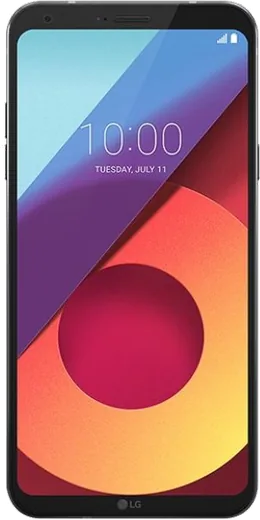
WhatsApp on LG Q6
LG Android

WhatsApp for LG Q6

Install the official WhatsApp on your LG Q6 in a few simple steps.

WhatsApp Messenger 4.7 · 64.2M reviews Free · Android · ~40 MB · by WhatsApp LLC
Download WhatsApp

Ask a question / report a problem

You can ask any question about WhatsApp support on the LG Q6 — leave it below and we'll help.

Ask a question

Can the LG Q6 run WhatsApp?

Fully supported
  • Operating systemAndroid
  • WhatsApp versionLatest supported

Latest known WhatsApp problems on LG Q6

1

Why is my WhatsApp folder eating up so much storage on my LG Q6?

Over time WhatsApp's databases and downloaded media pile up and can swell to several gigabytes on the Q6's modest storage. Open WhatsApp, tap the three-dot menu, go to Settings, Storage and data, Manage storage, and delete large items and forwarded media. Then in Android Settings, Apps, WhatsApp, Storage you can clear the cache without losing chats. Turning off auto-download under WhatsApp Settings, Storage and data prevents the folder from re-bloating. See how others solved this on Reddit
2

WhatsApp says 'Login not available right now, for security reasons' on my LG Q6, what do I do?

This block usually appears after several failed verification attempts or when WhatsApp suspects unusual sign-in activity, and it often clears on its own after waiting a few hours. Make sure your Q6 has the latest WhatsApp from the Play Store, a stable connection, and the correct phone number, then request the SMS code again rather than retrying repeatedly. If it persists past a day, request the code by phone call or contact WhatsApp support from the verification screen. See how others solved this on Reddit
3

I'm not getting WhatsApp call and video call notifications on my LG Q6 until I open the app

Android's battery optimization on the Q6 puts WhatsApp to sleep, so incoming-call alerts arrive late or not at all. Go to Settings, Apps, WhatsApp, Battery and set it to Unrestricted (or remove it from battery saving), then in WhatsApp, Settings, Notifications make sure call notifications and 'Use high priority notifications' are enabled. Also confirm Do Not Disturb is off and that WhatsApp has permission to display over other apps. See how others solved this on Reddit
4

WhatsApp photos aren't showing up in my LG Q6 gallery

This happens when WhatsApp's 'Media visibility' is off or the Q6 hasn't been granted full photo permission, so saved images stay hidden from the Gallery app. In WhatsApp go to Settings, Chats and turn on Media visibility, then in Settings, Apps, WhatsApp, Permissions allow access to Photos and media. If images still don't appear, restart the phone so the gallery re-scans the WhatsApp Media folder. See how others solved this on Reddit
5

WhatsApp keeps saying 'Your phone date is inaccurate' on my LG Q6

WhatsApp validates its security certificates against your clock, so a wrong date or time zone triggers this error and blocks connection. On the Q6 go to Settings, General, Date & time and turn on 'Set automatically' (automatic date and time) and 'Automatic time zone' so it syncs from the network. After correcting it, force-close and reopen WhatsApp. See how others solved this on Reddit
6

My WhatsApp messages won't send on my LG Q6 even though my internet works fine

When data is fine but messages stick with a single clock icon, the issue is usually WhatsApp's background data or a stale connection rather than your network. In Settings, Apps, WhatsApp, Mobile data and Wi-Fi, enable Background data and Unrestricted data usage, then clear the app cache via Settings, Apps, WhatsApp, Storage. If it continues, update WhatsApp from the Play Store or reboot the Q6 to refresh its connection to the servers. See how others solved this on Reddit

Ask a question / report a problem

You can ask any question about WhatsApp support on the LG Q6 — leave it below and we'll help.

Ask a question

Watch: setting up WhatsApp

Prefer to watch? This short walkthrough shows the whole installation and number-verification flow.

How to install WhatsApp on LG Q6 — video walkthrough

How to install WhatsApp on LG Q6

1

Choose how to download

On your LG Q6 you can get the official app two ways: from the Google Play Store — the easiest option, since it keeps WhatsApp updated automatically — or directly from the official website. You can download an APK file, by clicking a link “Download WhatsApp directly”.

2

Open WhatsApp

Launch WhatsApp from your home screen or app drawer and accept the Terms of Service to start setup.

3

Verify your phone number

Enter your phone number. If your LG Q6 uses dual SIM, pick the line you want WhatsApp tied to, then enter the 6-digit code it sends by SMS — it usually fills in automatically.

4

Restore chats and finish setup

Restore your chat history from Google Drive (use the same Google account), add your name and photo, and tap Allow for notifications so messages and calls arrive reliably.

Stay safe: only ever install WhatsApp from the official Android source. The Download button above already points there — modified copies (GB/Plus/Aero WhatsApp) can get your number banned.

Comments (4)

No registration needed. No email required.
T
theuserDec 12, 2025

finally smooth install on the Q6

Z
zoe18Apr 23, 2025

Couldnt install whatsapp on my lg q6 until i found this 🙏

V
val_officialApr 3, 2025

ugh i tried everything pls help meee install whatsapp on lg q6 :(

AppWhatsOfficialApr 7, 2025

Hey, no need to stress! Tap the green Download button at the top, follow the steps, and you will have WhatsApp in a minute.

M
mr_linaDec 1, 2024

wow installé sans souci sur mon q6