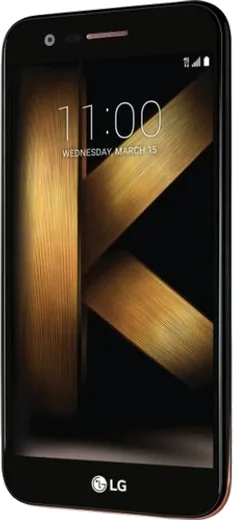
WhatsApp on LG K20 plus
LG Android

WhatsApp for LG K20 plus

Install the official WhatsApp on your LG K20 plus in a few simple steps.

WhatsApp Messenger 4.7 · 64.2M reviews Free · Android · ~40 MB · by WhatsApp LLC
Download WhatsApp

Ask a question / report a problem

You can ask any question about WhatsApp support on the LG K20 plus — leave it below and we'll help.

Ask a question

Can the LG K20 plus run WhatsApp?

Fully supported
  • Operating systemAndroid
  • WhatsApp versionLatest supported

Latest known WhatsApp problems on LG K20 plus

1

Why does WhatsApp say 'Your phone date is inaccurate' on my LG K20 plus?

This appears when the K20 plus clock has drifted out of sync, which is common on older LG phones that no longer get updates. Open Settings > General > Date & time and turn on 'Automatic date & time' and 'Automatic time zone' so the network sets the correct time, then reopen WhatsApp. If it still fails, turn automatic off, set the date, time, and time zone manually to the exact current values, and restart the phone. See how others solved this on Reddit
2

WhatsApp call and video call notifications are not showing on my LG K20 plus

The K20 plus power saver tends to kill WhatsApp in the background, which stops incoming call alerts. First open Settings > Apps > WhatsApp > Notifications and make sure they are enabled. Then go to Settings > Battery & power saving > Battery saver and either turn it off or exclude WhatsApp so it can run in the background. Also confirm Settings > Apps > WhatsApp > Permissions has Phone and Microphone allowed so calls can ring through. See how others solved this on Reddit
3

WhatsApp and other apps stopped working properly after LG stopped supporting the K20 plus

Because LG ended updates, the K20 plus is stuck on an old Android version that newer WhatsApp builds may refuse to run. First update WhatsApp from the Google Play Store, then open Play Store and check for pending updates to system components like Google Play services. If WhatsApp will not update or keeps crashing on launch, your Android version has likely fallen below the minimum WhatsApp now requires, and the only real fix is moving to a newer phone. See how others solved this on Reddit
4

WhatsApp calls play through the speaker but not my Bluetooth headphones on the LG K20 plus

This is usually a Bluetooth call-audio routing issue on the K20 plus. Go to Settings > Bluetooth, tap the gear or settings icon next to your paired headphones, and make sure 'Call audio' (or 'Phone audio') is turned on; if it still misbehaves, forget the device and re-pair it. During a WhatsApp call you can also tap the audio/speaker icon and pick your headphones manually if it does not switch automatically. See how others solved this on Reddit
5

How do I get my WhatsApp messages off my LG K20 plus and back up the account?

WhatsApp on the K20 plus backs up to Google Drive using the Google account signed in on the phone. Open WhatsApp > Menu (three dots) > Settings > Chats > Chat backup, confirm the correct Google account is selected, and tap 'Back up' to save your chats to Drive. When you set up WhatsApp on a new phone using the same phone number and Google account, it will offer to restore that backup automatically. See how others solved this on Reddit

Ask a question / report a problem

You can ask any question about WhatsApp support on the LG K20 plus — leave it below and we'll help.

Ask a question

Watch: setting up WhatsApp

Prefer to watch? This short walkthrough shows the whole installation and number-verification flow.

How to install WhatsApp on LG K20 plus — video walkthrough

How to install WhatsApp on LG K20 plus

1

Choose how to download

On your LG K20 plus you can get the official app two ways: from the Google Play Store — the easiest option, since it keeps WhatsApp updated automatically — or directly from the official website. You can download an APK file, by clicking a link “Download WhatsApp directly”.

2

Open WhatsApp

Launch WhatsApp from your home screen or app drawer and accept the Terms of Service to start setup.

3

Verify your phone number

Enter your phone number. If your LG K20 plus uses dual SIM, pick the line you want WhatsApp tied to, then enter the 6-digit code it sends by SMS — it usually fills in automatically.

4

Restore chats and finish setup

Restore your chat history from Google Drive (use the same Google account), add your name and photo, and tap Allow for notifications so messages and calls arrive reliably.

Stay safe: only ever install WhatsApp from the official Android source. The Download button above already points there — modified copies (GB/Plus/Aero WhatsApp) can get your number banned.

Comments (5)

No registration needed. No email required.
R
ray65Jun 7, 2026

tbh thank u, whatsapp installed on my k20 plus 💯

J
jess.bMay 6, 2026

tbh my LG K20 plus was being difficult but this sorted it ✌️

AppWhatsOfficialMay 9, 2026

Glad we could help!

J
joe2000Apr 8, 2025

The download was a bit slow but it worked 🔥

N
nick25Dec 6, 2024

I tried everything pls help meee install whatsapp on LG K20 plus

AppWhatsOfficialDec 10, 2024

Don't worry, you can do this! Use the Download button, install the app, and enter your number to verify. You will be set up on your phone in no time.

L
lou92Sep 26, 2024

echt richtig klare schritte für das k20plus