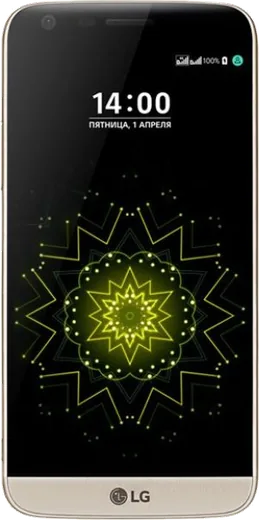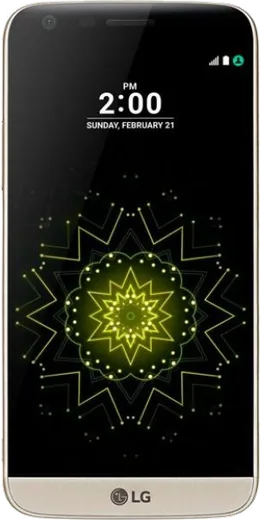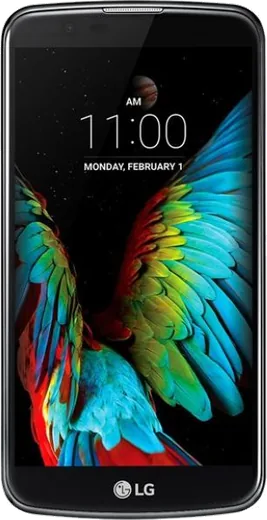
WhatsApp on LG G5 SE
LG Android

WhatsApp for LG G5 SE

Install the official WhatsApp on your LG G5 SE in a few simple steps.

WhatsApp Messenger 4.7 · 64.2M reviews Free · Android · ~40 MB · by WhatsApp LLC
Download WhatsApp

Ask a question / report a problem

You can ask any question about WhatsApp support on the LG G5 SE — leave it below and we'll help.

Ask a question

Can the LG G5 SE run WhatsApp?

Fully supported
  • Operating systemAndroid
  • WhatsApp versionLatest supported

Latest known WhatsApp problems on LG G5 SE

1

How do I restore my old WhatsApp chats on my LG G5 SE?

WhatsApp on Android backs up to Google Drive, so open WhatsApp and go to Settings > Chats > Chat backup to confirm the Google account tied to your G5 SE. To recover a backup, uninstall and reinstall WhatsApp from the Play Store, verify the same phone number, and tap Restore when prompted. If you only have a local backup file, copy it into Internal storage > Android > media > com.whatsapp > WhatsApp > Databases before reinstalling, then restore during setup. See how others solved this on Reddit
2

WhatsApp keeps crashing or freezing on my LG G5 SE - what should I check?

The G5 SE has limited RAM, so first clear WhatsApp's cache under Settings > Apps > WhatsApp > Storage > Clear cache (not Clear data, which would delete chats), then restart the phone to free memory. If it still hangs, update WhatsApp from the Play Store and make sure Android System WebView and Chrome are up to date too, since outdated system components were a common cause of app instability on these LG units. See how others solved this on Reddit
3

Why does WhatsApp drain my LG G5 SE battery so fast in the background?

Open Settings > Battery to see how much WhatsApp is using, then turn off Auto-download under WhatsApp Settings > Storage and data so media stops pulling power on mobile data. Reducing background sync helps a lot on the G5 SE: in Settings > Apps > WhatsApp you can limit background activity while keeping notifications enabled, which gives much stronger standby battery. See how others solved this on Reddit
4

WhatsApp says "This account can no longer use WhatsApp" on my LG G5 SE - how do I fix it?

This usually means WhatsApp detected an unofficial or modified version, so uninstall any GB/modded WhatsApp and install only the official app from the Google Play Store. If you were already on the genuine app, the ban may be a mistake - tap Request a review in the app to appeal, and afterward avoid bulk-messaging and third-party clients that trigger flags. See how others solved this on Reddit
5

Is the LG G5 SE too old to run WhatsApp now, and will it keep working?

The G5 SE ships with an older Android version that WhatsApp is gradually dropping support for, so check Settings > Apps > WhatsApp to confirm it still updates from the Play Store. If updates stop, existing chats keep working for a while but new features won't arrive. To prepare, back up to Google Drive under WhatsApp Settings > Chats > Chat backup so you can migrate cleanly to a newer phone when support ends. See how others solved this on Reddit

Ask a question / report a problem

You can ask any question about WhatsApp support on the LG G5 SE — leave it below and we'll help.

Ask a question

Watch: setting up WhatsApp

Prefer to watch? This short walkthrough shows the whole installation and number-verification flow.

How to install WhatsApp on LG G5 SE — video walkthrough

How to install WhatsApp on LG G5 SE

1

Choose how to download

On your LG G5 SE you can get the official app two ways: from the Google Play Store — the easiest option, since it keeps WhatsApp updated automatically — or directly from the official website. You can download an APK file, by clicking a link “Download WhatsApp directly”.

2

Open WhatsApp

Launch WhatsApp from your home screen or app drawer and accept the Terms of Service to start setup.

3

Verify your phone number

Enter your phone number. If your LG G5 SE uses dual SIM, pick the line you want WhatsApp tied to, then enter the 6-digit code it sends by SMS — it usually fills in automatically.

4

Restore chats and finish setup

Restore your chat history from Google Drive (use the same Google account), add your name and photo, and tap Allow for notifications so messages and calls arrive reliably.

Stay safe: only ever install WhatsApp from the official Android source. The Download button above already points there — modified copies (GB/Plus/Aero WhatsApp) can get your number banned.

Comments (5)

No registration needed. No email required.
G
gabe.hMay 17, 2026

tbh best guide for the lg g5 se by far

P
priya13May 3, 2026

Danke, mein g5 se hat jetzt whatsapp 👍

Z
zoe.rJul 28, 2025

Man this fixed whatsapp on my LG G5 SE ❤️

AppWhatsOfficialJul 29, 2025

Good to hear!

B
ben.lDec 23, 2024

Quick q the app opens to a black screen

AppWhatsOfficialDec 29, 2024

Thanks for asking, try restarting your phone first. If it still wont open, clear the cache or reinstall the latest version from the official source. Hope that helps!

N
nick92Aug 15, 2024

someone PLEASE i need whatsapp on my lg g5 se its urgent pls

AppWhatsOfficialAug 19, 2024

Breathe! Follow the steps above one by one, tap Download first, and you will be chatting in no time.