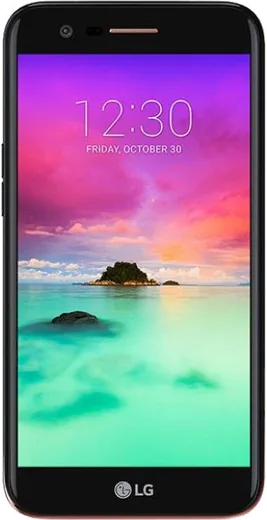
WhatsApp on LG Harmony
LG Android

WhatsApp for LG Harmony

Install the official WhatsApp on your LG Harmony in a few simple steps.

WhatsApp Messenger 4.7 · 64.2M reviews Free · Android · ~40 MB · by WhatsApp LLC
Download WhatsApp

Ask a question / report a problem

You can ask any question about WhatsApp support on the LG Harmony — leave it below and we'll help.

Ask a question

Can the LG Harmony run WhatsApp?

Fully supported
  • Operating systemAndroid
  • WhatsApp versionLatest supported

Latest known WhatsApp problems on LG Harmony

1

How do I transfer my WhatsApp chats from an iPhone to my LG Harmony?

WhatsApp's built-in 'Move to Android' tool only works on phones running Android 12 or newer, so it will not run on the Harmony (which shipped on Android 7). The reliable fallback is WhatsApp's per-chat export: on the iPhone open a chat, tap the contact or group name at the top, scroll down to 'Export Chat', and choose 'Without Media' to email or save the conversation as a .txt file you can keep. There is no supported way to merge full iPhone chat history into a fresh WhatsApp install on this hardware, so treat the export as an archive rather than a live restore, and use the same phone number when you set WhatsApp up on the Harmony so the account itself moves over. See how others solved this on Reddit
2

WhatsApp says 'You need the official version of WhatsApp' on my LG Harmony — how do I fix it?

This error almost always means a modified APK (GB WhatsApp, WhatsApp Plus, etc.) is installed instead of the genuine app, and Meta now blocks those accounts. First, if the app still opens, back your chats up under WhatsApp Settings > Chats > Chat backup. Then uninstall the unofficial build and install only the official app from the Google Play Store (or from whatsapp.com/android if Play is unavailable). Reinstall, verify your number, and restore the backup. If your account was temporarily banned for using a mod, you may have to wait out the ban before it lets you back in. See how others solved this on Reddit
3

My LG Harmony is on an old Android version — will WhatsApp stop working on it?

WhatsApp periodically raises its minimum Android requirement, and very old releases (the Android 6/7 era the Harmony is on) eventually stop receiving updates and then lose service entirely. Check your version under Settings > System > About phone > Android version. If the Play Store no longer offers a WhatsApp update, the installed copy will keep running only until Meta's next cutoff date. There is no OS upgrade available for the Harmony, so the practical move is to keep your chats backed up under WhatsApp Settings > Chats > Chat backup and plan to migrate the account to a newer phone before support ends. See how others solved this on Reddit
4

Is my aging LG Harmony becoming e-waste, and can I still safely run WhatsApp on it?

An out-of-support phone stops getting security patches, which is the real risk — WhatsApp may still launch, but the unpatched OS underneath becomes the weak point. You can extend its usefulness by keeping only essential apps installed, enabling two-step verification in WhatsApp under Settings > Account > Two-step verification, and never sideloading WhatsApp mods. For anything sensitive, treat the Harmony as a secondary device and keep your chat history backed up under WhatsApp Settings > Chats > Chat backup so the account moves cleanly to a supported phone later. See how others solved this on Reddit
5

WhatsApp feels slow and laggy on my LG Harmony — how can I speed it up?

On low-RAM, older-Android hardware like the Harmony, WhatsApp slows down mainly from a bloated media cache and too many background apps. Inside WhatsApp, open Settings > Storage and data > Manage storage to delete large forwarded videos and images. Turn off auto-saving of incoming media via Settings > Storage and data > Media auto-download (set the options to nothing), then restart the phone. You can also clear the app cache from the phone's Settings > Apps > WhatsApp > Storage > Clear cache, which frees space without touching your chats. See how others solved this on Reddit

Ask a question / report a problem

You can ask any question about WhatsApp support on the LG Harmony — leave it below and we'll help.

Ask a question

Watch: setting up WhatsApp

Prefer to watch? This short walkthrough shows the whole installation and number-verification flow.

How to install WhatsApp on LG Harmony — video walkthrough

How to install WhatsApp on LG Harmony

1

Choose how to download

On your LG Harmony you can get the official app two ways: from the Google Play Store — the easiest option, since it keeps WhatsApp updated automatically — or directly from the official website. You can download an APK file, by clicking a link “Download WhatsApp directly”.

2

Open WhatsApp

Launch WhatsApp from your home screen or app drawer and accept the Terms of Service to start setup.

3

Verify your phone number

Enter your phone number. If your LG Harmony uses dual SIM, pick the line you want WhatsApp tied to, then enter the 6-digit code it sends by SMS — it usually fills in automatically.

4

Restore chats and finish setup

Restore your chat history from Google Drive (use the same Google account), add your name and photo, and tap Allow for notifications so messages and calls arrive reliably.

Stay safe: only ever install WhatsApp from the official Android source. The Download button above already points there — modified copies (GB/Plus/Aero WhatsApp) can get your number banned.

Comments (4)

No registration needed. No email required.
J
just_saraFeb 17, 2026

This worked great on my harmony 🎉

AppWhatsOfficialFeb 19, 2026

Happy it helped you!

N
newphoneAug 24, 2025

Ngl no problems installing on my lg harmony

X
xX_danNov 27, 2024

Uff muy fácil, lo hice en 2 minutos en mi Harmony 💯

N
newbieAug 8, 2024

i been trying since morning pleaseee how to install on LG Harmony 🙏

AppWhatsOfficialAug 9, 2024

You are almost there! Tap Download, allow the install, open WhatsApp and confirm your number.