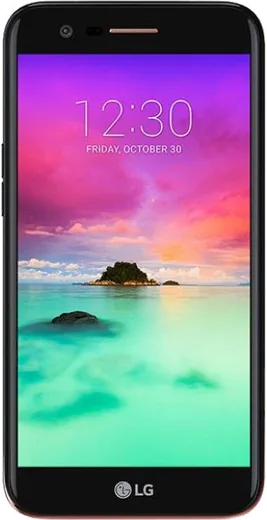
WhatsApp on LG Aristo 2
LG Android

WhatsApp for LG Aristo 2

Install the official WhatsApp on your LG Aristo 2 in a few simple steps.

WhatsApp Messenger 4.7 · 64.2M reviews Free · Android · ~40 MB · by WhatsApp LLC
Download WhatsApp

Ask a question / report a problem

You can ask any question about WhatsApp support on the LG Aristo 2 — leave it below and we'll help.

Ask a question

Can the LG Aristo 2 run WhatsApp?

Fully supported
  • Operating systemAndroid
  • WhatsApp versionLatest supported

Latest known WhatsApp problems on LG Aristo 2

1

Why does my LG Aristo 2 keep running out of storage and slowing down?

The Aristo 2 only ships with 16GB of internal storage, so it fills up fast once you add apps, photos, and updates. Insert a microSD card, then go to Settings > Storage and move photos and music to the card, and clear cached data by tapping Settings > Storage > Internal storage > Cached data. Also uninstall apps you don't use from Settings > Apps, and turn on Google Photos backup so you can safely delete local copies to free space. See how others solved this on Reddit
2

Is the LG Aristo 2 a good first Android phone for an older parent, and how do I make it easier to use?

It works fine as a simple first Android, but the default LG home screen can feel cluttered for a beginner. Long-press an empty spot on the home screen, open Home screen settings, and switch to EasyHome mode for big icons and larger text, then increase the font size under Settings > Display > Font size. Add their most-used contacts as home screen shortcuts so calling is one tap away. See how others solved this on Reddit
3

Can the LG Aristo 2 actually run Pokemon Go without lagging or crashing?

It can run Pokemon Go, but the MediaTek chip and 2GB of RAM mean you should lighten the load to avoid freezes. In the game, open Settings and turn off AR mode and enable Battery Saver, and on the phone close background apps from the recents button before playing. Keep the Aristo 2 updated under Settings > General > About phone > Update center, since outdated builds can fail Google Play's integrity check and block the game. See how others solved this on Reddit
4

Why do Facebook and Instagram keep updating themselves on my LG Aristo 2 and eating my data?

By default the Play Store auto-updates apps over any connection, which burns through both data and your limited storage. Open the Play Store, tap your profile icon > Settings > Network preferences > Auto-update apps and set it to "Over Wi-Fi only" or "Don't auto-update apps." You can also limit background data per app under Settings > Apps > (Facebook or Instagram) > Data usage > Background data. See how others solved this on Reddit
5

Can I use my LG Aristo 2 for international travel, and will it work on other carriers abroad?

The Aristo 2 is a GSM phone, so it can work abroad, but US carrier models are usually network-locked and must be unlocked first. Contact your carrier to unlock it, then buy a local prepaid SIM at your destination and insert it, and if data doesn't connect set the APN under Settings > Mobile networks > Access Point Names. Download offline Google Maps before you go and turn off data roaming under Settings > Mobile networks to avoid surprise charges. See how others solved this on Reddit
6

I want to keep my LG Aristo 2 simple like a basic phone but still have a few smart features, what should I do?

You can strip the Aristo 2 down to near-dumbphone simplicity without buying a new device. Disable or uninstall social and game apps from Settings > Apps, switch the launcher to EasyHome mode for a minimal layout, and turn on Do Not Disturb from the quick settings panel to silence distractions. Keep only calls, texts, maps, and one messaging app so it stays responsive on the limited 2GB of RAM. See how others solved this on Reddit

Ask a question / report a problem

You can ask any question about WhatsApp support on the LG Aristo 2 — leave it below and we'll help.

Ask a question

Watch: setting up WhatsApp

Prefer to watch? This short walkthrough shows the whole installation and number-verification flow.

How to install WhatsApp on LG Aristo 2 — video walkthrough

How to install WhatsApp on LG Aristo 2

1

Choose how to download

On your LG Aristo 2 you can get the official app two ways: from the Google Play Store — the easiest option, since it keeps WhatsApp updated automatically — or directly from the official website. You can download an APK file, by clicking a link “Download WhatsApp directly”.

2

Open WhatsApp

Launch WhatsApp from your home screen or app drawer and accept the Terms of Service to start setup.

3

Verify your phone number

Enter your phone number. If your LG Aristo 2 uses dual SIM, pick the line you want WhatsApp tied to, then enter the 6-digit code it sends by SMS — it usually fills in automatically.

4

Restore chats and finish setup

Restore your chat history from Google Drive (use the same Google account), add your name and photo, and tap Allow for notifications so messages and calls arrive reliably.

Stay safe: only ever install WhatsApp from the official Android source. The Download button above already points there — modified copies (GB/Plus/Aero WhatsApp) can get your number banned.

Comments (4)

No registration needed. No email required.
M
mia_tinFeb 20, 2026

omg HELP it just wont work on my lg aristo 2 😩

AppWhatsOfficialFeb 24, 2026

Don't worry, you can do this! Use the Download button, install the app, and enter your number to verify.

Y
yuki.cDec 18, 2025

So whatsapp finally on my aristo 2 👍

K
kai.oAug 31, 2025

Couldnt install whatsapp on my LG Aristo 2 until i found this 👍

F
finn.uJan 25, 2025

Finalmente finalmente whatsapp installato sul mio aristo 2