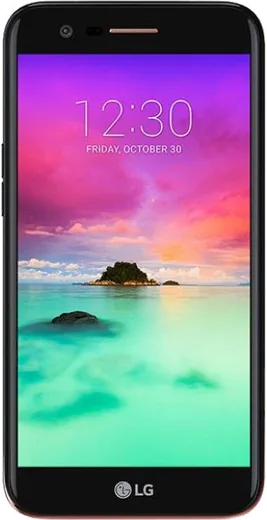
WhatsApp on LG G5
LG Android

WhatsApp for LG G5

Install the official WhatsApp on your LG G5 in a few simple steps.

WhatsApp Messenger 4.7 · 64.2M reviews Free · Android · ~40 MB · by WhatsApp LLC
Download WhatsApp

Ask a question / report a problem

You can ask any question about WhatsApp support on the LG G5 — leave it below and we'll help.

Ask a question

Can the LG G5 run WhatsApp?

Fully supported
  • Operating systemAndroid
  • WhatsApp versionLatest supported

Latest known WhatsApp problems on LG G5

1

How do I restore my old WhatsApp chats on the LG G5 from a previous phone?

Make sure the new WhatsApp uses the same phone number and the same Google account that holds the old backup. Install WhatsApp from the Play Store, verify your number, and when prompted tap Restore so it pulls the Google Drive backup. If the backup lived only in local storage, copy the WhatsApp folder from the old device to the same path on the G5 (it is at /Internal storage/WhatsApp, or /sdcard/WhatsApp) before you reinstall, so WhatsApp detects the local database during setup. See how others solved this on Reddit
2

Why is my microphone so quiet during WhatsApp voice messages and calls on the LG G5?

The G5 uses more than one microphone for noise cancellation, and a blocked secondary mic (near the top edge) often makes you sound faint, so clear any case, film, or debris from those openings. Then confirm WhatsApp has microphone access under Settings > Apps > WhatsApp > Permissions. If it is still quiet, record yourself in a voice recorder app: if that is also faint, it points to a hardware fault rather than a WhatsApp setting. See how others solved this on Reddit
3

I only have the old WhatsApp database files in storage on my LG G5, how do I make WhatsApp load them?

Use a file manager to confirm the files exist at /Internal storage/WhatsApp/Databases (look for msgstore.db.crypt12 or .crypt14). Keep that whole WhatsApp folder in internal storage, then uninstall and reinstall WhatsApp from the Play Store using the same phone number. During setup it scans that folder and offers to restore the local backup automatically. WhatsApp only retains the last several days of local backups, so do this before they roll off. See how others solved this on Reddit
4

What can I use for SMS texting on the LG G5 since I mainly use WhatsApp for chats?

WhatsApp only handles internet messages, so you still need a separate SMS app for carrier texts. The G5 ships with LG Messaging, but you can install Google Messages from the Play Store and set it as default under Settings > Apps > Default apps > SMS app. Google Messages can add RCS chat features over Wi-Fi or data while keeping your carrier texts separate from your WhatsApp threads. See how others solved this on Reddit
5

Why does my LG screen go black during a WhatsApp call until I move the phone?

That is the proximity sensor blanking the display because it thinks the phone is at your ear. WhatsApp relies on the system proximity sensor and has no toggle to disable this, so the fix is at the hardware level: a screen protector or dirt covering the sensor near the earpiece is the usual culprit, so clean or trim around it. If it still misfires with nothing covering it, the proximity sensor itself may be faulty. See how others solved this on Reddit
6

My LG G5 has random app crashes and bugs affecting WhatsApp, what should I check first?

Many G5 instability reports trace back to a loose modular bottom unit or low free storage choking apps, so reseat the module and keep at least 1-2 GB free via Settings > General > Storage. Clear WhatsApp's cache under Settings > Apps > WhatsApp > Storage, make sure both the Android system and WhatsApp (from the Play Store) are fully updated, and reboot to clear stuck background processes. See how others solved this on Reddit

Ask a question / report a problem

You can ask any question about WhatsApp support on the LG G5 — leave it below and we'll help.

Ask a question

Watch: setting up WhatsApp

Prefer to watch? This short walkthrough shows the whole installation and number-verification flow.

How to install WhatsApp on LG G5 — video walkthrough

How to install WhatsApp on LG G5

1

Choose how to download

On your LG G5 you can get the official app two ways: from the Google Play Store — the easiest option, since it keeps WhatsApp updated automatically — or directly from the official website. You can download an APK file, by clicking a link “Download WhatsApp directly”.

2

Open WhatsApp

Launch WhatsApp from your home screen or app drawer and accept the Terms of Service to start setup.

3

Verify your phone number

Enter your phone number. If your LG G5 uses dual SIM, pick the line you want WhatsApp tied to, then enter the 6-digit code it sends by SMS — it usually fills in automatically.

4

Restore chats and finish setup

Restore your chat history from Google Drive (use the same Google account), add your name and photo, and tap Allow for notifications so messages and calls arrive reliably.

Stay safe: only ever install WhatsApp from the official Android source. The Download button above already points there — modified copies (GB/Plus/Aero WhatsApp) can get your number banned.

Comments (5)

No registration needed. No email required.
A
anonJun 1, 2026

endlich hat bei mir sofort geklappt auf dem g5

T
tom.vSep 3, 2025

guys pleaseee my G5 wont install whatsapp i give up 😭

AppWhatsOfficialSep 5, 2025

Don't worry, you can do this! Use the Download button, install the app, and enter your number to verify. You will be set up on your phone in no time.

M
mike64Apr 1, 2025

Honestly very clear steps 🔥

K
kev_benJan 23, 2025

update all good on my g5 now 💯

V
val00Nov 30, 2024

update installed whatsapp on my lg g5 with no issues