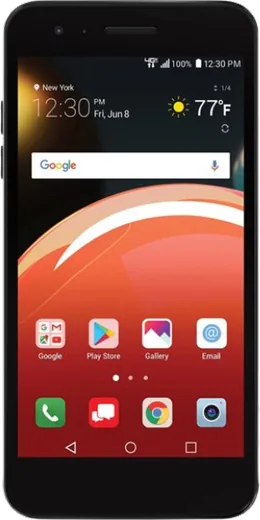
WhatsApp on LG Zone 4
LG Android

WhatsApp for LG Zone 4

Install the official WhatsApp on your LG Zone 4 in a few simple steps.

WhatsApp Messenger 4.7 · 64.2M reviews Free · Android · ~40 MB · by WhatsApp LLC
Download WhatsApp

Ask a question / report a problem

You can ask any question about WhatsApp support on the LG Zone 4 — leave it below and we'll help.

Ask a question

Can the LG Zone 4 run WhatsApp?

Fully supported
  • Operating systemAndroid
  • WhatsApp versionLatest supported

Latest known WhatsApp problems on LG Zone 4

1

Why am I not getting WhatsApp notifications on my LG Zone 4?

On the LG Zone 4, open Settings > Apps > WhatsApp > Notifications and make sure notifications are turned on, then check inside WhatsApp under Settings > Notifications that Message and Group notifications have a sound and pop-up enabled. Also go to Settings > Apps > WhatsApp > Battery and set it to not restrict the app, since power saving on the Zone 4 often silences background apps. Finally confirm Do Not Disturb is off under Settings > Sound. See how others solved this on Reddit
2

WhatsApp calls don't show up on my LG Zone 4 lock screen, how do I fix it?

Go to Settings > Apps > WhatsApp > Notifications and enable the Calls category, making sure it is allowed to show on the lock screen and as a pop-up. Then open Settings > Lock screen and confirm notifications are set to show content, not hidden. On the Zone 4 you should also disable battery optimization for WhatsApp under Settings > Apps > WhatsApp > Battery so incoming call alerts aren't held back. See how others solved this on Reddit
3

WhatsApp messages on my LG Zone 4 arrive late or only when I open the app

Delayed notifications on the Zone 4 are almost always caused by aggressive battery management. Open Settings > Apps > WhatsApp > Battery and choose Don't optimize (or Unrestricted), and make sure Background data is allowed under Settings > Apps > WhatsApp > Mobile data. Keeping WhatsApp out of the device's sleeping or restricted apps list lets it stay connected and deliver messages in real time. See how others solved this on Reddit
4

WhatsApp doesn't pop up on screen or make a sound on my LG Zone 4

Open WhatsApp > Settings > Notifications and confirm a notification tone is selected and Pop-up is set to Show. Then in the Zone 4's Settings > Apps > WhatsApp > Notifications, tap the Messages category and enable Banner/Pop-up plus Sound, and switch importance to High or Urgent so alerts appear over the screen. Toggling WhatsApp's notification settings off and back on often forces the pop-ups to return. See how others solved this on Reddit
5

WhatsApp notification sound stopped working on my LG Zone 4 even though messages arrive

Go to WhatsApp > Settings > Notifications and pick a Notification tone for both Messages and Groups, since a blank or Silent tone is a common cause. Then check Settings > Apps > WhatsApp > Notifications on the Zone 4 and make sure the Messages category has Sound enabled and isn't muted. Confirm your notification volume is up and Do Not Disturb is off under Settings > Sound. See how others solved this on Reddit

Ask a question / report a problem

You can ask any question about WhatsApp support on the LG Zone 4 — leave it below and we'll help.

Ask a question

Watch: setting up WhatsApp

Prefer to watch? This short walkthrough shows the whole installation and number-verification flow.

How to install WhatsApp on LG Zone 4 — video walkthrough

How to install WhatsApp on LG Zone 4

1

Choose how to download

On your LG Zone 4 you can get the official app two ways: from the Google Play Store — the easiest option, since it keeps WhatsApp updated automatically — or directly from the official website. You can download an APK file, by clicking a link “Download WhatsApp directly”.

2

Open WhatsApp

Launch WhatsApp from your home screen or app drawer and accept the Terms of Service to start setup.

3

Verify your phone number

Enter your phone number. If your LG Zone 4 uses dual SIM, pick the line you want WhatsApp tied to, then enter the 6-digit code it sends by SMS — it usually fills in automatically.

4

Restore chats and finish setup

Restore your chat history from Google Drive (use the same Google account), add your name and photo, and tap Allow for notifications so messages and calls arrive reliably.

Stay safe: only ever install WhatsApp from the official Android source. The Download button above already points there — modified copies (GB/Plus/Aero WhatsApp) can get your number banned.

Comments (5)

No registration needed. No email required.
H
helpmeMay 29, 2026

so did it on my LG Zone 4 in like 2 minutes 😍

J
jay.cFeb 21, 2026

Ehi il miglior sito, funzionato al primo colpo sul mio lg zone 4 💯

L
leo_realAug 31, 2025

ugh i tried everything pls help meee install whatsapp on lg zone 4

AppWhatsOfficialSep 4, 2025

Take a breath, we got you. Press Download above, then Install, then verify your number. That is all it takes. You will be set up on your phone in no time.

T
tom2Aug 25, 2025

Downloaded and installed on my LG Zone 4 💯

L
leo27Aug 28, 2024

update got my LG Zone 4 sorted thanks to you :)

AppWhatsOfficialSep 1, 2024

Glad we could help!