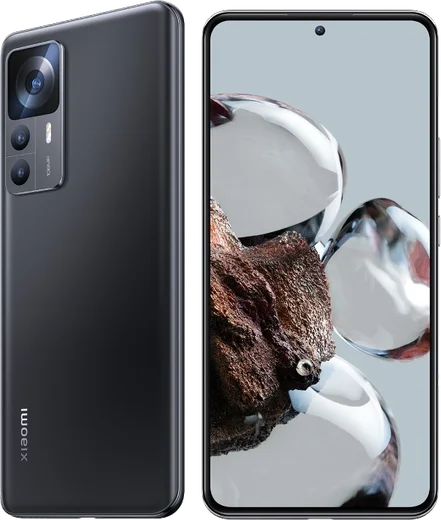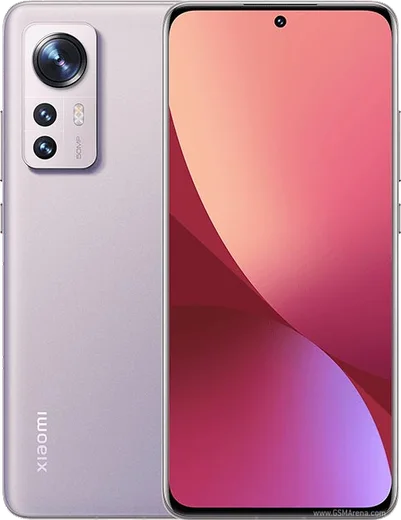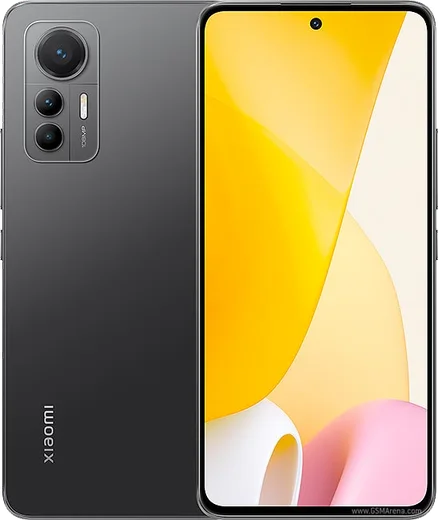
WhatsApp on Xiaomi 12T
Xiaomi Android

WhatsApp for Xiaomi 12T

Dimensity 8100 Ultra, 6.67-inch 120Hz AMOLED, 108MP cam

WhatsApp Messenger 4.7 · 64.2M reviews Free · Android · ~40 MB · by WhatsApp LLC
Download WhatsApp

Ask a question / report a problem

You can ask any question about WhatsApp support on the Xiaomi 12T — leave it below and we'll help.

Ask a question

Can the Xiaomi 12T run WhatsApp?

Fully supported
  • Operating systemAndroid
  • ProcessorDimensity 8100 Ultra
  • WhatsApp versionLatest supported

Latest known WhatsApp problems on Xiaomi 12T

1

Why can't I download photos or videos in WhatsApp on my Xiaomi 12T after a MIUI update?

MIUI updates often reset WhatsApp's storage permission, which blocks media downloads. Go to Settings > Apps > Manage apps > WhatsApp > Permissions and make sure Files and media (storage) is allowed, then check Settings > About phone > Storage to confirm the device isn't full. If it still fails, open App info > Clear data > Clear cache for WhatsApp and retry the download. See how others solved this on Reddit
2

I get no WhatsApp notifications on my Xiaomi 12T unless I open the app. How do I fix this?

MIUI's aggressive battery management is the usual cause, since it kills WhatsApp in the background. Go to Settings > Apps > Manage apps > WhatsApp > Battery saver and set it to No restrictions, then go to Settings > Apps > Permissions > Autostart and enable WhatsApp. It also helps to lock WhatsApp in Recents (swipe down on the app card and tap the lock icon) so the system stops closing it. See how others solved this on Reddit
3

WhatsApp feels choppy and low-FPS on my Xiaomi 12T while scrolling. Can I make it smoother?

MIUI sometimes caps third-party apps to 60Hz even when the display supports a higher refresh rate. Go to Settings > Display > Refresh rate and select Custom (120Hz) rather than Default, since Default lets the system throttle apps. Also turn off any battery-saver mode (Settings > Battery), as those lower the refresh rate to save power. See how others solved this on Reddit
4

WhatsApp calls don't show up on my lock screen on the Xiaomi 12T. How do I get them to ring fully?

Lock-screen call display needs both the notification category and lock-screen access enabled. Go to Settings > Apps > Manage apps > WhatsApp > Notifications, turn on the Calls category, and make sure notifications are allowed on the lock screen. Then enable Autostart (Settings > Apps > Permissions > Autostart) and set WhatsApp's Battery saver to No restrictions so the app can wake for incoming calls. See how others solved this on Reddit
5

WhatsApp stopped working after I updated my Xiaomi 12T to a new MIUI version. What should I do?

A MIUI upgrade can leave WhatsApp with stale data or revoked permissions. First clear the cache under Settings > Apps > Manage apps > WhatsApp > Clear data > Clear cache, then update WhatsApp from the Play Store in case the installed build is incompatible with the new firmware. If problems persist, re-grant all WhatsApp permissions and re-enable Autostart, since updates frequently reset these. See how others solved this on Reddit
6

WhatsApp photos and videos don't appear in my Gallery app on the Xiaomi 12T. How do I make them show?

WhatsApp media is hidden from Gallery when the Media visibility setting is off or the storage permission is missing. In WhatsApp go to Settings > Chats and turn on Media visibility, then in Settings > Apps > Manage apps > WhatsApp > Permissions make sure Files and media is allowed. Restart the phone so Gallery rescans the WhatsApp Images and WhatsApp Video folders. See how others solved this on Reddit

Ask a question / report a problem

You can ask any question about WhatsApp support on the Xiaomi 12T — leave it below and we'll help.

Ask a question

Watch: setting up WhatsApp

Prefer to watch? This short walkthrough shows the whole installation and number-verification flow.

How to install WhatsApp on Xiaomi 12T — video walkthrough

How to install WhatsApp on Xiaomi 12T

1

Choose how to download

On your Xiaomi 12T you can get the official app two ways: from the Google Play Store — the easiest option, since it keeps WhatsApp updated automatically — or directly from the official website. You can download an APK file, by clicking a link “Download WhatsApp directly”.

2

Open WhatsApp

Launch WhatsApp from your home screen or app drawer and accept the Terms of Service to start setup.

3

Verify your phone number

Enter your phone number. If your Xiaomi 12T uses dual SIM, pick the line you want WhatsApp tied to, then enter the 6-digit code it sends by SMS — it usually fills in automatically.

4

Restore chats and finish setup

Restore your chat history from Google Drive (use the same Google account), add your name and photo, and tap Allow for notifications so messages and calls arrive reliably.

Stay safe: only ever install WhatsApp from the official Android source. The Download button above already points there — modified copies (GB/Plus/Aero WhatsApp) can get your number banned.

Comments (8)

No registration needed. No email required.
L
lil_theoMay 13, 2026

honestly my new 12t is all set up now cheers

L
lina30Feb 10, 2026

HELP it just wont work on my xiaomi 12t

AppWhatsOfficialFeb 12, 2026

No panic needed. The Download button takes you to the official app, then just install and verify your number. You got this!

J
just_joeJan 18, 2026

merci, mon 12t a whatsapp maintenant 💯

W
whatsappfanAug 5, 2025

honestly it worked first try 🎉

AppWhatsOfficialAug 8, 2025

That is great to hear!

K
kai.eMar 2, 2025

so this worked great on my 12T

M
marc_proFeb 17, 2025

Hi is this legit and safe anyone

AppWhatsOfficialFeb 20, 2025

Hey there, yes, this is safe. Stick to the official download we link to and avoid modified copies and you will be fine. Happy chatting!

D
droiduserDec 2, 2024

omg my whatsapp had stopped working but this fixed it

G
gabe92Aug 13, 2024

guys im not getting the sms code

AppWhatsOfficialAug 19, 2024

No worries, double check the country code and that you have signal, then request a fresh SMS code. If it still fails, wait a few minutes before trying again. Reach out anytime.