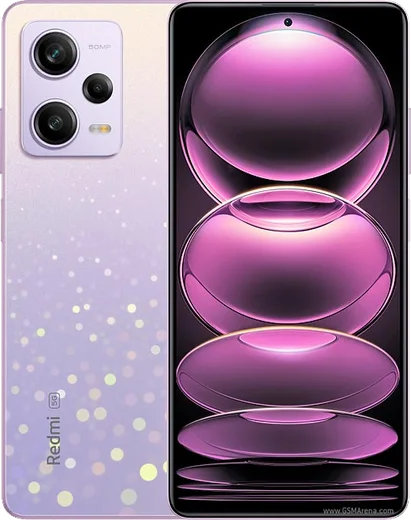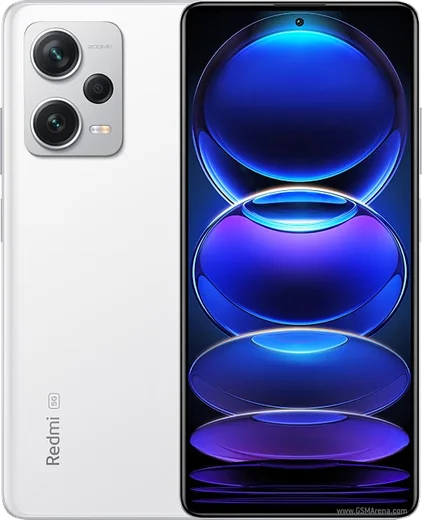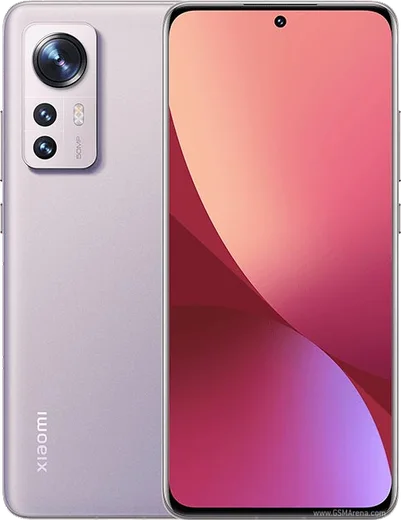
WhatsApp on Redmi Note 11 Pro
Xiaomi Android

WhatsApp for Redmi Note 11 Pro

Helio G96, 108MP camera, 6.67-inch 120Hz AMOLED

WhatsApp Messenger 4.7 · 64.2M reviews Free · Android · ~40 MB · by WhatsApp LLC
Download WhatsApp

Ask a question / report a problem

You can ask any question about WhatsApp support on the Redmi Note 11 Pro — leave it below and we'll help.

Ask a question

Can the Redmi Note 11 Pro run WhatsApp?

Fully supported
  • Operating systemAndroid
  • ProcessorHelio G96
  • WhatsApp versionLatest supported

Latest known WhatsApp problems on Redmi Note 11 Pro

1

Why is WhatsApp call quality so bad on my Redmi Note 11 Pro?

Choppy or robotic WhatsApp calls on the Note 11 Pro are usually caused by MIUI's aggressive battery management cutting WhatsApp off in the background. Go to Settings > Apps > Manage apps > WhatsApp > Battery saver and set it to 'No restrictions', then turn on Autostart for WhatsApp in that same screen. Also confirm a stable connection, since the issue often appears on weaker mobile data; switching to Wi-Fi during calls is a quick test. Keep WhatsApp updated from the Play Store, as older builds have known call-quality bugs. See how others solved this on Reddit
2

Why do my WhatsApp notifications arrive late or not at all on the Redmi Note 11 Pro?

MIUI puts apps to sleep to save battery, which delays or drops WhatsApp notifications. Open Settings > Apps > Manage apps > WhatsApp > Battery saver and choose 'No restrictions', enable Autostart, and make sure Notifications are toggled on. Then lock WhatsApp in Recents (open the multitasking view, long-press WhatsApp and tap the lock icon) so the system stops clearing it from memory. See how others solved this on Reddit
3

WhatsApp calls don't show up on my lock screen on the Redmi Note 11 Pro, but the phone still rings. How do I fix it?

The incoming-call banner is blocked because WhatsApp lacks lock-screen and floating-window permission in MIUI. Go to Settings > Apps > Manage apps > WhatsApp > Other permissions and enable 'Show on Lock screen', 'Display pop-up windows' and 'Display pop-up windows while running in the background'. Then set the app's Battery saver to 'No restrictions' so the call screen can launch instantly. See how others solved this on Reddit
4

WhatsApp video calls are horrible and laggy on my Redmi Note 11 Pro. What can I do?

Stuttering video calls usually come from background restrictions plus an outdated app build. Update WhatsApp from the Play Store, then in Settings > Apps > Manage apps > WhatsApp set Battery saver to 'No restrictions' and enable Autostart. If it still lags, switch to a stronger Wi-Fi connection and enable 'Use less data for calls' in WhatsApp > Settings > Storage and data to lower bandwidth demand. Clearing the app cache via Settings > Apps > Manage apps > WhatsApp > Clear data > Clear cache can also help. See how others solved this on Reddit
5

Why does WhatsApp keep crashing on my Redmi Note 11 Pro?

Repeated crashes are typically caused by a corrupted cache or an out-of-date version, often after a MIUI/HyperOS update. First update WhatsApp in the Play Store, then go to Settings > Apps > Manage apps > WhatsApp > Clear data and tap 'Clear cache' (not 'Clear all data', which would log you out). If it still crashes, uninstall and reinstall WhatsApp; your chats restore from the Google Drive backup once you verify your number. See how others solved this on Reddit
6

Why can't I use WhatsApp in a floating/pop-up window while gaming on the Redmi Note 11 Pro?

MIUI's Game Turbo blocks floating windows for many apps by default during gameplay. Open Security > Game Turbo (or Settings > Special features > Game Turbo), select your game, and in the in-game sidebar enable Floating windows for WhatsApp. You also need 'Display pop-up windows' turned on under Settings > Apps > Manage apps > WhatsApp > Other permissions for it to appear over the game. See how others solved this on Reddit

Ask a question / report a problem

You can ask any question about WhatsApp support on the Redmi Note 11 Pro — leave it below and we'll help.

Ask a question

Watch: setting up WhatsApp

Prefer to watch? This short walkthrough shows the whole installation and number-verification flow.

How to install WhatsApp on Redmi Note 11 Pro — video walkthrough

How to install WhatsApp on Redmi Note 11 Pro

1

Choose how to download

On your Redmi Note 11 Pro you can get the official app two ways: from the Google Play Store — the easiest option, since it keeps WhatsApp updated automatically — or directly from the official website. You can download an APK file, by clicking a link “Download WhatsApp directly”.

2

Open WhatsApp

Launch WhatsApp from your home screen or app drawer and accept the Terms of Service to start setup.

3

Verify your phone number

Enter your phone number. If your Redmi Note 11 Pro uses dual SIM, pick the line you want WhatsApp tied to, then enter the 6-digit code it sends by SMS — it usually fills in automatically.

4

Restore chats and finish setup

Restore your chat history from Google Drive (use the same Google account), add your name and photo, and tap Allow for notifications so messages and calls arrive reliably.

Stay safe: only ever install WhatsApp from the official Android source. The Download button above already points there — modified copies (GB/Plus/Aero WhatsApp) can get your number banned.

Comments (14)

No registration needed. No email required.
N
noobmasterFeb 14, 2026

uff excelente guía, gracias

C
coolcatJan 6, 2026

il mio note 11 pro ha finalmente whatsapp, fantastico grazie

B
big_ellaDec 3, 2025

man finally got whatsapp running on my note 11 pro

A
alex21Sep 25, 2025

So the video helped me understand ❤️

L
lina0Sep 4, 2025

Tbh my new Redmi Note 11 Pro is all set up now

H
helpmeAug 10, 2025

Guys the note 11 pro steps actually work unlike other sites ✌️

B
bea.aJun 28, 2025

Tbh took me 5 min total 👍

T
tan_ytMar 3, 2025

Finally best site for this honestly

L
leo_proFeb 25, 2025

Hey my contacts are not showing up in whatsapp ?

AppWhatsOfficialFeb 28, 2025

No worries, contacts come from your phone address book. Save them with the country code and refresh the app to see them. Feel free to ask if you get stuck.

K
khaledJan 31, 2025

والله أخيراً ثبّت واتساب

M
mike_ytOct 5, 2024

finally finally a guide that makes sense

R
rob.iSep 10, 2024

Anyone? where do i change my profile photo pls

AppWhatsOfficialSep 14, 2024

Hi! In Settings tap your profile at the top, then the camera icon lets you pick or take a new picture. Let us know if you need anything else.

G
guest_userAug 30, 2024

Omg easy install on my note11pro thanks again

O
oldschoolAug 16, 2024

ugh omggg i cant install it someone heeelp

AppWhatsOfficialAug 20, 2024

Relax, it is simpler than it looks. Press Download, install, then verify with the SMS code. You got this! You got this!