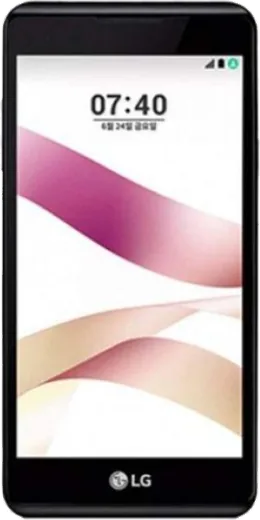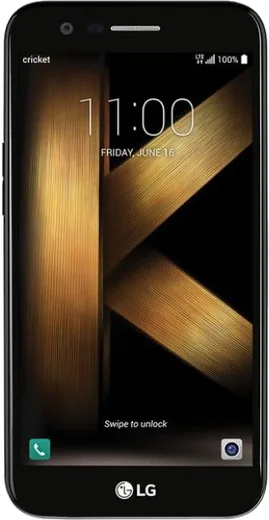
WhatsApp on LG X Skin
LG Android

WhatsApp for LG X Skin

Install the official WhatsApp on your LG X Skin in a few simple steps.

WhatsApp Messenger 4.7 · 64.2M reviews Free · Android · ~40 MB · by WhatsApp LLC
Download WhatsApp

Ask a question / report a problem

You can ask any question about WhatsApp support on the LG X Skin — leave it below and we'll help.

Ask a question

Can the LG X Skin run WhatsApp?

Support ending soon
  • Operating systemAndroid
  • WhatsApp versionLatest supported

Latest known WhatsApp problems on LG X Skin

1

WhatsApp keeps stopping or won't stay connected in the background on my LG X Skin

LG's battery saver and Smart cleaning aggressively close apps, which kills background message delivery. The reliable fix is per-app: long-press the WhatsApp icon, open App info > Battery, and set it to 'No restrictions' (older LG builds call this 'Don't optimize' or 'Battery optimization > All apps > WhatsApp > Don't optimize'). Then open Settings > Battery & power saving and turn off any Power saving mode while you need notifications. This stops the system from suspending WhatsApp so messages and calls arrive on time. See how others solved this on Reddit
2

My LG X Skin came with bloatware and duplicate apps that eat the storage WhatsApp needs

LG ships its own apps alongside Google's, which uses storage WhatsApp needs for media and chat backups. Go to Settings > Apps, tap any LG or carrier app you don't use, and choose Disable (or Uninstall if the option is offered) to free space. Before backing up, open WhatsApp > Settings > Chats > Chat backup and confirm it points to your Google account, so the backup lands in Google Drive rather than on the limited local storage. See how others solved this on Reddit
3

WhatsApp voice and video calls sound bad or drop on my LG X Skin

This is a budget LG device with modest radios, so calls suffer most on weak Wi-Fi or 3G. WhatsApp calls run over your internet connection, so switch to a stable Wi-Fi network or test on mobile data to compare; if a saved Wi-Fi network is congested, go to Settings > Network & internet > Wi-Fi, forget it, and reconnect. If your audio is one-sided, open Settings > Apps > WhatsApp > Permissions and confirm Microphone is allowed. See how others solved this on Reddit
4

Is it safe to keep using my older LG X Skin for WhatsApp now that LG has left the phone market?

LG no longer ships Android or security updates for this model, so WhatsApp will eventually warn you and may drop support on very old OS versions. Check Settings > General > About phone > Software info to see your Android version, and keep WhatsApp itself updated through the Play Store as long as updates are offered. To stay safer in the meantime, only install apps from the Google Play Store and back up chats regularly to Google Drive so you can move to a newer phone easily. See how others solved this on Reddit
5

I want Apple-style emojis in WhatsApp on my LG X Skin

WhatsApp uses your phone's system emoji set, and the LG X Skin shows LG/Android emojis rather than Apple ones. Without root you can't replace the system emoji font, and most keyboards (including Gboard) still display the system emojis inside WhatsApp, so swapping keyboards usually won't change them. The honest options are to live with the Android set or, if you must have Apple emojis system-wide, root the device and flash an emoji font, which is risky and not recommended on this older phone. See how others solved this on Reddit

Ask a question / report a problem

You can ask any question about WhatsApp support on the LG X Skin — leave it below and we'll help.

Ask a question

Watch: setting up WhatsApp

Prefer to watch? This short walkthrough shows the whole installation and number-verification flow.

How to install WhatsApp on LG X Skin — video walkthrough

How to install WhatsApp on LG X Skin

1

Choose how to download

On your LG X Skin you can get the official app two ways: from the Google Play Store — the easiest option, since it keeps WhatsApp updated automatically — or directly from the official website. You can download an APK file, by clicking a link “Download WhatsApp directly”.

2

Open WhatsApp

Launch WhatsApp from your home screen or app drawer and accept the Terms of Service to start setup.

3

Verify your phone number

Enter your phone number. If your LG X Skin uses dual SIM, pick the line you want WhatsApp tied to, then enter the 6-digit code it sends by SMS — it usually fills in automatically.

4

Restore chats and finish setup

Restore your chat history from Google Drive (use the same Google account), add your name and photo, and tap Allow for notifications so messages and calls arrive reliably.

Stay safe: only ever install WhatsApp from the official Android source. The Download button above already points there — modified copies (GB/Plus/Aero WhatsApp) can get your number banned.

Comments (6)

No registration needed. No email required.
C
coolcatMay 17, 2026

You guys are life savers 🙏

P
priya_sarFeb 21, 2026

honestly worked even on my old phone ✌️

AppWhatsOfficialFeb 24, 2026

Thanks for the feedback!

W
whatsappfanJan 16, 2026

so the LG X Skin steps actually work unlike other sites

T
tina2000Jul 20, 2025

très simple, fait en 2 minutes sur mon lg x skin merci

K
kate98Apr 19, 2025

Whatsapp works fine on my LG X Skin lol

M
mike58Nov 25, 2024

I tried everything pls help meee install whatsapp on lg x skin 🙏

AppWhatsOfficialNov 26, 2024

Hey, no need to stress! Tap the green Download button at the top, follow the steps, and you will have WhatsApp in a minute.