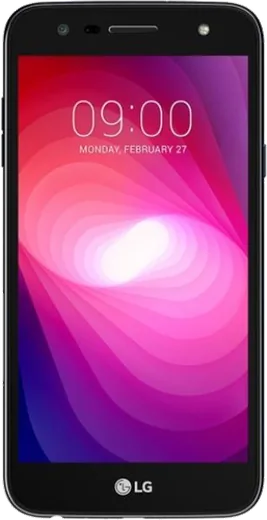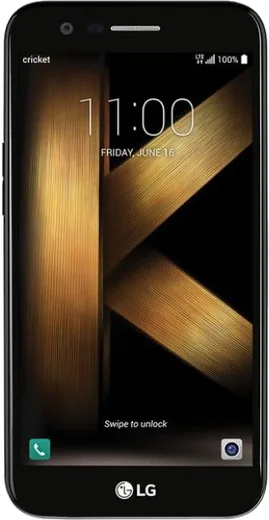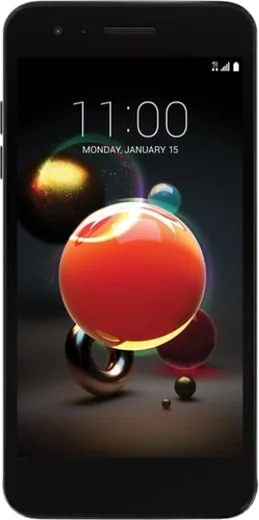
WhatsApp on LG X power2
LG Android

WhatsApp for LG X power2

Install the official WhatsApp on your LG X power2 in a few simple steps.

WhatsApp Messenger 4.7 · 64.2M reviews Free · Android · ~40 MB · by WhatsApp LLC
Download WhatsApp

Ask a question / report a problem

You can ask any question about WhatsApp support on the LG X power2 — leave it below and we'll help.

Ask a question

Can the LG X power2 run WhatsApp?

Fully supported
  • Operating systemAndroid
  • WhatsApp versionLatest supported

Latest known WhatsApp problems on LG X power2

1

Why doesn't my LG X power2 last all day even with its big battery?

The X power2's 4500mAh cell is large, but a worn-out battery after years of charge cycles plus background apps will drain it fast. Go to Settings > Battery to see which apps consume the most, enable Battery saver, and lower Settings > Display > Brightness and screen timeout. If standby drain is still severe, the battery has likely degraded, which is the main reason an old high-capacity phone stops lasting all day. See how others solved this on Reddit
2

Is my LG X power2 going to stop getting updates soon?

Yes. LG has fully exited the phone business and its update and account servers are being shut down, so the X power2 receives no further security patches and some LG cloud or bridge services may stop working. Back up anything stored in an LG account, and turn on Google backup under Settings > System > Backup (Backup to Google Drive) before those servers go dark. Treat the device as end-of-life for sensitive logins. See how others solved this on Reddit
3

Can I keep using my LG X power2 plugged in if the battery is dead?

The X power2 has a non-removable battery, so you can't simply swap it yourself, and the phone generally won't run on the charger alone with a fully dead battery because the charging circuit isn't designed to power the board directly. If it only boots or stays on while plugged in, that's a strong sign the internal battery is exhausted and needs a service-center replacement rather than running it battery-less. See how others solved this on Reddit
4

Which app opens PDFs by default on the LG X power2 and how do I change it?

On the X power2's Android, PDFs usually open in Google Drive's PDF viewer or whatever LG file/document app is installed. To set or reset a default, go to Settings > Apps, tap the current PDF app, and choose Clear defaults, then open a PDF and pick your preferred app (install Adobe Acrobat or Google PDF Viewer/Drive from the Play Store if needed) and tap Always. See how others solved this on Reddit
5

How do I stop the loud emergency alerts on my LG X power2?

Open the Messaging app, tap its menu, and look for Emergency alert settings, or go to Settings > More/Advanced > Wireless emergency alerts. There you can turn off Extreme threats, Severe threats, and AMBER alerts; presidential/national alerts often can't be disabled on Android. You can also toggle the alert sound and vibration there to keep them quieter. See how others solved this on Reddit
6

Is the LG X power2's smaller screen actually a downside compared to newer big phones?

Not really, the X power2's 5.5-inch screen is comfortable for one-handed use, which many users still prefer over today's oversized flagships. If text feels small, raise it under Settings > Display > Font size and Display size. For battery longevity the modest 720p screen is actually an advantage over power-hungry large high-res displays. See how others solved this on Reddit

Ask a question / report a problem

You can ask any question about WhatsApp support on the LG X power2 — leave it below and we'll help.

Ask a question

Watch: setting up WhatsApp

Prefer to watch? This short walkthrough shows the whole installation and number-verification flow.

How to install WhatsApp on LG X power2 — video walkthrough

How to install WhatsApp on LG X power2

1

Choose how to download

On your LG X power2 you can get the official app two ways: from the Google Play Store — the easiest option, since it keeps WhatsApp updated automatically — or directly from the official website. You can download an APK file, by clicking a link “Download WhatsApp directly”.

2

Open WhatsApp

Launch WhatsApp from your home screen or app drawer and accept the Terms of Service to start setup.

3

Verify your phone number

Enter your phone number. If your LG X power2 uses dual SIM, pick the line you want WhatsApp tied to, then enter the 6-digit code it sends by SMS — it usually fills in automatically.

4

Restore chats and finish setup

Restore your chat history from Google Drive (use the same Google account), add your name and photo, and tap Allow for notifications so messages and calls arrive reliably.

Stay safe: only ever install WhatsApp from the official Android source. The Download button above already points there — modified copies (GB/Plus/Aero WhatsApp) can get your number banned.

Comments (6)

No registration needed. No email required.
R
rosa_ashJan 15, 2026

ugh stuck and so stressed how do i get whatsapp on x power2 :(

AppWhatsOfficialJan 19, 2026

Hey, no need to stress! Tap the green Download button at the top, follow the steps, and you will have WhatsApp in a minute.

N
nightowlJan 10, 2026

ehi ha funzionato subito sul mio LG X power2

T
tina.eJul 22, 2025

Ngl worked even on my old phone ✌️

N
noah_kMay 30, 2025

ngl all set up and chatting now ✌️

M
mmmaaaxxxMay 3, 2025

man perfect steps for the lg x power2 thx

M
mia27Aug 13, 2024

My LG X power2 was being difficult but this sorted it