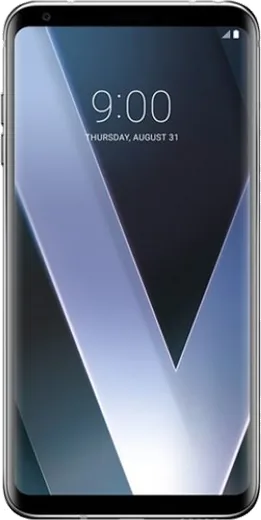
WhatsApp on LG V30
LG Android

WhatsApp for LG V30

Install the official WhatsApp on your LG V30 in a few simple steps.

WhatsApp Messenger 4.7 · 64.2M reviews Free · Android · ~40 MB · by WhatsApp LLC
Download WhatsApp

Ask a question / report a problem

You can ask any question about WhatsApp support on the LG V30 — leave it below and we'll help.

Ask a question

Can the LG V30 run WhatsApp?

Fully supported
  • Operating systemAndroid
  • WhatsApp versionLatest supported

Latest known WhatsApp problems on LG V30

1

Why is WhatsApp draining so much battery on my LG V30?

WhatsApp's background syncing is usually the culprit. Open Settings > Apps & notifications > WhatsApp > Battery and set it to optimized (on Pie this is 'Battery optimization'), or enable 'Background restriction' so the system can sleep the app while keeping notifications on. Also go to WhatsApp > Settings > Chats > Chat backup and set backup to a fixed schedule over Wi-Fi only, since constant backup over cellular keeps the radio awake and burns battery. See how others solved this on Reddit
2

I can't play WhatsApp voice messages on my LG V30 since the Oreo update, why?

This is almost always proximity-sensor routing: when the sensor thinks the phone is at your ear, audio plays through the quiet earpiece instead of the speaker. Try playing a voice message with the screen uncovered and the phone away from your face, and turn up the media volume. If it still fails, go to Settings > Apps & notifications > WhatsApp > Permissions and confirm Microphone and Storage are allowed, then clear WhatsApp's cache under WhatsApp > Storage. A flaky or dirty proximity sensor (top of the screen) is the common hardware cause if playback only works when the screen is covered. See how others solved this on Reddit
3

My LG V30 calls go straight to a notification while idle instead of ringing, including WhatsApp calls. How do I fix it?

This is Android's Doze/battery optimization freezing the app while the screen is off, so go to Settings > Apps & notifications > WhatsApp > Battery and set it to 'Don't optimize' (Not optimized). Then check Settings > Apps & notifications > WhatsApp > Notifications and make sure the Calls channel is enabled and allowed to override Do Not Disturb, which keeps incoming calls ringing instead of landing silently in the notification shade. See how others solved this on Reddit
4

Which stock LG V30 apps can I safely disable to stop messaging slowdowns without breaking WhatsApp?

You can disable LG's duplicate messaging and bloat without breaking WhatsApp by going to Settings > Apps & notifications > See all apps, then disabling things like LG Messaging (if you only use WhatsApp or Google Messages), LG Email, Smart Cleaning, and carrier bloatware. Do not disable Google Play Services or Google Services Framework, since WhatsApp push notifications and calls are delivered through them; leave Carrier Services enabled too if you want RCS in Google Messages. See how others solved this on Reddit
5

My LG V30 messaging app won't send GIFs and has other media/text issues, what should I do?

GIFs and pictures go out as MMS, which needs mobile data and a correct MMS APN. Make sure mobile data is on, then check Settings > Network & internet > Mobile network > Access Point Names and confirm your carrier's MMS settings are correct (or reset the APN to default). For reliable GIF and media sharing, use WhatsApp or Google Messages from the Play Store, since both send media over data or Wi-Fi and avoid the MMS/APN quirks that affect LG's built-in messaging app. See how others solved this on Reddit
6

Can I get RCS chat features working on my LG V30 since standard SMS won't show them?

Yes. RCS runs through Google's Messages app, not LG Messaging, so install Google Messages from the Play Store and set it as default under Settings > Apps & notifications > Default apps > SMS app. Then open Messages > Settings > Chat features (RCS) and toggle it on; make sure Carrier Services is updated in the Play Store, since RCS activation depends on it running in the background, and status can take a little while to switch to 'Connected'. See how others solved this on Reddit

Ask a question / report a problem

You can ask any question about WhatsApp support on the LG V30 — leave it below and we'll help.

Ask a question

Watch: setting up WhatsApp

Prefer to watch? This short walkthrough shows the whole installation and number-verification flow.

How to install WhatsApp on LG V30 — video walkthrough

How to install WhatsApp on LG V30

1

Choose how to download

On your LG V30 you can get the official app two ways: from the Google Play Store — the easiest option, since it keeps WhatsApp updated automatically — or directly from the official website. You can download an APK file, by clicking a link “Download WhatsApp directly”.

2

Open WhatsApp

Launch WhatsApp from your home screen or app drawer and accept the Terms of Service to start setup.

3

Verify your phone number

Enter your phone number. If your LG V30 uses dual SIM, pick the line you want WhatsApp tied to, then enter the 6-digit code it sends by SMS — it usually fills in automatically.

4

Restore chats and finish setup

Restore your chat history from Google Drive (use the same Google account), add your name and photo, and tap Allow for notifications so messages and calls arrive reliably.

Stay safe: only ever install WhatsApp from the official Android source. The Download button above already points there — modified copies (GB/Plus/Aero WhatsApp) can get your number banned.

Comments (6)

No registration needed. No email required.
M
maxx_aleJun 21, 2026

omg PLEASE i need whatsapp on my V30 its urgent

AppWhatsOfficialJun 25, 2026

We are here to help. Hit Download, follow the steps on this page, and if the code is slow just request it again.

M
marc1990Jun 16, 2026

honestly installed in 2 min :)

F
finn7Nov 6, 2025

Endlich tolle anleitung, hat auf meinem v30 geklappt 🙏

B
ben77Jul 21, 2025

the lg v30 steps actually work unlike other sites 🙏

T
techguyJan 30, 2025

update you guys are life savers lol

I
its_omarNov 10, 2024

Update installed whatsapp on my lg v30 with no issues