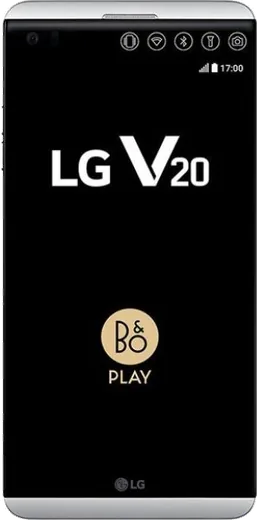
WhatsApp on LG V20
LG Android

WhatsApp for LG V20

Install the official WhatsApp on your LG V20 in a few simple steps.

WhatsApp Messenger 4.7 · 64.2M reviews Free · Android · ~40 MB · by WhatsApp LLC
Download WhatsApp

Ask a question / report a problem

You can ask any question about WhatsApp support on the LG V20 — leave it below and we'll help.

Ask a question

Can the LG V20 run WhatsApp?

Fully supported
  • Operating systemAndroid
  • WhatsApp versionLatest supported

Latest known WhatsApp problems on LG V20

1

Why does WhatsApp keep crashing when I open it on my LG V20?

Crashes on the V20 are usually caused by a corrupted cache or an out-of-date app version, so first go to Settings > Apps > WhatsApp > Storage and tap Clear Cache (not Clear Data, which deletes chats). Then open the Play Store, update WhatsApp to the latest build, and reboot the phone; if it still crashes, back up your chats in WhatsApp Settings > Chats > Chat backup, uninstall, and reinstall fresh. See how others solved this on Reddit
2

Can I run two WhatsApp accounts on the LG V20 using Dual Apps?

The LG V20 does not include an app-cloning (Dual App) feature, so there is no built-in way to clone WhatsApp on stock software. To run a second number, install WhatsApp Business from the Play Store alongside regular WhatsApp (each registers its own phone number), or use a third-party app cloner like Island or Parallel Space. See how others solved this on Reddit
3

Why can't I play WhatsApp voice messages on my V20 after the Oreo update?

After the Android Oreo update, V20 voice notes often play through the earpiece instead of the speaker because the proximity sensor stays triggered, so first clean the sensor and earpiece area at the top of the screen and remove any screen protector covering it. Then go to Settings > Apps > WhatsApp > Storage > Clear Cache and update WhatsApp from the Play Store; if audios still won't play at all, reinstalling the app usually resolves it. See how others solved this on Reddit
4

WhatsApp won't update or work properly now that LG stopped supporting the V20 — what can I do?

Because the stock V20 is stuck on Android 8 and no longer gets LG updates, newer WhatsApp versions can refuse to install or run. Make sure Google Play Services is updated, then sideload WhatsApp's official APK from whatsapp.com/android if the Play Store version is blocked; for full modern app support, flashing a LineageOS custom ROM is the most reliable long-term fix. See how others solved this on Reddit
5

How do I make my LG V20 stop lagging so WhatsApp runs smoothly?

Heavy lag on the aging V20 is usually from a nearly full storage partition and too many background apps, so free up space in Settings > Storage and clear WhatsApp's cache under Settings > Apps > WhatsApp > Storage. Disable bloatware you don't use, reduce animation scales in Developer Options, and move WhatsApp media to an SD card; a factory reset (after backing up your chats) gives the biggest speed boost. See how others solved this on Reddit
6

Why is my mic so quiet on WhatsApp voice notes and calls on the LG V20?

Low mic gain on the V20 is common on LineageOS builds, where the audio mixer defaults to a low input level. First check that no case or debris is blocking the bottom and rear mics; if you're on a custom ROM, raise the mic gain in the device's audio mixer (the mixer_paths XML) or try a different LOS build, while on stock software clearing WhatsApp's cache and retesting in a quiet room helps confirm whether it's hardware or software. See how others solved this on Reddit

Ask a question / report a problem

You can ask any question about WhatsApp support on the LG V20 — leave it below and we'll help.

Ask a question

Watch: setting up WhatsApp

Prefer to watch? This short walkthrough shows the whole installation and number-verification flow.

How to install WhatsApp on LG V20 — video walkthrough

How to install WhatsApp on LG V20

1

Choose how to download

On your LG V20 you can get the official app two ways: from the Google Play Store — the easiest option, since it keeps WhatsApp updated automatically — or directly from the official website. You can download an APK file, by clicking a link “Download WhatsApp directly”.

2

Open WhatsApp

Launch WhatsApp from your home screen or app drawer and accept the Terms of Service to start setup.

3

Verify your phone number

Enter your phone number. If your LG V20 uses dual SIM, pick the line you want WhatsApp tied to, then enter the 6-digit code it sends by SMS — it usually fills in automatically.

4

Restore chats and finish setup

Restore your chat history from Google Drive (use the same Google account), add your name and photo, and tap Allow for notifications so messages and calls arrive reliably.

Stay safe: only ever install WhatsApp from the official Android source. The Download button above already points there — modified copies (GB/Plus/Aero WhatsApp) can get your number banned.

Comments (6)

No registration needed. No email required.
L
lucy.cApr 20, 2026

works like a charm on the v20 👌

H
halppApr 16, 2026

omg finally got whatsapp running on my LG V20

P
pablo_omaMar 18, 2026

smooth install on the v20

B
budgetkingJan 8, 2026

Hey mein v20 hat endlich whatsapp, klasse 👍

N
nooooFeb 2, 2025

This actually works unlike others ❤️

U
ugh_helpJul 24, 2024

omg my whole family is waiting pls help me install it

AppWhatsOfficialJul 25, 2024

Relax, it is simpler than it looks. Press Download, install, then verify with the SMS code. You got this! It is easier than it looks, promise.