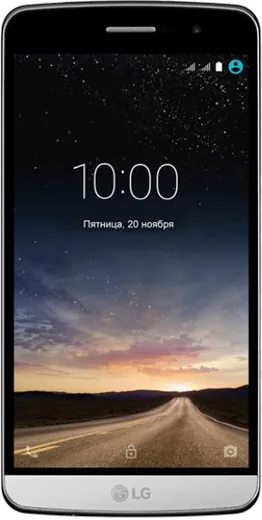
WhatsApp on LG Ray
LG Android

WhatsApp for LG Ray

Install the official WhatsApp on your LG Ray in a few simple steps.

WhatsApp Messenger 4.7 · 64.2M reviews Free · Android · ~40 MB · by WhatsApp LLC
Download WhatsApp

Ask a question / report a problem

You can ask any question about WhatsApp support on the LG Ray — leave it below and we'll help.

Ask a question

Can the LG Ray run WhatsApp?

Not supported
  • Operating systemAndroid
  • WhatsApp versionNot supported

Latest known WhatsApp problems on LG Ray

1

Why is my Gallery and WhatsApp media so slow to load on the LG Ray?

A bloated media folder is usually the cause, since WhatsApp saves every received photo and video into its own folders that the Gallery has to scan. Open Files (or My Files) and go to Internal storage > Android > media > com.whatsapp > WhatsApp > Media, then clear out the WhatsApp Images, WhatsApp Video and Sent subfolders you no longer need. Next clear the Gallery cache via Settings > Apps > Gallery > Storage > Clear cache. To stop new media from flooding the Gallery, open WhatsApp > Settings > Chats and turn off Media visibility. See how others solved this on Reddit
2

My WhatsApp on the LG Ray feels out of date and is missing new features - how do I get the latest version?

WhatsApp on Android rolls features out gradually, so an older build will lack the newest options even when others already have them. Open the Google Play Store, search WhatsApp, and tap Update if the button is shown; if it only says Open, you already have the current public release. For an early look at upcoming features you can join the beta from the Play Store listing (scroll to 'Join the beta'), but beta builds can be less stable on older LG hardware. See how others solved this on Reddit
3

No on-screen volume number appears when I adjust the call volume during a WhatsApp call on the LG Ray - how do I see it?

On Android the volume pop-up only shows the slider for the stream you are currently using, so during a WhatsApp call the side keys control 'Call volume' and may show just a slider rather than a number. Press a volume key once, then tap the chevron or three-dot icon next to the slider to expand the full panel where Media, Ring and Call levels appear. If no slider shows up at all, check Settings > Sound (and Settings > Accessibility) to confirm the volume controls and on-screen indicators are enabled. See how others solved this on Reddit
4

WhatsApp video calls keep failing or dropping on my LG Ray - what can I do?

Failed video calls almost always come from a weak data connection, missing permissions, or a stale app version. In Settings > Apps > WhatsApp > Permissions make sure Camera and Microphone are allowed, then turn off any Battery saver or Data saver mode that restricts WhatsApp in the background (check Settings > Apps > WhatsApp > Battery and Mobile data). Finally, update WhatsApp from the Play Store and test the call on stable Wi-Fi, since spotty mobile data is the most common reason video calls never connect. See how others solved this on Reddit

Ask a question / report a problem

You can ask any question about WhatsApp support on the LG Ray — leave it below and we'll help.

Ask a question

Watch: setting up WhatsApp

Prefer to watch? This short walkthrough shows the whole installation and number-verification flow.

How to install WhatsApp on LG Ray — video walkthrough

How to install WhatsApp on LG Ray

1

Choose how to download

On your LG Ray you can get the official app two ways: from the Google Play Store — the easiest option, since it keeps WhatsApp updated automatically — or directly from the official website. You can download an APK file, by clicking a link “Download WhatsApp directly”.

2

Open WhatsApp

Launch WhatsApp from your home screen or app drawer and accept the Terms of Service to start setup.

3

Verify your phone number

Enter your phone number. If your LG Ray uses dual SIM, pick the line you want WhatsApp tied to, then enter the 6-digit code it sends by SMS — it usually fills in automatically.

4

Restore chats and finish setup

Restore your chat history from Google Drive (use the same Google account), add your name and photo, and tap Allow for notifications so messages and calls arrive reliably.

Stay safe: only ever install WhatsApp from the official Android source. The Download button above already points there — modified copies (GB/Plus/Aero WhatsApp) can get your number banned.

Comments (3)

No registration needed. No email required.
M
mr_ellaMay 23, 2026

This worked great on my ray thx

AppWhatsOfficialMay 26, 2026

Thanks for sharing!

B
bea_danAug 6, 2025

a marché parfaitement sur mon lg ray

P
pablo33Jun 4, 2025

Guys omggg i cant install it someone heeelp 😩

AppWhatsOfficialJun 8, 2025

You are almost there! Tap Download, allow the install, open WhatsApp and confirm your number. You will be set up on your phone in no time.