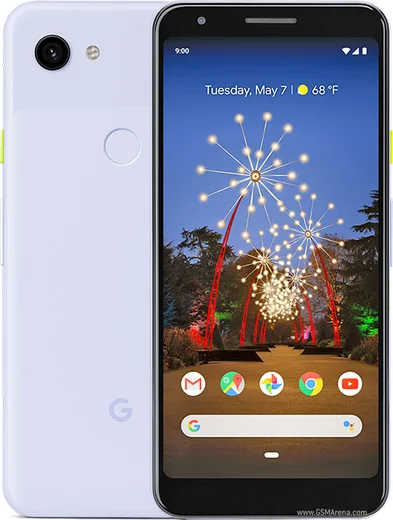
WhatsApp on Pixel 3a
Google Pixel Android

WhatsApp for Pixel 3a

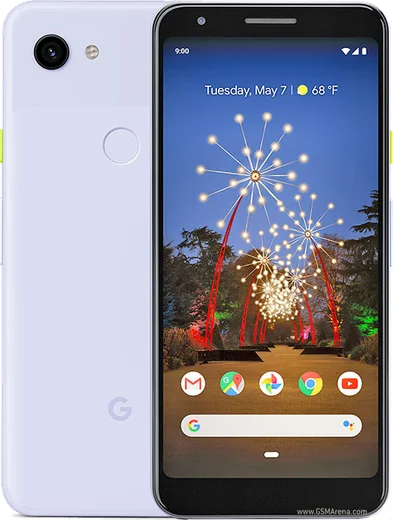
Snapdragon 670, 5.6-inch OLED, headphone jack

WhatsApp Messenger 4.7 · 64.2M reviews Free · Android · ~40 MB · by WhatsApp LLC
Download WhatsApp

Ask a question / report a problem

You can ask any question about WhatsApp support on the Pixel 3a — leave it below and we'll help.

Ask a question

Can the Pixel 3a run WhatsApp?

Fully supported
  • Operating systemAndroid
  • ProcessorSnapdragon 670
  • WhatsApp versionLatest supported

Latest known WhatsApp problems on Pixel 3a

1

Why aren't my WhatsApp notifications working at all on my Pixel 3a?

First open Settings > Apps > WhatsApp > Notifications and confirm both the master toggle and the individual Messages/Groups channels are on. Then go to Settings > Apps > WhatsApp > Battery and switch it to Unrestricted, since Pixel's Adaptive Battery and battery optimization often kill WhatsApp's background process and silence notifications. Finally, inside WhatsApp open Settings > Notifications and make sure they aren't muted there too. See how others solved this on Reddit
2

WhatsApp notifications show in my shade but I get no pop-up banner on my Pixel 3a — how do I fix it?

Pop-up banners are controlled by the channel's importance level: go to Settings > Apps > WhatsApp > Notifications, tap the Messages channel, and set it to 'Urgent (make sound and pop on screen)' instead of just 'High' or 'Medium'. If it still won't pop, make sure 'Silent' isn't selected for that channel, and that Do Not Disturb isn't active in the Quick Settings tile. See how others solved this on Reddit
3

My Pixel 3a shows WhatsApp messages but there's no notification sound — what's wrong?

Open Settings > Apps > WhatsApp > Notifications, tap the Messages channel, and check that 'Sound' is set to a real tone rather than None, and that 'Make sound and pop on screen' (Urgent) is enabled. Also verify in-app: WhatsApp > Settings > Notifications, where Message tones can be turned off separately, and confirm your ringer volume isn't muted and DND isn't filtering the app. See how others solved this on Reddit
4

How do I let WhatsApp messages through Do Not Disturb on my Pixel 3a (or mute it during DND)?

Go to Settings > Sound & vibration > Do Not Disturb > Apps, tap 'Add apps', and select WhatsApp to let it bypass DND so its notifications still arrive while everything else stays muted. To do the opposite and silence WhatsApp during DND, simply leave it out of the allowed apps list — DND will then suppress it. You can also use People > Conversations to allow only starred contacts to break through. See how others solved this on Reddit
5

Why can't I reply to WhatsApp directly from the notification on my Pixel 3a?

Inline reply only appears on an expandable messaging notification, so first make sure WhatsApp's Messages channel isn't set to 'Silent' under Settings > Apps > WhatsApp > Notifications, then pull the notification down to expand it and tap Reply. If the reply field still doesn't show, update WhatsApp from the Play Store and clear its cache via Settings > Apps > WhatsApp > Storage & cache > Clear cache, then reboot. See how others solved this on Reddit
6

WhatsApp notifications only arrive when I open the app on my Pixel 3a — how do I get them in real time?

This is almost always battery optimization throttling WhatsApp in the background: go to Settings > Apps > WhatsApp > Battery and choose Unrestricted, then turn off 'Adaptive Battery' under Settings > Battery > Adaptive preferences if you rely on instant delivery. Also confirm background data is allowed under Settings > Apps > WhatsApp > Mobile data & Wi-Fi, with both 'Background data' and 'Unrestricted data usage' enabled. See how others solved this on Reddit

Ask a question / report a problem

You can ask any question about WhatsApp support on the Pixel 3a — leave it below and we'll help.

Ask a question

Watch: setting up WhatsApp

Prefer to watch? This short walkthrough shows the whole installation and number-verification flow.

How to install WhatsApp on Pixel 3a — video walkthrough

How to install WhatsApp on Pixel 3a

1

Choose how to download

On your Pixel 3a you can get the official app two ways: from the Google Play Store — the easiest option, since it keeps WhatsApp updated automatically — or directly from the official website. You can download an APK file, by clicking a link “Download WhatsApp directly”.

2

Open WhatsApp

Launch WhatsApp from your home screen or app drawer and accept the Terms of Service to start setup.

3

Verify your phone number

Enter your phone number. If your Pixel 3a uses dual SIM, pick the line you want WhatsApp tied to, then enter the 6-digit code it sends by SMS — it usually fills in automatically.

4

Restore chats and finish setup

Restore your chat history from Google Drive (use the same Google account), add your name and photo, and tap Allow for notifications so messages and calls arrive reliably.

Stay safe: only ever install WhatsApp from the official Android source. The Download button above already points there — modified copies (GB/Plus/Aero WhatsApp) can get your number banned.

Comments (10)

No registration needed. No email required.
P
pete21May 31, 2026

ha funzionato benissimo sul mio Pixel 3a 👍

T
the_real_kateMay 23, 2026

Quick q installed it but it wont open just a black screen

AppWhatsOfficialMay 25, 2026

Hi! A black screen usually clears after a restart. If not, reinstall the newest version and it should open fine. Happy chatting!

M
marc_zoeJan 27, 2026

Quick q the code never arrives, what do i do ?

AppWhatsOfficialJan 31, 2026

Happy to help, double check the country code and that you have signal, then request a fresh SMS code. If it still fails, wait a few minutes before trying again. Feel free to ask if you get stuck.

R
raj58Dec 30, 2025

The app opens to a black screen pls

AppWhatsOfficialJan 4, 2026

Of course, a black screen usually clears after a restart. If not, reinstall the newest version and it should open fine.

Z
zoe2000Dec 30, 2025

guys is it safe to download from here

AppWhatsOfficialJan 5, 2026

Hey there, yes, this is safe. Stick to the official download we link to and avoid modified copies and you will be fine. Enjoy WhatsApp on your your phone!

L
leo15Mar 3, 2025

clear steps for the 3a, cheers 🙏

B
big_deniJan 29, 2025

installato e funzionante sul mio Pixel 3a

I
ivan_jayDec 5, 2024

Pleeeease i really need whatsapp on my Pixel 3a today 🙏

AppWhatsOfficialDec 6, 2024

Relax, it is simpler than it looks. Press Download, install, then verify with the SMS code. You got this!

M
maxx_ytOct 23, 2024

man worked perfect on my 3a

P
priya_samJul 19, 2024

yo all set up and chatting now