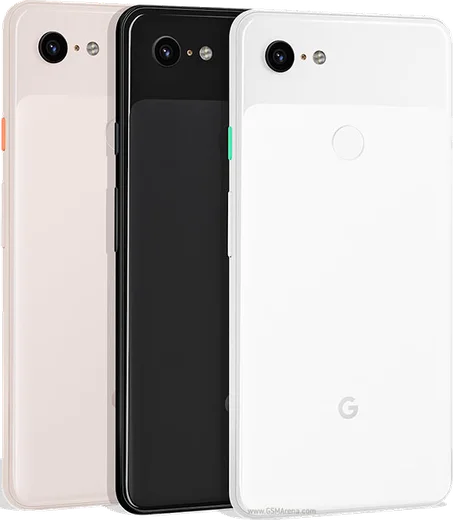
WhatsApp on Pixel 3 XL
Google Pixel Android

WhatsApp for Pixel 3 XL

Snapdragon 845, 6.3-inch QHD+ OLED notch

WhatsApp Messenger 4.7 · 64.2M reviews Free · Android · ~40 MB · by WhatsApp LLC
Download WhatsApp

Ask a question / report a problem

You can ask any question about WhatsApp support on the Pixel 3 XL — leave it below and we'll help.

Ask a question

Can the Pixel 3 XL run WhatsApp?

Fully supported
  • Operating systemAndroid
  • ProcessorSnapdragon 845
  • WhatsApp versionLatest supported

Latest known WhatsApp problems on Pixel 3 XL

1

Why am I not getting WhatsApp notifications on my Pixel 3 XL?

On the Pixel 3 XL this is almost always Android's battery optimization killing WhatsApp in the background, so open Settings > Apps > WhatsApp > Battery and set it to Unrestricted. Then check Settings > Apps > WhatsApp > Notifications is on, and inside WhatsApp go to Settings > Notifications to confirm message tones and pop-ups are enabled. Turning off Adaptive Battery under Settings > Battery > Adaptive Battery also helps with delayed alerts. See how others solved this on Reddit
2

Why won't my Pixel 3 XL let me run two WhatsApp accounts?

The Pixel 3 XL doesn't include a built-in app-cloning or dual-app feature like some other Android skins, so you can't duplicate WhatsApp from settings. WhatsApp's own multi-account feature depends on dual-SIM support and isn't reliably available on this phone, so the dependable workaround is a second Android user profile: go to Settings > System > Multiple users, add a new user, switch to it, and install WhatsApp there to register your second number separately. See how others solved this on Reddit
3

WhatsApp Web keeps disconnecting on my Pixel 3 XL — how do I fix it?

WhatsApp Web drops when the Pixel 3 XL puts the app to sleep, so go to Settings > Apps > WhatsApp > Battery and choose Unrestricted so the phone keeps the linked session alive. In WhatsApp tap the three-dot menu > Linked devices, remove the old session and re-scan the QR code, and keep the phone on a stable Wi-Fi connection rather than flaky mobile data. See how others solved this on Reddit
4

Why are WhatsApp photos so slow to send and load on my Pixel 3 XL?

Slow media usually comes down to restricted background data and auto-download settings, so open WhatsApp > three-dot menu > Settings > Storage and data and set Media auto-download for photos to your preference under Wi-Fi and mobile. Also confirm Settings > Apps > WhatsApp > Mobile data & Wi-Fi has Background data and Unrestricted data usage enabled, and clear the WhatsApp cache under Settings > Apps > WhatsApp > Storage if transfers stay sluggish. See how others solved this on Reddit
5

WhatsApp generally runs badly on my Pixel 3 XL — what should I check first?

Most Pixel-and-WhatsApp complaints trace back to an outdated app or aggressive power management, so first update WhatsApp in the Play Store and reboot the phone. Then set Settings > Apps > WhatsApp > Battery to Unrestricted, clear the cache under Settings > Apps > WhatsApp > Storage, and make sure both Android and the app have all pending updates installed. See how others solved this on Reddit
6

WhatsApp is crashing or acting up after an update on my Pixel 3 XL — how do I fix it?

When WhatsApp misbehaves after an update on the Pixel 3 XL, force stop it via Settings > Apps > WhatsApp > Force stop, then clear cache under Settings > Apps > WhatsApp > Storage before reopening. If it persists, uninstall and reinstall from the Play Store; on first launch WhatsApp detects your Google Drive backup and offers to restore your latest chats tied to the same Google account. See how others solved this on Reddit

Ask a question / report a problem

You can ask any question about WhatsApp support on the Pixel 3 XL — leave it below and we'll help.

Ask a question

Watch: setting up WhatsApp

Prefer to watch? This short walkthrough shows the whole installation and number-verification flow.

How to install WhatsApp on Pixel 3 XL — video walkthrough

How to install WhatsApp on Pixel 3 XL

1

Choose how to download

On your Pixel 3 XL you can get the official app two ways: from the Google Play Store — the easiest option, since it keeps WhatsApp updated automatically — or directly from the official website. You can download an APK file, by clicking a link “Download WhatsApp directly”.

2

Open WhatsApp

Launch WhatsApp from your home screen or app drawer and accept the Terms of Service to start setup.

3

Verify your phone number

Enter your phone number. If your Pixel 3 XL uses dual SIM, pick the line you want WhatsApp tied to, then enter the 6-digit code it sends by SMS — it usually fills in automatically.

4

Restore chats and finish setup

Restore your chat history from Google Drive (use the same Google account), add your name and photo, and tap Allow for notifications so messages and calls arrive reliably.

Stay safe: only ever install WhatsApp from the official Android source. The Download button above already points there — modified copies (GB/Plus/Aero WhatsApp) can get your number banned.

Comments (8)

No registration needed. No email required.
J
jay_ivaApr 20, 2026

man did this on my 3xl and it just worked thx

A
amy43Sep 29, 2025

Anyone? should i remove the old version before this anyone

AppWhatsOfficialOct 3, 2025

Of course, no need. Installing the latest version updates the existing app and keeps your chats. Just follow the steps above. Enjoy WhatsApp on your your phone!

M
maxx99Feb 16, 2025

por fin instalado y funcionando en mi Pixel 3 XL 😍

J
just_louJan 8, 2025

hi how do i use whatsapp on a second phone pls

AppWhatsOfficialJan 13, 2025

Sure, you can link extra devices from Settings, that lets the same number work on another phone. Enjoy WhatsApp on your your phone!

B
budgetkingDec 1, 2024

Whyyy is this so hard pls help me get whatsapp

AppWhatsOfficialDec 5, 2024

You are almost there! Tap Download, allow the install, open WhatsApp and confirm your number. You got this!

S
sol_aleNov 13, 2024

hey i lost my old chats can i get them back

AppWhatsOfficialNov 15, 2024

Happy to help, yes, as long as you had a backup. Use the same number and choose Restore during setup to bring your messages back. Feel free to ask if you get stuck.

L
lou.fJul 25, 2024

I tried 3 other guides before this one

D
dan_finJul 22, 2024

wow easy install on my pixel 3xl 😍