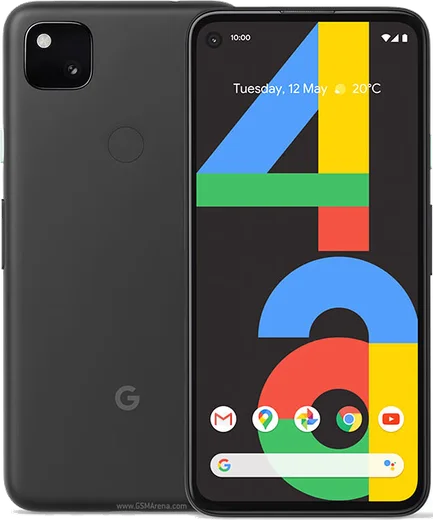
WhatsApp on Pixel 4
Google Pixel Android

WhatsApp for Pixel 4

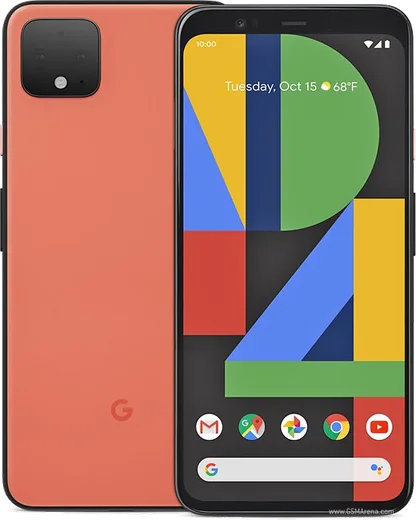
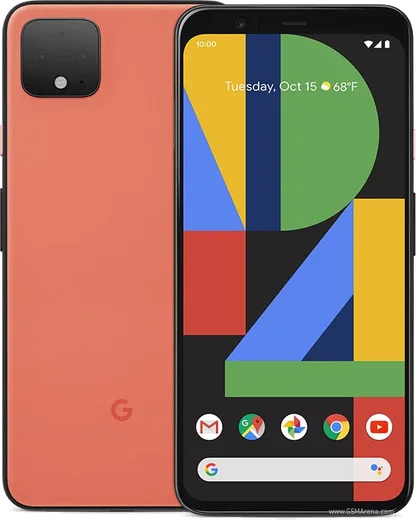
Snapdragon 855, 5.7-inch 90Hz OLED, Motion Sense

WhatsApp Messenger 4.7 · 64.2M reviews Free · Android · ~40 MB · by WhatsApp LLC
Download WhatsApp

Ask a question / report a problem

You can ask any question about WhatsApp support on the Pixel 4 — leave it below and we'll help.

Ask a question

Can the Pixel 4 run WhatsApp?

Fully supported
  • Operating systemAndroid
  • ProcessorSnapdragon 855
  • WhatsApp versionLatest supported

Latest known WhatsApp problems on Pixel 4

1

Why won't WhatsApp work on my Pixel Watch when paired with my Pixel 4?

WhatsApp for Wear OS has to be installed from the Play Store on the watch itself, and your phone's WhatsApp must already be set up and signed in. On your Pixel 4, make sure WhatsApp is installed, updated, and open, then on the watch open the Play Store, install WhatsApp, launch it, and approve the link prompt that appears on the phone. If it still fails, confirm the watch is connected to the phone via Bluetooth, restart both devices, and retry. Note that WhatsApp relays through your phone, so the watch app only works while the phone is reachable. See how others solved this on Reddit
2

WhatsApp setup keeps failing or stalling on my Pixel Watch linked to a Pixel 4 - how do I fix it?

Setup usually stalls because the watch app loses its connection to the phone mid-pairing or the phone's WhatsApp is closed. Keep WhatsApp open and unlocked on your Pixel 4, make sure both devices are updated, and confirm the watch is connected over Bluetooth. Then uninstall WhatsApp on the watch, reboot the watch, and reinstall from the Play Store so the link starts fresh. Rebooting the phone first can also clear a stuck handshake. See how others solved this on Reddit
3

My Pixel 4 shows an overheating warning during WhatsApp video calls - what can I do?

The Pixel 4's Snapdragon 855 runs hot during sustained video calls, and a warm room or charging while calling makes it trip the thermal warning faster. Remove any case, stop charging during the call, and reduce the load by switching to a voice call or turning off your video feed. Updating WhatsApp via the Play Store and restarting the phone also helps by clearing background processes that add heat. See how others solved this on Reddit
4

Why are photos taken inside WhatsApp's camera so bad on my Pixel 4?

WhatsApp uses its own basic in-app camera that bypasses the Pixel 4's computational photography, so shots look soft and washed out compared to the stock Camera app. For better quality, tap the attachment/paperclip icon and choose Gallery to send a photo you took in the Pixel Camera app, or shoot in Pixel Camera first and share it into WhatsApp. If the in-app camera fails entirely, check that WhatsApp has camera access under Settings > Apps > WhatsApp > Permissions. See how others solved this on Reddit
5

WhatsApp behaves differently through the companion app on my Pixel Watch paired to a Pixel 4 - is that normal?

Yes. The Wear OS companion app is a stripped-down version that relies on your Pixel 4 for the full experience, so features like media handling, calls, and some group actions are limited or look different on the watch. Keep WhatsApp updated on the phone and the watch app on the latest Play Store version so they stay in sync. If messages stop mirroring, re-link the watch and make sure WhatsApp is allowed to run in the background on the phone (Settings > Apps > WhatsApp > Battery set to Unrestricted). See how others solved this on Reddit

Ask a question / report a problem

You can ask any question about WhatsApp support on the Pixel 4 — leave it below and we'll help.

Ask a question

Watch: setting up WhatsApp

Prefer to watch? This short walkthrough shows the whole installation and number-verification flow.

How to install WhatsApp on Pixel 4 — video walkthrough

How to install WhatsApp on Pixel 4

1

Choose how to download

On your Pixel 4 you can get the official app two ways: from the Google Play Store — the easiest option, since it keeps WhatsApp updated automatically — or directly from the official website. You can download an APK file, by clicking a link “Download WhatsApp directly”.

2

Open WhatsApp

Launch WhatsApp from your home screen or app drawer and accept the Terms of Service to start setup.

3

Verify your phone number

Enter your phone number. If your Pixel 4 uses dual SIM, pick the line you want WhatsApp tied to, then enter the 6-digit code it sends by SMS — it usually fills in automatically.

4

Restore chats and finish setup

Restore your chat history from Google Drive (use the same Google account), add your name and photo, and tap Allow for notifications so messages and calls arrive reliably.

Stay safe: only ever install WhatsApp from the official Android source. The Download button above already points there — modified copies (GB/Plus/Aero WhatsApp) can get your number banned.

Comments (10)

No registration needed. No email required.
M
mmmaaaxxxJun 11, 2026

wow tolle anleitung, hat auf meinem pixel 4 geklappt 🙏

M
mr_miaJan 4, 2026

My whole family is waiting pls help me install it pls

AppWhatsOfficialJan 5, 2026

Take a breath, we got you. Press Download above, then Install, then verify your number. That is all it takes. It is easier than it looks, promise.

R
rosa_pabDec 24, 2025

wow clear steps for the Pixel 4, cheers 👍

W
whatsappfanMar 10, 2025

ey me funcionó al instante en mi Pixel 4 🎉

A
ash51Nov 10, 2024

Wow this fixed whatsapp on my pixel 4

L
leo1990Oct 16, 2024

Guys is this gb whatsapp anyone

AppWhatsOfficialOct 19, 2024

Good question, this is the genuine WhatsApp. Avoid GB or Plus mods, they break the rules and risk a ban. Glad to help.

G
greg_lucAug 30, 2024

honestly i had to enable unknown sources but then it was fine

J
joe21Aug 11, 2024

ngl restarted the phone and then it installed

J
just_jayJul 30, 2024

ok so this actually works unlike others

R
raj77Jul 11, 2024

finally the Pixel 4 steps actually work unlike other sites