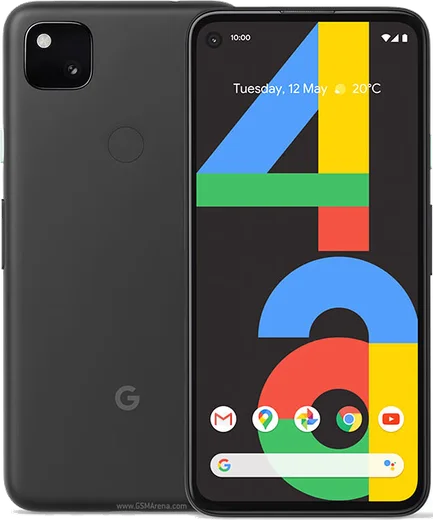
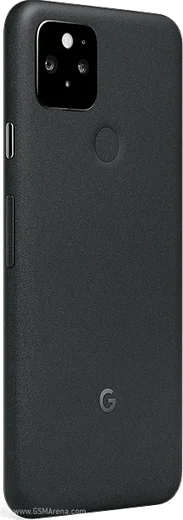
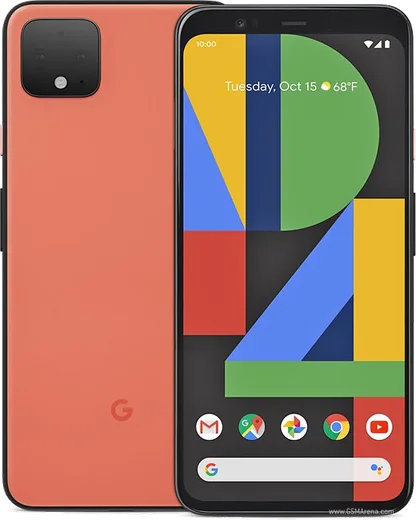
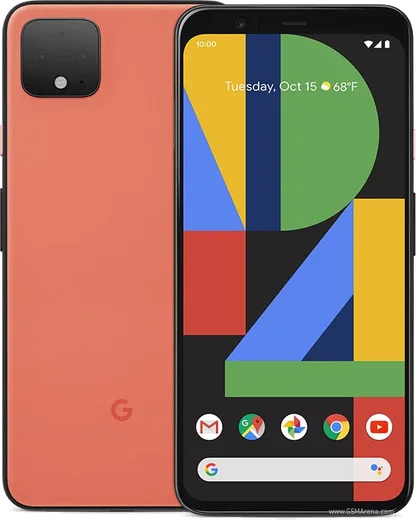
WhatsApp on Pixel 4a
Google Pixel Android

WhatsApp for Pixel 4a

Snapdragon 730G, 5.8-inch OLED, hole-punch

WhatsApp Messenger 4.7 · 64.2M reviews Free · Android · ~40 MB · by WhatsApp LLC
Download WhatsApp

Ask a question / report a problem

You can ask any question about WhatsApp support on the Pixel 4a — leave it below and we'll help.

Ask a question

Can the Pixel 4a run WhatsApp?

Fully supported
  • Operating systemAndroid
  • ProcessorSnapdragon 730G
  • WhatsApp versionLatest supported

Latest known WhatsApp problems on Pixel 4a

1

Why am I not getting WhatsApp notifications on my Pixel 4a until I open the app?

Android's Adaptive Battery and Battery Optimization are throttling WhatsApp in the background, which delays or kills its push notifications. Go to Settings > Apps > WhatsApp > App battery usage and set it to Unrestricted, then open WhatsApp > Settings > Notifications and confirm they're enabled. Also disable Battery Saver while testing, since it aggressively limits background sync on the 4a. See how others solved this on Reddit
2

Why don't WhatsApp pop-up (heads-up) notifications appear on my Pixel 4a running Android 11?

On Android 11 the pop-up banner depends on the notification channel's importance being set to the highest level. Go to Settings > Apps > WhatsApp > Notifications > Message notifications, tap Importance and choose 'Urgent (Make sound and pop on screen)'. If banners still don't show, make sure Do Not Disturb is off and that 'Pop on screen' is enabled for that specific channel. See how others solved this on Reddit
3

Why is there massive camera lag when I open the camera inside WhatsApp on my Pixel 4a?

The in-app WhatsApp camera struggles on the Pixel 4a, causing a long freeze before it becomes usable. As a workaround, shoot with the stock Google Camera app first and attach the photo via the gallery/paperclip icon instead of using WhatsApp's built-in camera. Keeping both WhatsApp (Play Store) and the phone updated (Settings > System > System update) helps reduce the lag over time. See how others solved this on Reddit
4

WhatsApp is eating up storage on my Pixel 4a. How do I stop media from filling the phone?

WhatsApp auto-downloads every photo and video, which quickly fills the 4a's storage and clutters Google Photos. Open WhatsApp > Settings > Storage and data > Media auto-download and turn off downloads for Photos, Audio, Video and Documents on mobile data and Wi-Fi. Then use Settings > Storage and data > Manage storage to bulk-delete large and forwarded files. In Google Photos, open Photos settings > Back up > Back up device folders and turn off backup for the WhatsApp Images and WhatsApp Video folders. See how others solved this on Reddit
5

Why are videos I send from my Pixel 4a blurry or broken when WhatsApp friends on iPhone receive them?

WhatsApp re-compresses video, and the clip can degrade when transcoded for iOS playback. Before sending, tap the HD toggle (the 'HD' badge) on the video so it sends at higher quality, or send the clip as a Document via the attach menu to skip compression entirely. Recording at 1080p rather than 4K in the Google Camera settings also improves how reliably it plays back on iPhones. See how others solved this on Reddit
6

WhatsApp keeps crashing or won't work properly on my Pixel 4a. How do I fix it?

Crashes after an Android update usually come from a corrupted cache or an outdated app build. Go to Settings > Apps > WhatsApp > Storage & cache and tap Clear cache (not Clear storage, which wipes your chats), then update WhatsApp from the Play Store. If it still misbehaves, reboot the phone, and as a last resort back up your chats to Google Drive first, then reinstall WhatsApp. See how others solved this on Reddit

Ask a question / report a problem

You can ask any question about WhatsApp support on the Pixel 4a — leave it below and we'll help.

Ask a question

Watch: setting up WhatsApp

Prefer to watch? This short walkthrough shows the whole installation and number-verification flow.

How to install WhatsApp on Pixel 4a — video walkthrough

How to install WhatsApp on Pixel 4a

1

Choose how to download

On your Pixel 4a you can get the official app two ways: from the Google Play Store — the easiest option, since it keeps WhatsApp updated automatically — or directly from the official website. You can download an APK file, by clicking a link “Download WhatsApp directly”.

2

Open WhatsApp

Launch WhatsApp from your home screen or app drawer and accept the Terms of Service to start setup.

3

Verify your phone number

Enter your phone number. If your Pixel 4a uses dual SIM, pick the line you want WhatsApp tied to, then enter the 6-digit code it sends by SMS — it usually fills in automatically.

4

Restore chats and finish setup

Restore your chat history from Google Drive (use the same Google account), add your name and photo, and tap Allow for notifications so messages and calls arrive reliably.

Stay safe: only ever install WhatsApp from the official Android source. The Download button above already points there — modified copies (GB/Plus/Aero WhatsApp) can get your number banned.

Comments (10)

No registration needed. No email required.
O
omar49May 14, 2026

Update best guide for the Pixel 4a by far 😍

K
kai.cMay 5, 2026

Wow installato e funzionante sul mio 4a 💯

A
alex.rApr 17, 2026

pls help does it work on older android versions thanks

AppWhatsOfficialApr 20, 2026

No worries, older phones can work as long as the app is still offered to them. Updating the OS where possible helps a lot. Hope that helps!

L
leo64Mar 25, 2026

Omg my whole family is waiting pls help me install it 😩

AppWhatsOfficialMar 27, 2026

No panic needed. The Download button takes you to the official app, then just install and verify your number.

M
maxx_aleAug 11, 2025

finalmente il miglior sito, funzionato al primo colpo sul mio pixel 4a

E
ella2000Apr 9, 2025

man i tried 3 other guides before this one :)

A
andy_xApr 2, 2025

Sorry but verification keeps failing for me

AppWhatsOfficialApr 7, 2025

No worries, if the SMS will not arrive, you can choose the call option to hear the code, just make sure your number is entered correctly. Reach out anytime.

N
newphoneJan 1, 2025

omg did it without any help, very simple thx

AppWhatsOfficialJan 2, 2025

That is great to hear!

R
randomuserOct 2, 2024

installed on my pixel 4a, super simple

J
jess.lSep 6, 2024

guys does whatsapp support the Pixel 4a thanks

AppWhatsOfficialSep 9, 2024

Thanks for asking, the your phone works great with WhatsApp. Keep your system software current and you are good to go. Glad to help.