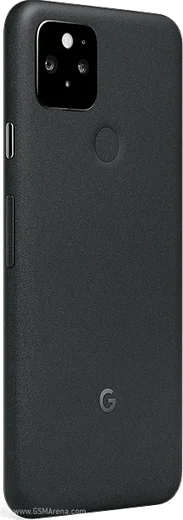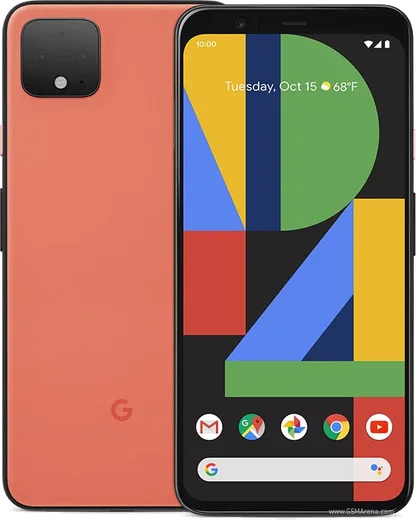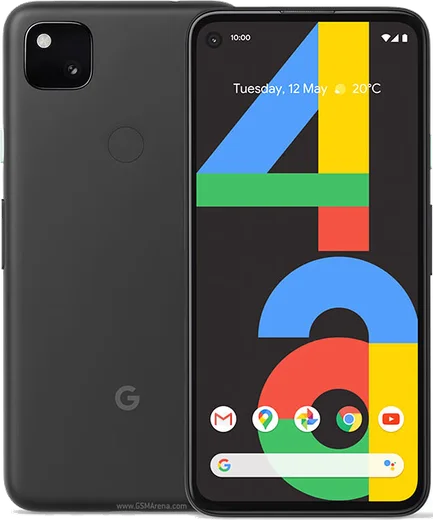
Google Pixel Android

WhatsApp for Pixel 4a 5G

Snapdragon 765G, 6.2-inch OLED, 5G

WhatsApp Messenger 4.7 · 64.2M reviews Free · Android · ~40 MB · by WhatsApp LLC
Download WhatsApp

Ask a question / report a problem

You can ask any question about WhatsApp support on the Pixel 4a 5G — leave it below and we'll help.

Ask a question

Can the Pixel 4a 5G run WhatsApp?

Fully supported
  • Operating systemAndroid
  • ProcessorSnapdragon 765G
  • WhatsApp versionLatest supported

Latest known WhatsApp problems on Pixel 4a 5G

1

Why are my WhatsApp notifications not showing up at all on my Pixel 4a 5G?

The most common cause is Android's Adaptive Battery or battery optimization killing WhatsApp in the background. Go to Settings > Apps > WhatsApp > Battery and set it to Unrestricted, then open Settings > Apps > WhatsApp > Notifications and confirm the master 'All WhatsApp notifications' toggle plus the Messages and Group notifications categories are all on. After changing these, fully close and reopen WhatsApp so it re-registers for push delivery. See how others solved this on Reddit
2

WhatsApp messages on my Pixel 4a 5G arrive silently with no sound or pop-up. How do I fix it?

This happens when the notification channel got set to Silent, which keeps messages in the shade but blocks sound and heads-up banners. Open Settings > Apps > WhatsApp > Notifications > Messages, switch it from Silent to 'Default' so it makes a sound and pops on screen, then re-select your notification tone. Also check that WhatsApp isn't muted under its in-app Settings > Notifications and that the specific chat isn't individually muted. See how others solved this on Reddit
3

WhatsApp notifications appear in my Pixel 4a 5G shade but never pop up on screen. What's wrong?

Heads-up (pop-up) banners only appear when the channel importance is high enough. Go to Settings > Apps > WhatsApp > Notifications > Messages and switch it to 'Default' (make sound and pop on screen) rather than Silent. If banners still don't appear, check that Do Not Disturb and any active Bedtime or Focus mode aren't suppressing them. See how others solved this on Reddit
4

WhatsApp notifications don't show on my Pixel 4a 5G lock screen even though I get them when unlocked. How do I enable them?

Lock-screen visibility is controlled by a separate system setting. Go to Settings > Display > Lock screen and turn on 'Show all notification content' (or at least 'Show conversations, default, and silent'). If the notification appears but the message text is hidden, turn off 'Sensitive notifications' in Settings > Display > Lock screen so the content is shown. Also confirm the Messages channel itself is on under Settings > Apps > WhatsApp > Notifications. See how others solved this on Reddit
5

WhatsApp keeps force-closing on my Pixel 4a 5G and I get no notifications. What should I do?

Repeated crashes plus missing notifications usually point to a corrupted app cache or an outdated build. First update WhatsApp in the Google Play Store, then go to Settings > Apps > WhatsApp > Storage & cache and tap 'Clear cache' (not Clear storage, which would log you out). If it still crashes, uninstall and reinstall WhatsApp and restore your chats from the Google Drive backup during setup. See how others solved this on Reddit
6

My Pixel 4a 5G only delivers WhatsApp notifications when I open the app, often hours late. How can I get them in real time?

Delayed-until-opened notifications are a classic sign of aggressive Doze/battery management cutting off the background connection. Set Settings > Apps > WhatsApp > Battery to Unrestricted, then open Settings > Apps > WhatsApp > Mobile data & Wi-Fi and enable 'Background data' and 'Unrestricted data usage'. Finally, turn off Battery Saver, since it routinely throttles WhatsApp's push channel on Pixel devices. See how others solved this on Reddit

Ask a question / report a problem

You can ask any question about WhatsApp support on the Pixel 4a 5G — leave it below and we'll help.

Ask a question

Watch: setting up WhatsApp

Prefer to watch? This short walkthrough shows the whole installation and number-verification flow.

How to install WhatsApp on Pixel 4a 5G — video walkthrough

How to install WhatsApp on Pixel 4a 5G

1

Choose how to download

On your Pixel 4a 5G you can get the official app two ways: from the Google Play Store — the easiest option, since it keeps WhatsApp updated automatically — or directly from the official website. You can download an APK file, by clicking a link “Download WhatsApp directly”.

2

Open WhatsApp

Launch WhatsApp from your home screen or app drawer and accept the Terms of Service to start setup.

3

Verify your phone number

Enter your phone number. If your Pixel 4a 5G uses dual SIM, pick the line you want WhatsApp tied to, then enter the 6-digit code it sends by SMS — it usually fills in automatically.

4

Restore chats and finish setup

Restore your chat history from Google Drive (use the same Google account), add your name and photo, and tap Allow for notifications so messages and calls arrive reliably.

Stay safe: only ever install WhatsApp from the official Android source. The Download button above already points there — modified copies (GB/Plus/Aero WhatsApp) can get your number banned.

Comments (8)

No registration needed. No email required.
R
rob.cJun 5, 2026

Update bookmarking this site for sure cheers

AppWhatsOfficialJun 6, 2026

That is great to hear!

I
im_lucyMar 5, 2026

thank u, whatsapp installed on my 4a 5g 🙏

A
andy.xNov 18, 2025

My new pixel 4a 5g is all set up now thanks again

I
im_kevOct 11, 2025

Guys stuck on a black screen after install

AppWhatsOfficialOct 15, 2025

No worries, try restarting your phone first. If it still wont open, clear the cache or reinstall the latest version from the official source. Reach out anytime.

L
lou.nJul 4, 2025

hey SOS i cant figure out how to install whatsapp heeelp 😩

AppWhatsOfficialJul 7, 2025

We are here to help. Hit Download, follow the steps on this page, and if the code is slow just request it again.

F
finn.mApr 4, 2025

semplicissimo, il mio pixel 4a5g è pronto grazie

P
plz help meeMar 20, 2025

update my 4a 5g was being difficult but this sorted it 🎉

P
pablo70Jul 18, 2024

This fixed whatsapp on my pixel 4a 5g