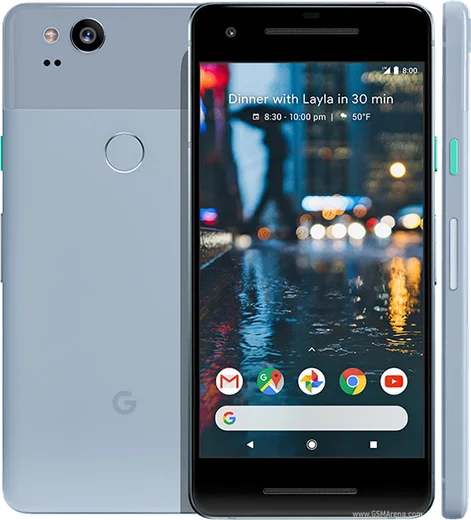
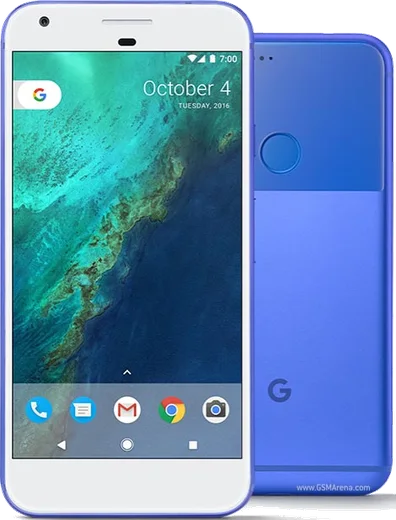
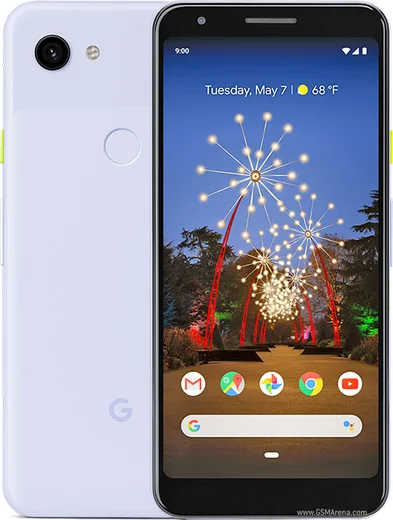
WhatsApp on Pixel 2
Google Pixel Android

WhatsApp for Pixel 2

Snapdragon 835, 5.0-inch OLED, squeezable sides

WhatsApp Messenger 4.7 · 64.2M reviews Free · Android · ~40 MB · by WhatsApp LLC
Download WhatsApp

Ask a question / report a problem

You can ask any question about WhatsApp support on the Pixel 2 — leave it below and we'll help.

Ask a question

Can the Pixel 2 run WhatsApp?

Fully supported
  • Operating systemAndroid
  • ProcessorSnapdragon 835
  • WhatsApp versionLatest supported

Latest known WhatsApp problems on Pixel 2

1

Why can't I run two WhatsApp accounts on my Pixel 2?

Stock Android on the Pixel 2 has no built-in app-cloning feature like Samsung's Dual Messenger or Xiaomi's Dual Apps, so there's no native toggle to clone WhatsApp. Your simplest official option is to install WhatsApp normally for one number and add WhatsApp Business (a separate free app from the Play Store) for the second number, since the two apps run side by side with independent logins. See how others solved this on Reddit
2

Does the Pixel 2 have a Dual Messenger or app-cloning option?

No, Pixel phones including the Pixel 2 don't ship with a Dual Messenger or app-clone tool the way Samsung and many other Android skins do. To get a second WhatsApp you'll need to pair the regular WhatsApp app with WhatsApp Business, or set up a separate user profile under Settings > System > Advanced > Multiple users and install WhatsApp inside that profile. See how others solved this on Reddit
3

Can I use Private Space on the Pixel 2 to set up a second WhatsApp?

Private Space is an Android 15 feature, and the Pixel 2 only updates as far as Android 11, so this method isn't available on your device. As a workaround, create a second user account via Settings > System > Advanced > Multiple users > Add user, then install a separate copy of WhatsApp inside that profile for your second number. See how others solved this on Reddit
4

How does WhatsApp handle dual SIM on the Pixel 2?

The Pixel 2 is a single physical nano-SIM phone with no working eSIM (eSIM support didn't arrive on Pixels until the Pixel 3), so dual-SIM use isn't supported on this device. And even on dual-SIM phones, a single WhatsApp install can only be tied to one number at a time, so to message from a second line you'd register WhatsApp Business or a separate user profile with that number. See how others solved this on Reddit
5

How do I transfer my WhatsApp chats off my Pixel 2 to a new phone?

On the Pixel 2, open WhatsApp > tap the three-dot menu > Settings > Chats > Chat backup and run a backup to Google Drive using your Google account. On a new Android phone, install WhatsApp, verify the same number with the same Google account signed in, and choose Restore when prompted. Note that Google Drive backups are Android-only, so moving to an iPhone requires WhatsApp's separate official cross-platform transfer flow instead. See how others solved this on Reddit
6

Is there any way to get dual apps like WhatsApp working on the Pixel 2?

Without root, the Pixel 2 can't clone apps directly, but you have two clean routes: install WhatsApp Business from the Play Store alongside regular WhatsApp for a second number, or set up a separate profile under Settings > System > Advanced > Multiple users and install WhatsApp there. Both keep the two accounts fully separate without third-party cloner apps, which often break WhatsApp's login or risk a ban. See how others solved this on Reddit

Ask a question / report a problem

You can ask any question about WhatsApp support on the Pixel 2 — leave it below and we'll help.

Ask a question

Watch: setting up WhatsApp

Prefer to watch? This short walkthrough shows the whole installation and number-verification flow.

How to install WhatsApp on Pixel 2 — video walkthrough

How to install WhatsApp on Pixel 2

1

Choose how to download

On your Pixel 2 you can get the official app two ways: from the Google Play Store — the easiest option, since it keeps WhatsApp updated automatically — or directly from the official website. You can download an APK file, by clicking a link “Download WhatsApp directly”.

2

Open WhatsApp

Launch WhatsApp from your home screen or app drawer and accept the Terms of Service to start setup.

3

Verify your phone number

Enter your phone number. If your Pixel 2 uses dual SIM, pick the line you want WhatsApp tied to, then enter the 6-digit code it sends by SMS — it usually fills in automatically.

4

Restore chats and finish setup

Restore your chat history from Google Drive (use the same Google account), add your name and photo, and tap Allow for notifications so messages and calls arrive reliably.

Stay safe: only ever install WhatsApp from the official Android source. The Download button above already points there — modified copies (GB/Plus/Aero WhatsApp) can get your number banned.

Comments (7)

No registration needed. No email required.
Y
yuki.dNov 17, 2025

Tbh this is the only one that worked for me

G
guest_userAug 7, 2025

works like a charm on the Pixel 2 thanks again

S
sara92Jun 6, 2025

wow got it working on my pixel 2 first try ✌️

M
ms_joeJan 29, 2025

update got my pixel 2 sorted thanks to you 💯

AppWhatsOfficialFeb 2, 2025

Love to hear it!

B
bea99Oct 15, 2024

il mio 2 ha finalmente whatsapp, fantastico

B
big_danSep 20, 2024

I had to enable unknown sources but then it was fine :)

R
rob51Jul 20, 2024

ugh whyyy is this so hard pls help me get whatsapp :(

AppWhatsOfficialJul 21, 2024

Take a breath, we got you. Press Download above, then Install, then verify your number. That is all it takes.