WhatsApp on Pixel
Google Pixel Android

WhatsApp for Pixel

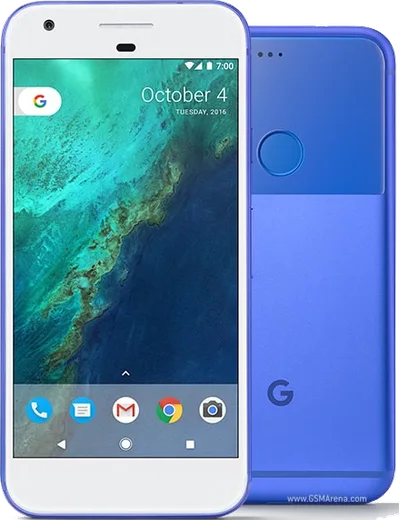
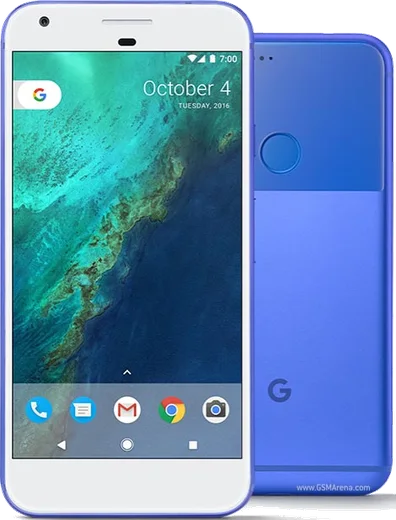
Snapdragon 821, 5.0-inch AMOLED, first Pixel

WhatsApp Messenger 4.7 · 64.2M reviews Free · Android · ~40 MB · by WhatsApp LLC
Download WhatsApp

Ask a question / report a problem

You can ask any question about WhatsApp support on the Pixel — leave it below and we'll help.

Ask a question

Can the Pixel run WhatsApp?

Fully supported
  • Operating systemAndroid
  • ProcessorSnapdragon 821
  • WhatsApp versionLatest supported

Latest known WhatsApp problems on Pixel

1

Why are my WhatsApp notifications not popping up on my Pixel, even though they appear in the notification shade?

This is usually because heads-up (pop-up) alerts are turned off for that notification category. Go to Settings, Apps, WhatsApp, Notifications, tap the Messages category, and make sure it is set to Default (or higher) with Pop on screen enabled rather than Silent. Next, open Settings, Apps, WhatsApp, App battery usage and choose Unrestricted so Android does not throttle WhatsApp in the background. Also check that Do Not Disturb is off or that WhatsApp is allowed through it. A reboot after these changes usually restores the pop-up alerts and sound. See how others solved this on Reddit
2

How do I transfer WhatsApp from my old phone to my new Pixel?

If your old phone is also Android, install WhatsApp on the Pixel, verify your number, and use Restore from Google Drive. First back up on the old phone via WhatsApp, three dots, Settings, Chats, Chat backup using the same Google account, then sign into that same account on the Pixel. If you are moving from an iPhone, use WhatsApp's built-in Move iOS chats feature during Pixel setup with a USB-C to Lightning cable, since iPhone backups live in iCloud and cannot be restored to Android otherwise. See how others solved this on Reddit
3

WhatsApp started acting up right after a Pixel system update, what can I fix?

First update WhatsApp itself from the Play Store, then clear its cache via Settings, Apps, WhatsApp, Storage and cache, Clear cache (not Clear storage, which deletes data). If problems persist, confirm WhatsApp is set to Unrestricted under Settings, Apps, WhatsApp, App battery usage so Adaptive Battery and Doze restrictions are not killing it in the background. Restarting the phone after the update often clears lingering glitches too. See how others solved this on Reddit
4

Why do WhatsApp notifications on my Pixel now show a big picture of the contact instead of the message?

This is Android's Conversation notification style, which enlarges the sender's photo. To make it compact again, long-press a WhatsApp notification, tap the gear or Settings, find the entry under the Conversations section, and set it to Default instead of Priority (Priority is what adds the large avatar and bubble). You can also turn off Bubbles under Settings, Apps, WhatsApp, Notifications, Bubbles if floating chat heads are appearing. See how others solved this on Reddit
5

WhatsApp looks really small on my Pixel, how do I make it bigger?

Increase the system scaling in Settings, Display and touch (or Display), Display size and text, then drag the Display size slider up, which enlarges WhatsApp's interface and chat list. You can independently raise Font size in the same menu for larger text everywhere. WhatsApp also has its own Settings, Chats, Font size option with a Large setting that affects message text inside chats. See how others solved this on Reddit
6

Why can't I run a second or dual WhatsApp account on my Pixel?

Pixel's stock Android has no built-in app cloning feature like Samsung or Xiaomi, so you cannot clone the app itself. However, WhatsApp now supports two numbers natively: open WhatsApp, tap the three dots or your profile arrow at the top, choose Add account, and add a second number with its own SIM or eSIM. This gives you dual WhatsApp without any third-party cloning app. See how others solved this on Reddit

Ask a question / report a problem

You can ask any question about WhatsApp support on the Pixel — leave it below and we'll help.

Ask a question

Watch: setting up WhatsApp

Prefer to watch? This short walkthrough shows the whole installation and number-verification flow.

How to install WhatsApp on Pixel — video walkthrough

How to install WhatsApp on Pixel

1

Choose how to download

On your Pixel you can get the official app two ways: from the Google Play Store — the easiest option, since it keeps WhatsApp updated automatically — or directly from the official website. You can download an APK file, by clicking a link “Download WhatsApp directly”.

2

Open WhatsApp

Launch WhatsApp from your home screen or app drawer and accept the Terms of Service to start setup.

3

Verify your phone number

Enter your phone number. If your Pixel uses dual SIM, pick the line you want WhatsApp tied to, then enter the 6-digit code it sends by SMS — it usually fills in automatically.

4

Restore chats and finish setup

Restore your chat history from Google Drive (use the same Google account), add your name and photo, and tap Allow for notifications so messages and calls arrive reliably.

Stay safe: only ever install WhatsApp from the official Android source. The Download button above already points there — modified copies (GB/Plus/Aero WhatsApp) can get your number banned.

Comments (7)

No registration needed. No email required.
M
mr_ivanApr 19, 2026

did this on my pixel and it just worked thx

O
omar0Mar 29, 2026

ça a marché tout de suite sur mon Pixel 🎉

L
lurkerJun 17, 2025

Pls help is it safe to download from here ?

AppWhatsOfficialJun 18, 2025

Yes, it is completely safe. The Download button takes you to the official app on the store, we never host modified versions. Happy chatting!

E
ella21Apr 3, 2025

set up whatsapp on my dads Pixel no problem

D
droiduserJan 16, 2025

anyone? no contacts appear in the app thanks

AppWhatsOfficialJan 17, 2025

Thanks for asking, whatsApp reads contacts from your phone book, so save the number there with the country code, then pull down to refresh your chat list. Reach out anytime.

R
rob.uNov 9, 2024

best guide for the Pixel by far ❤️

AppWhatsOfficialNov 13, 2024

Love to hear it!

P
pablo07Jul 15, 2024

ugh i been trying since morning pleaseee how to install on pixel 😭😭

AppWhatsOfficialJul 18, 2024

Relax, it is simpler than it looks. Press Download, install, then verify with the SMS code. You got this!