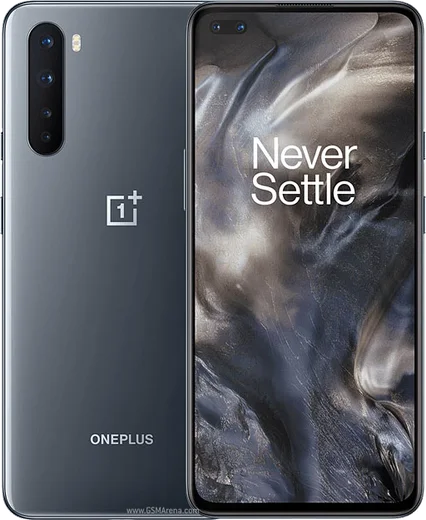
WhatsApp on Nord N10 5G
OnePlus Android

WhatsApp for Nord N10 5G

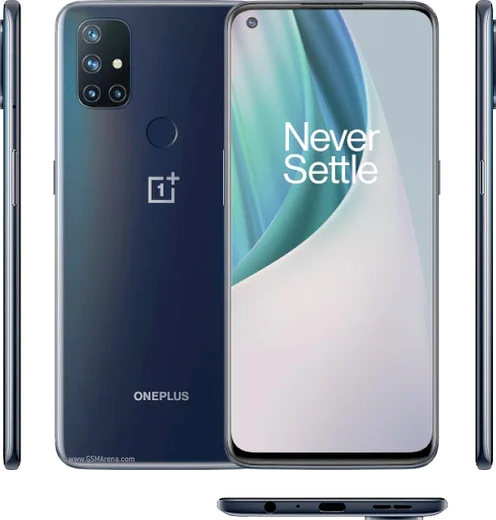
Snapdragon 690, 6.49-inch 90Hz LCD, 4300mAh

WhatsApp Messenger 4.7 · 64.2M reviews Free · Android · ~40 MB · by WhatsApp LLC
Download WhatsApp

Ask a question / report a problem

You can ask any question about WhatsApp support on the Nord N10 5G — leave it below and we'll help.

Ask a question

Can the Nord N10 5G run WhatsApp?

Fully supported
  • Operating systemAndroid
  • ProcessorSnapdragon 690
  • WhatsApp versionLatest supported

Latest known WhatsApp problems on Nord N10 5G

1

Why does my Nord N10 5G screen go black during WhatsApp calls and I can't reach the hang-up button?

This is the proximity sensor turning the screen off as if the phone were held against your ear. Wipe the top of the screen near the earpiece and remove or trim any screen protector covering the sensor, since that is the most common cause. Then force-stop WhatsApp under Settings > Apps > WhatsApp, clear its cache via Storage usage > Clear cache (not Clear data), and test a call. If the screen still blanks during normal use, dial *#808# to open the engineering test menu and run the proximity sensor calibration, or back up and check for a software update under Settings > System > System updates. See how others solved this on Reddit
2

WhatsApp keeps crashing or not working properly on my OnePlus Nord N10 5G, what should I do?

Start by clearing the app cache under Settings > Apps > WhatsApp > Storage usage > Clear cache (do NOT clear data, as that risks your chats), then update WhatsApp from the Google Play Store. Make sure battery optimization isn't killing it: go to Settings > Battery > Battery optimization, find WhatsApp, and set it to Don't optimize so OxygenOS doesn't freeze it in the background. See how others solved this on Reddit
3

WhatsApp call notifications don't show on my Nord N10 5G lock screen, how do I fix it?

OxygenOS aggressively restricts background apps, so first go to Settings > Apps > WhatsApp > Battery and choose Don't optimize / Allow background activity. Then open Settings > Apps > WhatsApp > Notifications and enable all categories plus lock-screen display, and under Settings > Notifications & status bar confirm WhatsApp is allowed to show on the lock screen. Locking WhatsApp in the Recent apps menu (tap the app icon > Lock) also helps prevent it from being closed. See how others solved this on Reddit
4

The camera looks zoomed in or misaligned when I take photos inside WhatsApp on my Nord N10 5G, how do I fix it?

WhatsApp's built-in camera doesn't always map correctly to the Nord's sensor, so the quickest workaround is to tap the attach (paperclip) icon, choose Gallery, and use the stock Camera app instead, then share the result. Updating WhatsApp from the Play Store often resolves the framing bug; if it remains, clear WhatsApp's cache under Settings > Apps > WhatsApp > Storage usage. See how others solved this on Reddit
5

How do I move my old WhatsApp chats and backups to my new OnePlus Nord N10 5G?

Since the Nord N10 5G is an Android phone, back up on your old device via WhatsApp > Settings > Chats > Chat backup to the same Google account, then sign in to WhatsApp on the Nord with the same phone number and Google account and tap Restore when prompted. Note that backups don't transfer between iPhone (iCloud) and Android (Google Drive) directly, so an iPhone-to-Nord move requires WhatsApp's official transfer tool or a cable using the Move to Android flow. See how others solved this on Reddit
6

I lost my WhatsApp chat history and media on my Nord N10 5G, can I get it back?

If you have a Google Drive backup tied to your account, uninstall and reinstall WhatsApp from the Play Store, verify the same number, and tap Restore when prompted to pull back chats and media. Without a cloud backup, use a file manager to check Internal storage > Android > media > com.whatsapp > WhatsApp > Media, since local files may still exist even when the chat list looks empty; going forward, enable daily backups under WhatsApp > Settings > Chats > Chat backup. See how others solved this on Reddit

Ask a question / report a problem

You can ask any question about WhatsApp support on the Nord N10 5G — leave it below and we'll help.

Ask a question

Watch: setting up WhatsApp

Prefer to watch? This short walkthrough shows the whole installation and number-verification flow.

How to install WhatsApp on Nord N10 5G — video walkthrough

How to install WhatsApp on Nord N10 5G

1

Choose how to download

On your Nord N10 5G you can get the official app two ways: from the Google Play Store — the easiest option, since it keeps WhatsApp updated automatically — or directly from the official website. You can download an APK file, by clicking a link “Download WhatsApp directly”.

2

Open WhatsApp

Launch WhatsApp from your home screen or app drawer and accept the Terms of Service to start setup.

3

Verify your phone number

Enter your phone number. If your Nord N10 5G uses dual SIM, pick the line you want WhatsApp tied to, then enter the 6-digit code it sends by SMS — it usually fills in automatically.

4

Restore chats and finish setup

Restore your chat history from Google Drive (use the same Google account), add your name and photo, and tap Allow for notifications so messages and calls arrive reliably.

Stay safe: only ever install WhatsApp from the official Android source. The Download button above already points there — modified copies (GB/Plus/Aero WhatsApp) can get your number banned.

Comments (7)

No registration needed. No email required.
B
bea.uApr 28, 2026

Ok so smooth and simple, no issues

G
greg.iApr 22, 2025

Franchement ça a marché tout de suite sur mon nord n10 5g 🎉

M
mr_kaiMar 14, 2025

man worked like a charm

AppWhatsOfficialMar 15, 2025

Awesome, glad it worked!

Y
yuki92Mar 3, 2025

Stuck and so stressed how do i get whatsapp on nord n10 5g 😭😭

AppWhatsOfficialMar 7, 2025

We are here to help. Hit Download, follow the steps on this page, and if the code is slow just request it again. You will be set up on your phone in no time.

I
ivan.aFeb 23, 2025

Update my Nord N10 5G has whatsapp now thanks to this ❤️

O
oldschoolOct 17, 2024

Tbh saved me so much time

R
raj_kaiOct 1, 2024

the Nord N10 5G steps actually work unlike other sites