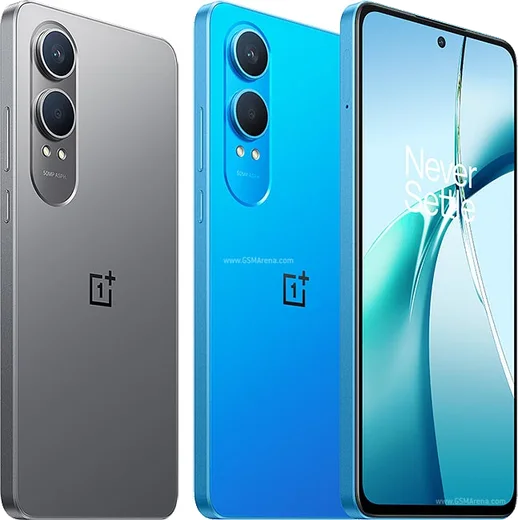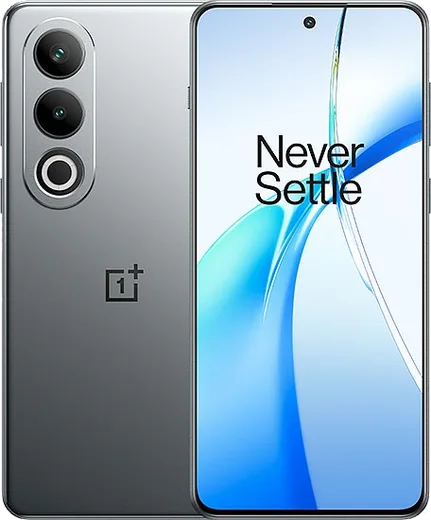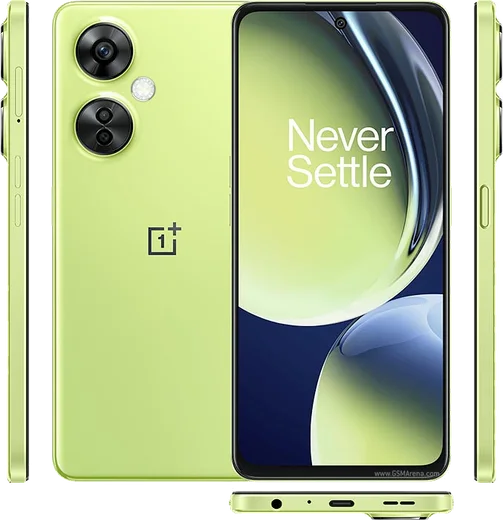
WhatsApp on Nord CE 4 Lite
OnePlus Android

WhatsApp for Nord CE 4 Lite

Snapdragon 6 Gen 1, 6.67-inch 120Hz AMOLED, 5000mAh

WhatsApp Messenger 4.7 · 64.2M reviews Free · Android · ~40 MB · by WhatsApp LLC
Download WhatsApp

Ask a question / report a problem

You can ask any question about WhatsApp support on the Nord CE 4 Lite — leave it below and we'll help.

Ask a question

Can the Nord CE 4 Lite run WhatsApp?

Fully supported
  • Operating systemAndroid
  • ProcessorSnapdragon 6 Gen 1
  • WhatsApp versionLatest supported

Latest known WhatsApp problems on Nord CE 4 Lite

1

Why do my WhatsApp notifications get delayed or only show up when I open the app on my Nord CE 4 Lite?

OxygenOS aggressively sleeps background apps, which holds WhatsApp messages until you reopen it. Go to Settings > Apps > App management > WhatsApp > Battery usage and set it to "Don't optimize" (unrestricted). Then open Settings > Battery > More settings and turn off "Sleep standby optimization" so the app keeps its background connection alive. This is the standard fix for delayed message delivery on OxygenOS. See how others solved this on Reddit
2

WhatsApp notifications keep disappearing on my Nord CE 4 Lite before I can read them. How do I fix it?

This happens when OxygenOS clears notifications after killing the background process to save power. Open the recent apps screen, pull down on (or long-press) the WhatsApp card and tap the lock icon to keep it from being closed. Then go to Settings > Apps > App management > WhatsApp > Battery usage and choose "Don't optimize." In WhatsApp itself, open Settings > Notifications and confirm message and group notifications are enabled with a sound assigned. See how others solved this on Reddit
3

Why don't WhatsApp calls show on my lock screen when the Nord CE 4 Lite is locked?

WhatsApp needs permission to display over the lock screen and show a full-screen call alert. Go to Settings > Apps > App management > WhatsApp > and enable "Display over other apps" plus "Display pop-up windows while running in the background." Then in Settings > Notifications & status bar > App notifications > WhatsApp, allow the Calls channel and enable its lock screen display. Setting the app's battery usage to unrestricted also prevents the incoming-call screen from being suppressed. See how others solved this on Reddit
4

WhatsApp notifications stopped working on my Nord 4 after an OxygenOS update. What should I check?

Updates often reset per-app battery rules, so re-grant them after upgrading. Go to Settings > Apps > App management > WhatsApp > Battery usage and set "Don't optimize," then in Settings > Notifications & status bar > App notifications > WhatsApp make sure "Allow notifications" and all the individual channels are on. If it still lags, clear WhatsApp's cache via Settings > Apps > App management > WhatsApp > Storage usage > Clear cache (this does not delete chats). See how others solved this on Reddit
5

Is the Nord CE 4 Lite reliable enough for an older parent to use WhatsApp for calls and messaging?

Yes, it handles WhatsApp video calls, messaging and media well, but you should set it up so notifications never silently fail. After installing WhatsApp from the Play Store, lock it in the recent apps screen, set Settings > Apps > App management > WhatsApp > Battery usage to "Don't optimize," and turn off "Sleep standby optimization" under Settings > Battery > More settings. Enabling "Display over other apps" for WhatsApp also helps ensure incoming calls ring on the lock screen. See how others solved this on Reddit
6

My WhatsApp chats and notifications got buggy after the OxygenOS 16 update on my Nord CE 4 Lite. Should I roll back?

If a buggy build is breaking WhatsApp behavior, rolling back to a stable OxygenOS 15 release is a valid option, but back up your chats first via WhatsApp > Settings > Chats > Chat backup to Google Drive. After rolling back, reinstall WhatsApp from the Play Store, restore the backup, and re-apply the battery exemption under Settings > Apps > App management > WhatsApp > Battery usage so notifications stay reliable on the older firmware. See how others solved this on Reddit

Ask a question / report a problem

You can ask any question about WhatsApp support on the Nord CE 4 Lite — leave it below and we'll help.

Ask a question

Watch: setting up WhatsApp

Prefer to watch? This short walkthrough shows the whole installation and number-verification flow.

How to install WhatsApp on Nord CE 4 Lite — video walkthrough

How to install WhatsApp on Nord CE 4 Lite

1

Choose how to download

On your Nord CE 4 Lite you can get the official app two ways: from the Google Play Store — the easiest option, since it keeps WhatsApp updated automatically — or directly from the official website. You can download an APK file, by clicking a link “Download WhatsApp directly”.

2

Open WhatsApp

Launch WhatsApp from your home screen or app drawer and accept the Terms of Service to start setup.

3

Verify your phone number

Enter your phone number. If your Nord CE 4 Lite uses dual SIM, pick the line you want WhatsApp tied to, then enter the 6-digit code it sends by SMS — it usually fills in automatically.

4

Restore chats and finish setup

Restore your chat history from Google Drive (use the same Google account), add your name and photo, and tap Allow for notifications so messages and calls arrive reliably.

Stay safe: only ever install WhatsApp from the official Android source. The Download button above already points there — modified copies (GB/Plus/Aero WhatsApp) can get your number banned.

Comments (10)

No registration needed. No email required.
I
ivan07Feb 16, 2026

ottima guida grazie 👍

J
justmeJan 29, 2026

Omg all good on my nord ce 4 lite now 🔥

M
mr_valNov 30, 2025

perfect, exactly what i needed 👌

R
ray29Aug 13, 2025

ok so the nordce4lite steps actually work unlike other sites lol

J
joe42May 2, 2025

the nord ce 4 lite steps actually work unlike other sites thx

H
heeeelpMar 31, 2025

all good on my nordce4lite now

AppWhatsOfficialApr 3, 2025

Good to hear!

J
joe36Dec 1, 2024

Wow me funcionó al instante en mi Nord CE 4 Lite

E
ella.jAug 8, 2024

ngl restarted the phone and then it installed

M
mia20Jul 28, 2024

how do i do it without play store anyone

AppWhatsOfficialAug 1, 2024

Happy to help, no problem. Without Play Store you can use the official APK, just allow installs from your browser first.

M
marc.aJul 14, 2024

Ugh omggg i cant install it someone heeelp :(

AppWhatsOfficialJul 15, 2024

Breathe! Follow the steps above one by one, tap Download first, and you will be chatting in no time.