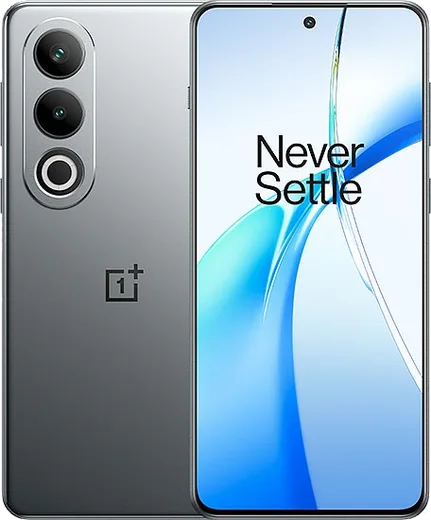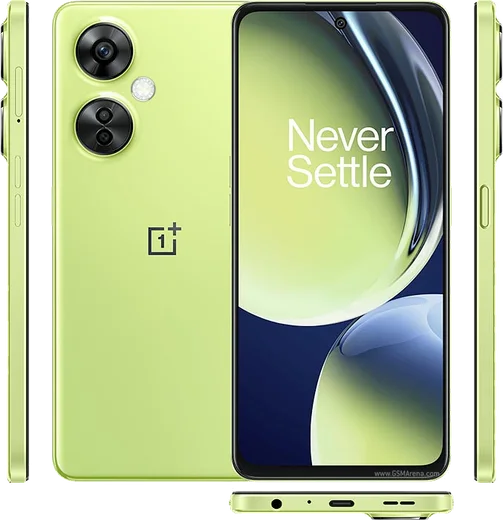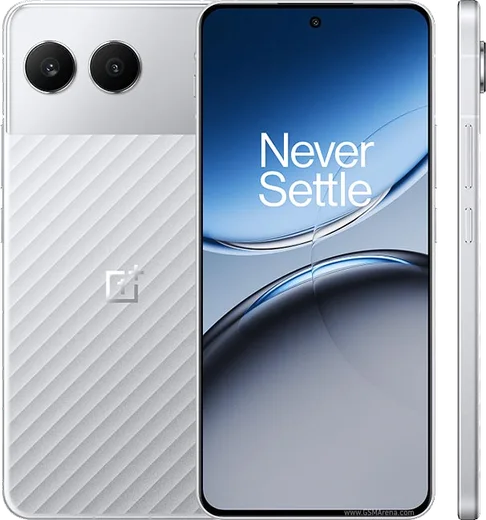
WhatsApp on OnePlus 12
OnePlus Android

WhatsApp for OnePlus 12

Snapdragon 8 Gen 3, 6.82-inch 120Hz LTPO QHD+

WhatsApp Messenger 4.7 · 64.2M reviews Free · Android · ~40 MB · by WhatsApp LLC
Download WhatsApp

Ask a question / report a problem

You can ask any question about WhatsApp support on the OnePlus 12 — leave it below and we'll help.

Ask a question

Can the OnePlus 12 run WhatsApp?

Fully supported
  • Operating systemAndroid
  • OS versionAndroid 14 → 15 (OxygenOS)
  • ProcessorSnapdragon 8 Gen 3
  • RAM16 GB

Latest known WhatsApp problems on OnePlus 12

1

Why are WhatsApp call and video call notifications not showing on my OnePlus 12?

OxygenOS aggressively kills background apps, so open Settings > Apps > App management > WhatsApp > Battery usage and set it to "Don't restrict" (unrestricted), then turn on Allow auto-launch. Next go to Settings > Notifications & status bar > Manage notifications > WhatsApp and make sure the Calls channel is enabled with sound and pop-up/banner notifications allowed. Finally, lock WhatsApp in the Recent apps view (open Recents, tap the app card's menu or long-press it, and choose Lock) so the system stops freezing it in the background. See how others solved this on Reddit
2

My OnePlus 12 can't receive a WhatsApp transfer or find my backup when switching phones - what do I do?

For a phone-to-phone transfer both devices must be on the same Wi-Fi and you scan the QR code; if that fails, fall back to a Google Drive restore. Make sure the OnePlus 12 is signed into the same Google account that holds the backup, then reinstall WhatsApp from the Play Store and verify the same phone number - it should detect the backup automatically. If it doesn't, confirm WhatsApp has Files and media permission under Settings > Apps > App management > WhatsApp > Permissions, and double-check the backup actually completed on the old phone (WhatsApp > Settings > Chats > Chat backup). See how others solved this on Reddit
3

An OxygenOS update broke WhatsApp on my OnePlus 12 - how can I fix it?

After a firmware update, first clear the app's temporary data via Settings > Apps > App management > WhatsApp > Storage usage > Clear cache (this does NOT delete your chats), then reboot the phone. If it still misbehaves, update WhatsApp to the latest version from the Play Store, and re-confirm Battery usage is set to Don't restrict with Allow auto-launch on, since system updates often reset these power settings back to restricted. See how others solved this on Reddit
4

Why do my WhatsApp voice messages fail to send or come out distorted on the OnePlus 12?

This is usually a microphone permission or background-restriction issue. Go to Settings > Apps > App management > WhatsApp > Permissions and confirm the Microphone permission is allowed, then set Battery usage to Don't restrict so the recording isn't cut off in the background. Also clear the WhatsApp cache (Storage usage > Clear cache) and make sure no other app (like a call recorder or voice assistant) is holding the microphone while you record, as that can block or distort voice notes. See how others solved this on Reddit
5

The WhatsApp app icon disappeared from my OnePlus 12 home screen - how do I get it back?

First open the App Drawer (swipe up on the home screen) and search "WhatsApp" - the icon may just have been removed from the home screen while still installed; long-press it and drag it back to the home screen. If it isn't in the drawer either, check whether it was hidden: in the App Drawer, swipe right to the Hidden apps section, or look under Settings > Apps to confirm it's installed. As a last resort, reinstall it from the Play Store and restore from your Google Drive backup. See how others solved this on Reddit
6

Can I record WhatsApp calls on the OnePlus 12?

There's no built-in WhatsApp call recorder, and OxygenOS's native screen recorder won't capture the other person's voice because Android restricts third-party apps from recording in-call audio for privacy. The only reliable workaround is to put the call on speaker and use a second device or an external recorder to capture the audio. Note that recording calls without the other party's consent may be illegal in your region, so check local laws first. See how others solved this on Reddit

Ask a question / report a problem

You can ask any question about WhatsApp support on the OnePlus 12 — leave it below and we'll help.

Ask a question

Watch: setting up WhatsApp

Prefer to watch? This short walkthrough shows the whole installation and number-verification flow.

How to install WhatsApp on OnePlus 12 — video walkthrough

How to install WhatsApp on OnePlus 12

1

Choose how to download

On your OnePlus 12 you can get the official app two ways: from the Google Play Store — the easiest option, since it keeps WhatsApp updated automatically — or directly from the official website. You can download an APK file, by clicking a link “Download WhatsApp directly”.

2

Open WhatsApp

Launch WhatsApp from your home screen or app drawer and accept the Terms of Service to start setup.

3

Verify your phone number

Enter your phone number. If your OnePlus 12 uses dual SIM, pick the line you want WhatsApp tied to, then enter the 6-digit code it sends by SMS — it usually fills in automatically.

4

Restore chats and finish setup

Restore your chat history from Google Drive (use the same Google account), add your name and photo, and tap Allow for notifications so messages and calls arrive reliably.

Stay safe: only ever install WhatsApp from the official Android source. The Download button above already points there — modified copies (GB/Plus/Aero WhatsApp) can get your number banned.

Comments (15)

No registration needed. No email required.
L
lou_chrMay 1, 2026

Yo bookmarking this site for sure 💯

M
mr_jayApr 9, 2026

alles läuft, vielen dank

T
theuserMar 15, 2026

Very clear steps 🙏

W
whatsappfanFeb 23, 2026

ey el mejor sitio, funcionó a la primera

B
bea.hNov 22, 2025

well perfect steps for the 12 🔥

T
tina_denOct 16, 2025

ngl my 12 was being difficult but this sorted it

AppWhatsOfficialOct 18, 2025

Good to hear!

E
eeeeeemmmmmaaaaaAug 20, 2025

pls help how do i hide my last seen thanks

AppWhatsOfficialAug 22, 2025

Sure, in Privacy settings you can set Last Seen and Online to Nobody, so no one sees when you are active. Enjoy WhatsApp on your your phone!

R
rosa21Jun 11, 2025

ugh help meee i pressed everything and nothing :(

AppWhatsOfficialJun 14, 2025

No panic needed. The Download button takes you to the official app, then just install and verify your number.

M
ms_zoeJun 3, 2025

guys works like a charm on the OnePlus 12 thanks again

M
ms_robMar 11, 2025

finally the 12 steps actually work unlike other sites

O
omar_99Jan 18, 2025

والله أفضل شرح

N
nick13Dec 31, 2024

anyone? installed it but it wont open just a black screen thanks

AppWhatsOfficialJan 6, 2025

Of course, try restarting your phone first. If it still wont open, clear the cache or reinstall the latest version from the official source. Glad to help.

F
finn.hSep 21, 2024

Whatsapp running great on my oneplus 12

P
pablo_tanSep 14, 2024

Hey i dont want people to see im online anyone

AppWhatsOfficialSep 18, 2024

Good question, open Settings, then Privacy, and adjust Last Seen and Online there to keep your activity hidden.

I
ivan_proSep 2, 2024

how do i set my profile picture thanks

AppWhatsOfficialSep 5, 2024

Of course, open WhatsApp, go to Settings, tap your name at the top, then tap the camera icon to set a new photo. Glad to help.