WhatsApp on Nord 4
OnePlus Android

WhatsApp for Nord 4

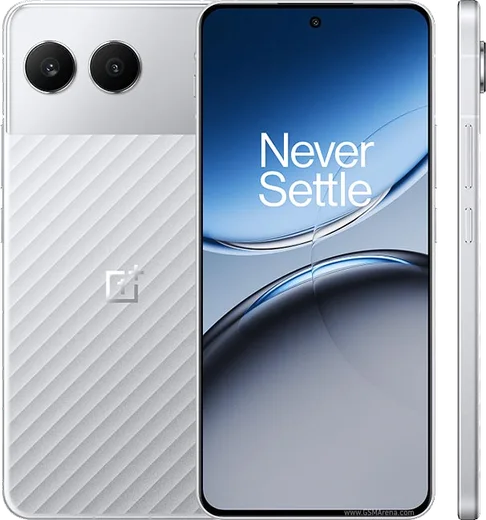
Snapdragon 7+ Gen 3, 6.74-inch 120Hz, metal body

WhatsApp Messenger 4.7 · 64.2M reviews Free · Android · ~40 MB · by WhatsApp LLC
Download WhatsApp

Ask a question / report a problem

You can ask any question about WhatsApp support on the Nord 4 — leave it below and we'll help.

Ask a question

Can the Nord 4 run WhatsApp?

Fully supported
  • Operating systemAndroid
  • ProcessorSnapdragon 7+ Gen 3
  • WhatsApp versionLatest supported

Latest known WhatsApp problems on Nord 4

1

Why am I not getting WhatsApp notifications on my OnePlus Nord 4?

OxygenOS aggressively kills background apps to save battery, which delays or blocks WhatsApp alerts. Go to Settings > Apps > App management > WhatsApp > Battery usage and set it to 'Allow background activity' / 'Don't optimize', then open Settings > Battery > More settings and turn off 'Sleep standby optimization'. Also confirm WhatsApp notifications are fully enabled under Settings > Apps > App management > WhatsApp > Notifications so messages and calls both alert. See how others solved this on Reddit
2

Why are WhatsApp messages arriving late on my Nord 4 instead of instantly?

This is almost always OxygenOS battery optimization holding WhatsApp's connection in the background until you open the app. Disable optimization for WhatsApp under Settings > Apps > App management > WhatsApp > Battery usage > Allow background activity, and lock WhatsApp in Recents so it isn't cleared. Then make sure Android isn't restricting its data: go to Settings > Apps > App management > WhatsApp > Data usage and enable background data, and turn off Data Saver in Settings > Wi-Fi & network (or exempt WhatsApp from it). See how others solved this on Reddit
3

Why don't WhatsApp images show up in my Photos or Gallery on the Nord 4?

WhatsApp media usually isn't appearing in Gallery because the 'Media visibility' setting is off or a hidden .nomedia file is blocking the folder from being indexed. In WhatsApp go to Settings > Chats and turn on 'Media visibility', then open Settings > Apps > App management > WhatsApp > Permissions and grant full Photos and media access. If they still don't appear, restart the phone so the media scanner re-indexes the WhatsApp Images folder. See how others solved this on Reddit
4

Why does WhatsApp say 'photo capture failed' when I try to take a picture in a chat on my Nord 4?

This usually means WhatsApp's in-app camera lost its permission or hit a cache glitch on OxygenOS. Go to Settings > Apps > App management > WhatsApp > Permissions and make sure Camera is set to 'Allow', then clear WhatsApp's cache via Settings > Apps > App management > WhatsApp > Storage usage > Clear cache. As a reliable workaround, take the photo with the normal OnePlus Camera app and attach it from the gallery instead of using the in-chat shutter. See how others solved this on Reddit
5

Why does the keyboard float or appear in the wrong place in WhatsApp on my Nord 4?

The floating keyboard is a Gboard mode that gets toggled accidentally, not a WhatsApp bug. Open any chat to bring up Gboard, then tap the toolbar (three-dot or the four-arrow 'Floating' icon) and turn off floating mode, or drag the handle at the bottom of the floating keyboard to dock it back to the bottom of the screen. If it keeps happening, open Settings > Additional settings > Keyboard, mouse & input methods > Gboard and review the layout/resize options. See how others solved this on Reddit
6

Why does WhatsApp Web keep disconnecting from my OnePlus Nord 4?

WhatsApp Web drops when OxygenOS suspends the phone's WhatsApp process while the screen is off, breaking the link to your computer. Exempt WhatsApp from battery optimization under Settings > Apps > App management > WhatsApp > Battery usage > Allow background activity, and disable 'Sleep standby optimization' in Settings > Battery > More settings. Keeping the phone on Wi-Fi rather than mobile data and re-linking via WhatsApp > Settings > Linked devices also keeps the session stable. See how others solved this on Reddit

Ask a question / report a problem

You can ask any question about WhatsApp support on the Nord 4 — leave it below and we'll help.

Ask a question

Watch: setting up WhatsApp

Prefer to watch? This short walkthrough shows the whole installation and number-verification flow.

How to install WhatsApp on Nord 4 — video walkthrough

How to install WhatsApp on Nord 4

1

Choose how to download

On your Nord 4 you can get the official app two ways: from the Google Play Store — the easiest option, since it keeps WhatsApp updated automatically — or directly from the official website. You can download an APK file, by clicking a link “Download WhatsApp directly”.

2

Open WhatsApp

Launch WhatsApp from your home screen or app drawer and accept the Terms of Service to start setup.

3

Verify your phone number

Enter your phone number. If your Nord 4 uses dual SIM, pick the line you want WhatsApp tied to, then enter the 6-digit code it sends by SMS — it usually fills in automatically.

4

Restore chats and finish setup

Restore your chat history from Google Drive (use the same Google account), add your name and photo, and tap Allow for notifications so messages and calls arrive reliably.

Stay safe: only ever install WhatsApp from the official Android source. The Download button above already points there — modified copies (GB/Plus/Aero WhatsApp) can get your number banned.

Comments (10)

No registration needed. No email required.
N
nina.eApr 29, 2026

Hi it crashes right after the splash screen

AppWhatsOfficialMay 5, 2026

Crashes are often an old version. Remove it, update your OS, and reinstall the newest build from the official source. Feel free to ask if you get stuck.

T
techguySep 23, 2025

alles läuft auf meinem Nord 4, vielen dank 🙏

F
finn1990Sep 19, 2025

Guys plz heeeelp me how to download on my Nord 4 :(

AppWhatsOfficialSep 20, 2025

No panic needed. The Download button takes you to the official app, then just install and verify your number. You got this!

J
just_noahSep 9, 2025

My whatsapp had stopped working but this fixed it 🙏

I
im_mikeJun 5, 2025

Hey how to add a profile photo pls

AppWhatsOfficialJun 7, 2025

Good question, head to Settings, tap your name, then the camera icon to choose your profile photo. Reach out anytime.

W
whyyyyyApr 5, 2025

tbh respect, this helped alot lol

M
mr_miaJan 14, 2025

wow worked perfect on my Nord 4

AppWhatsOfficialJan 15, 2025

Perfect, enjoy chatting!

X
xX_gregJan 6, 2025

Even my grandma could do this :)

Q
quickfixOct 16, 2024

Hey stuck on a black screen after install thanks

AppWhatsOfficialOct 17, 2024

Hey there, a black screen usually clears after a restart. If not, reinstall the newest version and it should open fine. Enjoy WhatsApp on your your phone!

G
guest_userJul 23, 2024

Alles läuft auf meinem nord 4, vielen dank