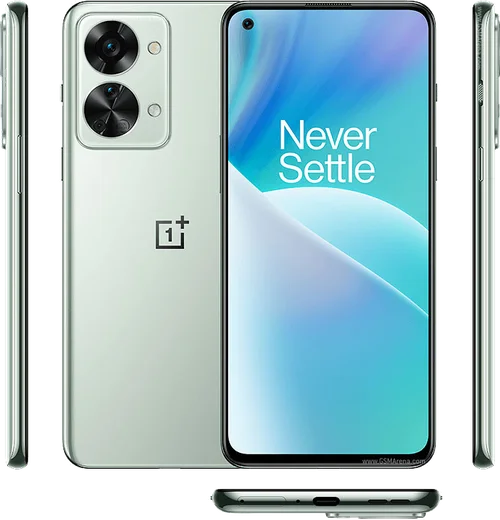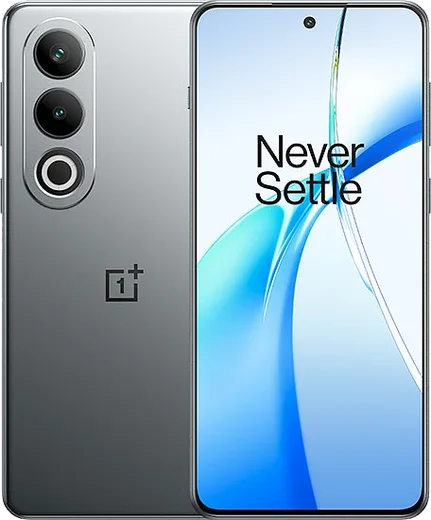
WhatsApp on Nord 2
OnePlus Android

WhatsApp for Nord 2

Dimensity 1200-AI, 6.43-inch 90Hz AMOLED

WhatsApp Messenger 4.7 · 64.2M reviews Free · Android · ~40 MB · by WhatsApp LLC
Download WhatsApp

Ask a question / report a problem

You can ask any question about WhatsApp support on the Nord 2 — leave it below and we'll help.

Ask a question

Can the Nord 2 run WhatsApp?

Fully supported
  • Operating systemAndroid
  • ProcessorDimensity 1200-AI
  • WhatsApp versionLatest supported

Latest known WhatsApp problems on Nord 2

1

Why don't I get WhatsApp messages instantly on my OnePlus Nord 2 until I open the app?

OxygenOS aggressively closes background apps to save battery, which delays delivery until WhatsApp is reopened. Go to Settings > Apps > App management > WhatsApp > Battery usage and set it to "Don't optimize" (allow background activity). Then open Recent Apps, find the WhatsApp card, and tap the lock icon (or pull the card down) so the system won't clear it from memory. Together these keep WhatsApp's background connection alive for push notifications. See how others solved this on Reddit
2

I get no WhatsApp notifications at all on my Nord 2 until I open the app, how do I fix it?

This is usually battery optimization combined with a disabled notification channel. Open Settings > Apps > App management > WhatsApp > Notifications and make sure notifications and the individual Messages and Groups channels are all enabled with sound, then set Battery usage to "Don't optimize." Inside WhatsApp, go to Settings > Notifications and turn on "Use high priority notifications." Reboot once after changing these so the settings take effect. See how others solved this on Reddit
3

My WhatsApp camera preview is zoomed in or not aligned on the OnePlus Nord 2, what's wrong?

WhatsApp uses its own in-app camera that doesn't always match the Nord 2's sensor, so the preview can look cropped or off-center. The reliable workaround is to skip the in-app camera: in a chat tap the attach icon and choose Gallery, or take the shot with the system Camera app and share it into WhatsApp afterward. Make sure WhatsApp is updated from the Play Store too, since these alignment bugs are often fixed in newer builds. See how others solved this on Reddit
4

My screen goes black when I try to play a WhatsApp voice message on my Nord 2, how do I stop it?

The black screen comes from the proximity sensor near the top of the display, which thinks the phone is at your ear and blanks the screen to route audio to the earpiece. To listen on speaker, keep your hand and any covering away from the top of the screen, or play the voice note with the screen facing away from you. If it triggers constantly even when nothing is near the sensor, remove any screen protector covering the top bezel and clean that area, as a protector or dirt is the most common cause. See how others solved this on Reddit
5

Why are my WhatsApp photos showing the date 1970 in the gallery on my OnePlus Nord 2?

Received images sometimes arrive without timestamp metadata, so the gallery falls back to the Unix epoch (1 January 1970) and sorts them oddly. Clear the gallery cache via Settings > Apps > App management > your gallery app > Storage > Clear cache, then reopen it so it re-reads the WhatsApp Images folder. Keeping WhatsApp updated from the Play Store helps, since the metadata handling has been improved in newer versions. See how others solved this on Reddit
6

I only get a small banner instead of a full-screen alert for WhatsApp calls on my Nord, how do I enable it?

OxygenOS blocks the full-screen incoming-call UI unless WhatsApp is allowed to draw over other apps. Go to Settings > Apps > Special app access > Display over other apps and enable it for WhatsApp. Then under Settings > Apps > App management > WhatsApp > Notifications, open the Calls channel and make sure it is allowed to pop on screen. Finally set WhatsApp's Battery usage to "Don't optimize" so it can wake the display when a call arrives. See how others solved this on Reddit

Ask a question / report a problem

You can ask any question about WhatsApp support on the Nord 2 — leave it below and we'll help.

Ask a question

Watch: setting up WhatsApp

Prefer to watch? This short walkthrough shows the whole installation and number-verification flow.

How to install WhatsApp on Nord 2 — video walkthrough

How to install WhatsApp on Nord 2

1

Choose how to download

On your Nord 2 you can get the official app two ways: from the Google Play Store — the easiest option, since it keeps WhatsApp updated automatically — or directly from the official website. You can download an APK file, by clicking a link “Download WhatsApp directly”.

2

Open WhatsApp

Launch WhatsApp from your home screen or app drawer and accept the Terms of Service to start setup.

3

Verify your phone number

Enter your phone number. If your Nord 2 uses dual SIM, pick the line you want WhatsApp tied to, then enter the 6-digit code it sends by SMS — it usually fills in automatically.

4

Restore chats and finish setup

Restore your chat history from Google Drive (use the same Google account), add your name and photo, and tap Allow for notifications so messages and calls arrive reliably.

Stay safe: only ever install WhatsApp from the official Android source. The Download button above already points there — modified copies (GB/Plus/Aero WhatsApp) can get your number banned.

Comments (10)

No registration needed. No email required.
R
rosa96Jun 14, 2026

guys i was scared it was a virus but its the real app ✌️

T
theo27Apr 15, 2026

finally got whatsapp running on my Nord 2 👍

G
gabe.kMar 12, 2026

sorry but will this really work on my nord 2 thanks

AppWhatsOfficialMar 14, 2026

Good question, yes, WhatsApp supports the your phone. Just make sure your phone is on an up to date version of its operating system for the best experience.

M
mr_beaJan 16, 2026

guys got my nord 2 sorted thanks to you ❤️

V
val.cDec 20, 2025

Well couldnt install whatsapp on my Nord 2 until i found this

S
sam_amyOct 15, 2025

Guys omggg i cant install it someone heeelp

AppWhatsOfficialOct 17, 2025

No panic needed. The Download button takes you to the official app, then just install and verify your number. You got this!

A
ash_ellSep 4, 2025

had whatsapp on my nord2 in no time

V
val72Sep 3, 2025

Ohne probleme installiert

A
ash.qJun 20, 2025

super guide merci

D
deni_ivaJan 13, 2025

Man took me 5 min total