OnePlus Android

WhatsApp for OnePlus 9

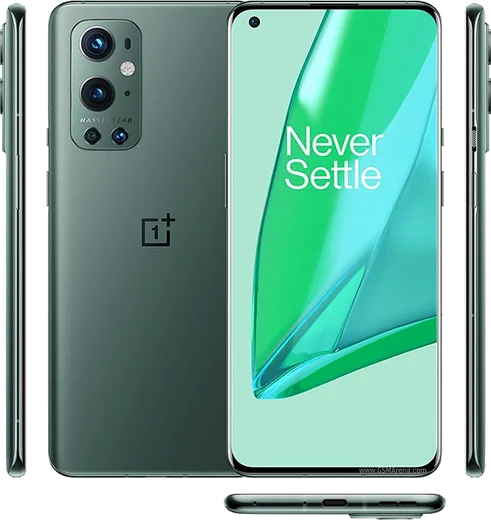
Snapdragon 888, 6.55-inch 120Hz, Hasselblad cam

WhatsApp Messenger 4.7 · 64.2M reviews Free · Android · ~40 MB · by WhatsApp LLC
Download WhatsApp

Ask a question / report a problem

You can ask any question about WhatsApp support on the OnePlus 9 — leave it below and we'll help.

Ask a question

Can the OnePlus 9 run WhatsApp?

Fully supported
  • Operating systemAndroid
  • ProcessorSnapdragon 888
  • WhatsApp versionLatest supported

Latest known WhatsApp problems on OnePlus 9

1

WhatsApp keeps crashing on my OnePlus 9 after an OxygenOS update

After a firmware update WhatsApp can crash on launch because the old app cache no longer matches the new system libraries. First clear the cache via Settings > Apps > App management > WhatsApp > Storage usage > Clear cache, then update WhatsApp to the latest version from the Play Store. If it still force-closes, back up your chats to Google Drive, then uninstall and reinstall WhatsApp so it rebuilds cleanly against the new firmware. See how others solved this on Reddit
2

WhatsApp calls don't wake the screen on my OnePlus 9 so I miss them

This happens when OxygenOS aggressively kills WhatsApp in the background, so the incoming-call screen never lights up. Go to Settings > Apps > App management > WhatsApp > Battery usage and set it to Don't optimize (or Unrestricted), then enable Allow background activity. Also confirm WhatsApp's call and notification permissions are granted under Settings > Apps > App management > WhatsApp > Notifications so the call screen can pop up. See how others solved this on Reddit
3

WhatsApp video quality looks terrible when I send clips from my OnePlus 9

WhatsApp compresses videos before sending, which is why footage that looks sharp in your gallery turns blurry for the recipient. For important clips, attach them as a Document instead of through the camera/gallery picker (tap the paperclip > Document > Browse) so the file is sent uncompressed. Keep clips small, since the document method has a file-size limit and larger files won't send. See how others solved this on Reddit
4

After the Android 14 update WhatsApp notifications and messages are delayed on my OnePlus 9 Pro

Android 14's stricter battery handling on OxygenOS often puts WhatsApp to sleep, delaying messages and notifications until you open the app. Fix it under Settings > Apps > App management > WhatsApp > Battery usage by choosing Don't optimize (or Unrestricted) and enabling Allow background activity. Then confirm notifications are enabled under Settings > Apps > App management > WhatsApp > Notifications so alerts arrive in real time. See how others solved this on Reddit

Ask a question / report a problem

You can ask any question about WhatsApp support on the OnePlus 9 — leave it below and we'll help.

Ask a question

Watch: setting up WhatsApp

Prefer to watch? This short walkthrough shows the whole installation and number-verification flow.

How to install WhatsApp on OnePlus 9 — video walkthrough

How to install WhatsApp on OnePlus 9

1

Choose how to download

On your OnePlus 9 you can get the official app two ways: from the Google Play Store — the easiest option, since it keeps WhatsApp updated automatically — or directly from the official website. You can download an APK file, by clicking a link “Download WhatsApp directly”.

2

Open WhatsApp

Launch WhatsApp from your home screen or app drawer and accept the Terms of Service to start setup.

3

Verify your phone number

Enter your phone number. If your OnePlus 9 uses dual SIM, pick the line you want WhatsApp tied to, then enter the 6-digit code it sends by SMS — it usually fills in automatically.

4

Restore chats and finish setup

Restore your chat history from Google Drive (use the same Google account), add your name and photo, and tap Allow for notifications so messages and calls arrive reliably.

Stay safe: only ever install WhatsApp from the official Android source. The Download button above already points there — modified copies (GB/Plus/Aero WhatsApp) can get your number banned.

Comments (10)

No registration needed. No email required.
P
pete.wApr 20, 2026

quick and painless

L
lina_tanMar 18, 2026

Finally got it working on my 9 first try ❤️

S
sam12Mar 6, 2026

wow me funcionó al instante en mi OnePlus 9

N
needwhatsappJan 24, 2026

Ahora mi 9 tiene whatsapp, genial 🎉

V
val.hDec 5, 2025

honestly downloaded and installed on my 9 ✌️

P
priya99Aug 25, 2025

my whole family is waiting pls help me install it

AppWhatsOfficialAug 27, 2025

Breathe! Follow the steps above one by one, tap Download first, and you will be chatting in no time.

B
budgetkingJun 25, 2025

Hi is this legit and safe pls

AppWhatsOfficialJun 26, 2025

Happy to help, yes, this is safe. Stick to the official download we link to and avoid modified copies and you will be fine.

S
sol00Mar 15, 2025

Set up whatsapp on my dads oneplus 9 no problem cheers

Z
zoe_kNov 21, 2024

hey can i hide when i was last online ?

AppWhatsOfficialNov 24, 2024

Thanks for asking, yes, go to Settings then Privacy and set Last Seen and Online to Nobody or My Contacts. Your activity stays private.

I
its_beaSep 5, 2024

two thumbs up