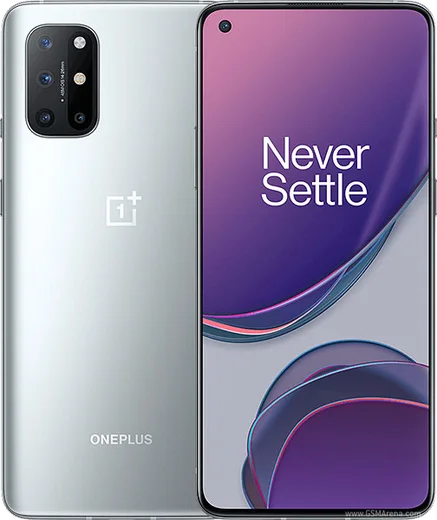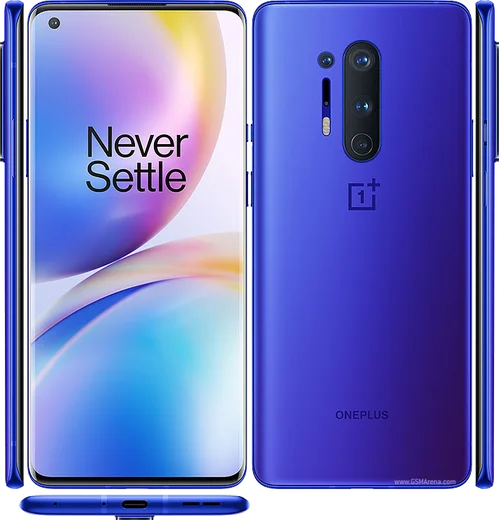
WhatsApp on OnePlus 8T
OnePlus Android

WhatsApp for OnePlus 8T

Snapdragon 865, 6.55-inch 120Hz, 65W charging

WhatsApp Messenger 4.7 · 64.2M reviews Free · Android · ~40 MB · by WhatsApp LLC
Download WhatsApp

Ask a question / report a problem

You can ask any question about WhatsApp support on the OnePlus 8T — leave it below and we'll help.

Ask a question

Can the OnePlus 8T run WhatsApp?

Fully supported
  • Operating systemAndroid
  • ProcessorSnapdragon 865
  • WhatsApp versionLatest supported

Latest known WhatsApp problems on OnePlus 8T

1

WhatsApp won't get past the registration screen on my OnePlus 8T after the Android 14 update

After the OxygenOS/Android 14 update, registration can stall if the app is out of date or the system is blocking its background data. First update WhatsApp from the Play Store and confirm your date and time are set automatically under Settings > System > Date & time. Then go to Settings > Apps > WhatsApp > Mobile data & Wi-Fi and enable Background data and Unrestricted data usage, and make sure the app has SMS and Phone permissions so it can receive the verification code. If it's still stuck, a clean reinstall (back up your chats to Google Drive first) usually clears a registration loop left over from a major OS upgrade. See how others solved this on Reddit
2

WhatsApp notifications are delayed or only arrive when I open the app on my OnePlus 8T

This is almost always OxygenOS aggressive battery management killing WhatsApp in the background. Go to Settings > Apps > WhatsApp > Battery and choose Don't optimize (or Unrestricted / Allow background activity). On older OxygenOS builds the same control lives under Settings > Battery > Battery optimization. Then open the Recent apps screen, tap the WhatsApp icon and select Lock so the memory cleaner doesn't close it. See how others solved this on Reddit
3

WhatsApp notifications come in with no sound and no vibration on my OnePlus 8T

Check the per-app notification channels first: Settings > Apps > WhatsApp > Notifications, then open the Message and Group channels and confirm Sound is set and Vibration is on for each, since these can reset after an update. Also verify the phone isn't in silent or a scheduled Do Not Disturb / Bedtime mode under Settings > Sound & vibration. If it persists, toggle the affected channel off and back on, or clear WhatsApp's cache via Settings > Apps > WhatsApp > Storage and cache to rebuild the notification settings. See how others solved this on Reddit
4

Incoming WhatsApp calls don't wake the screen or show on the lock screen of my OnePlus 8T

WhatsApp needs lock-screen and background permissions that OxygenOS often restricts. Go to Settings > Apps > WhatsApp > Permissions and enable Display over other apps, then under Settings > Apps > WhatsApp > Notifications make sure the Calls channel is allowed to show on the lock screen and pop on screen. Finally set WhatsApp to Don't optimize under Settings > Apps > WhatsApp > Battery so the call screen can launch even when the phone is idle. See how others solved this on Reddit
5

I keep getting a camera privacy alert when using WhatsApp on my OnePlus 8T

OxygenOS shows that indicator whenever an app accesses the camera, which WhatsApp does for photos, video calls and Status, so it's expected behavior rather than a security breach. To confirm what WhatsApp is allowed to use, check Settings > Apps > WhatsApp > Permissions > Camera and set it to 'Allow only while using the app'. The small camera dot in the status bar is a system privacy indicator and can't be fully disabled on newer OxygenOS, but knowing it's WhatsApp's video/photo features should reassure you it's normal. See how others solved this on Reddit
6

WhatsApp keeps disconnecting or messages won't send on Wi-Fi on my OnePlus 8T

If messages stall on Wi-Fi but work on mobile data, a router-level block or a Private DNS setting is usually behind it. Go to Settings > Apps > WhatsApp > Mobile data & Wi-Fi and enable both Wi-Fi and Background data. Then open Settings > Wi-Fi & network > Private DNS and set it to Off or Automatic, and check that WhatsApp isn't being filtered by a VPN or a data-saver. Restarting the router (or trying a different network) confirms whether the block is on that specific Wi-Fi. See how others solved this on Reddit

Ask a question / report a problem

You can ask any question about WhatsApp support on the OnePlus 8T — leave it below and we'll help.

Ask a question

Watch: setting up WhatsApp

Prefer to watch? This short walkthrough shows the whole installation and number-verification flow.

How to install WhatsApp on OnePlus 8T — video walkthrough

How to install WhatsApp on OnePlus 8T

1

Choose how to download

On your OnePlus 8T you can get the official app two ways: from the Google Play Store — the easiest option, since it keeps WhatsApp updated automatically — or directly from the official website. You can download an APK file, by clicking a link “Download WhatsApp directly”.

2

Open WhatsApp

Launch WhatsApp from your home screen or app drawer and accept the Terms of Service to start setup.

3

Verify your phone number

Enter your phone number. If your OnePlus 8T uses dual SIM, pick the line you want WhatsApp tied to, then enter the 6-digit code it sends by SMS — it usually fills in automatically.

4

Restore chats and finish setup

Restore your chat history from Google Drive (use the same Google account), add your name and photo, and tap Allow for notifications so messages and calls arrive reliably.

Stay safe: only ever install WhatsApp from the official Android source. The Download button above already points there — modified copies (GB/Plus/Aero WhatsApp) can get your number banned.

Comments (8)

No registration needed. No email required.
L
lina_proMar 31, 2026

Yo did it on my OnePlus 8T in like 2 minutes 👍

G
gamerxJan 23, 2026

Hé le meilleur site, marché du premier coup sur mon 8t 🎉

T
tina_sarDec 8, 2025

omg i been trying since morning pleaseee how to install on 8T 😭😭

AppWhatsOfficialDec 10, 2025

You are almost there! Tap Download, allow the install, open WhatsApp and confirm your number. You got this!

V
val19Jul 27, 2025

hey is the oneplus 8t compatible with whatsapp pls

AppWhatsOfficialAug 1, 2025

No worries, the your phone works great with WhatsApp. Keep your system software current and you are good to go. Hope that helps!

R
rosa_tinApr 4, 2025

Honestly couldnt install whatsapp on my 8t until i found this

AppWhatsOfficialApr 6, 2025

Glad we could help!

N
noobmasterApr 2, 2025

guys where do i change my profile photo thanks

AppWhatsOfficialApr 3, 2025

Happy to help, in Settings tap your profile at the top, then the camera icon lets you pick or take a new picture. Hope that helps!

N
noobmasterDec 15, 2024

anyone? is old android supported anyone

AppWhatsOfficialDec 16, 2024

Good question, it depends. WhatsApp drops support for very old systems over time. If the store still offers you the app, your phone is supported. Hope that helps!

K
kate_proJul 19, 2024

All set up and chatting now