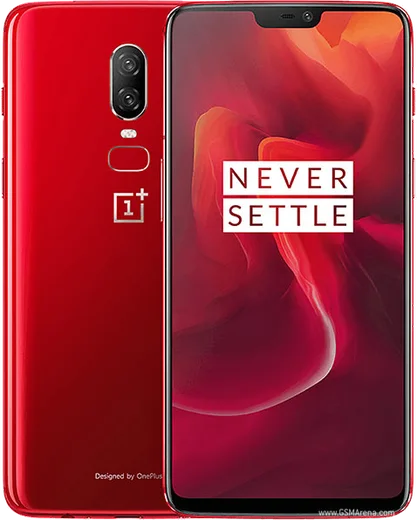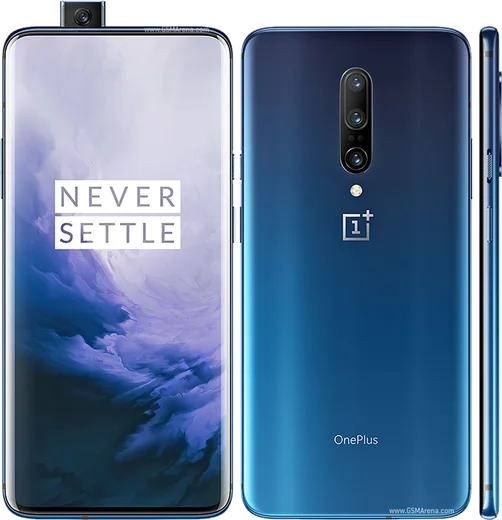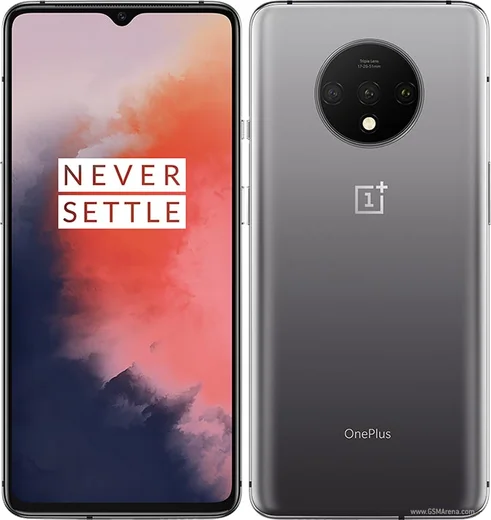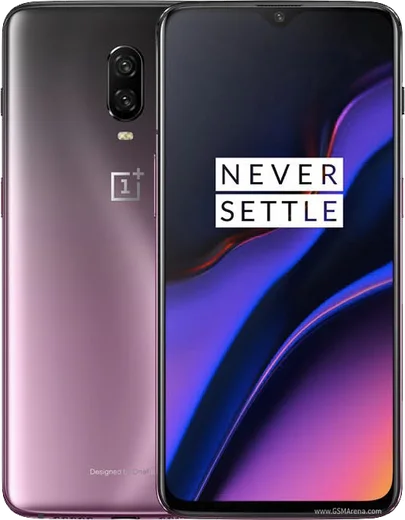
WhatsApp on OnePlus 6
OnePlus Android

WhatsApp for OnePlus 6

Snapdragon 845, 6.28-inch AMOLED, glass back

WhatsApp Messenger 4.7 · 64.2M reviews Free · Android · ~40 MB · by WhatsApp LLC
Download WhatsApp

Ask a question / report a problem

You can ask any question about WhatsApp support on the OnePlus 6 — leave it below and we'll help.

Ask a question

Can the OnePlus 6 run WhatsApp?

Fully supported
  • Operating systemAndroid
  • ProcessorSnapdragon 845
  • WhatsApp versionLatest supported

Latest known WhatsApp problems on OnePlus 6

1

WhatsApp media and storage broke after the Android 11 (OxygenOS) update on my OnePlus 6 — how do I fix it?

Android 11 changed how apps access storage, so first open Settings > Apps > WhatsApp > Permissions and make sure Files and media (or Storage) is set to Allow. Then go to Settings > Battery > Battery optimization, find WhatsApp and set it to Don't optimize so background media downloads aren't killed. If photos still won't save, clear WhatsApp's cache (not data) under Settings > Apps > WhatsApp > Storage and confirm Settings > Apps > WhatsApp > Storage shows media is being written to the right location. See how others solved this on Reddit
2

After the 11.1.1.1 OxygenOS update my OnePlus 6 keeps having WhatsApp issues — what changed?

This update tightened Android 11's scoped storage and OnePlus's aggressive background app management, which can break WhatsApp media saving and notifications. Re-grant Files and media under Settings > Apps > WhatsApp > Permissions, disable battery optimization for WhatsApp in Settings > Battery > Battery optimization, and turn off Deep optimization / Sleep standby optimization in Settings > Battery so the app isn't put to sleep. If glitches persist, back up your chats to Google Drive and do a clean reinstall. See how others solved this on Reddit
3

How do I move my WhatsApp chats from an old iPhone 6 to my new OnePlus 6?

WhatsApp's iPhone backup lives in iCloud and Android can't read it directly, so there's no simple drag-and-drop. If both phones support it, use the official WhatsApp 'Move chats to Android' flow (a wired transfer started from the iPhone during the OnePlus's WhatsApp setup); older iPhone/iOS versions may not offer it. Otherwise a paid migration tool such as Wondershare MobileTrans or Dr.Fone can move the chats. Either way, first email or export your most important conversations as a fallback, since transfers can fail. See how others solved this on Reddit
4

Why are photos taken with WhatsApp's built-in camera on my OnePlus 6/6T so low quality?

WhatsApp's in-app camera uses a basic capture pipeline that ignores the OnePlus's full camera processing, so shots look soft and grainy. Instead of tapping the shutter inside the chat, take the photo with the OnePlus stock Camera app, then in WhatsApp tap the attachment/gallery icon and pick it. To preserve full resolution, send it via the attach Document option; sending normally still compresses it, but a stock-camera photo will look far better than the in-app camera. See how others solved this on Reddit
5

My Bluetooth headphones sound muffled and low quality when WhatsApp is open on my OnePlus 6/6T — why?

This is a known OnePlus 6/6T behaviour: when an app like WhatsApp holds the microphone, the phone forces connected Bluetooth headphones into the low-quality call profile (HFP/SCO) instead of the high-quality media profile (A2DP), so all audio sounds muffled. There's no official toggle to fully fix it; workarounds are to fully close WhatsApp in the background after a call so the phone switches back to A2DP, or to listen on wired/phone-speaker output. Make sure OxygenOS is fully updated, as later patches improved this handoff. See how others solved this on Reddit
6

WhatsApp voice messages won't play or record properly on my OnePlus 6 — how do I fix it?

This is usually a microphone permission or proximity-sensor/cache problem. Go to Settings > Apps > WhatsApp > Permissions and enable Microphone, then clear the WhatsApp cache under Settings > Apps > WhatsApp > Storage. If playback cuts out, note that the proximity sensor switches to the earpiece when you cover the top of the screen, so keep it uncovered for speaker playback, and make sure Media volume (not just ringtone volume) is turned up. See how others solved this on Reddit

Ask a question / report a problem

You can ask any question about WhatsApp support on the OnePlus 6 — leave it below and we'll help.

Ask a question

Watch: setting up WhatsApp

Prefer to watch? This short walkthrough shows the whole installation and number-verification flow.

How to install WhatsApp on OnePlus 6 — video walkthrough

How to install WhatsApp on OnePlus 6

1

Choose how to download

On your OnePlus 6 you can get the official app two ways: from the Google Play Store — the easiest option, since it keeps WhatsApp updated automatically — or directly from the official website. You can download an APK file, by clicking a link “Download WhatsApp directly”.

2

Open WhatsApp

Launch WhatsApp from your home screen or app drawer and accept the Terms of Service to start setup.

3

Verify your phone number

Enter your phone number. If your OnePlus 6 uses dual SIM, pick the line you want WhatsApp tied to, then enter the 6-digit code it sends by SMS — it usually fills in automatically.

4

Restore chats and finish setup

Restore your chat history from Google Drive (use the same Google account), add your name and photo, and tap Allow for notifications so messages and calls arrive reliably.

Stay safe: only ever install WhatsApp from the official Android source. The Download button above already points there — modified copies (GB/Plus/Aero WhatsApp) can get your number banned.

Comments (5)

No registration needed. No email required.
L
lou40May 1, 2026

tbh had whatsapp on my oneplus 6 in no time 🎉

R
randomuserAug 27, 2025

someone i been trying since morning pleaseee how to install on OnePlus 6 😩

AppWhatsOfficialAug 28, 2025

You are almost there! Tap Download, allow the install, open WhatsApp and confirm your number.

J
jay_joeAug 5, 2025

Had whatsapp on my oneplus 6 in no time 🔥

F
finn41Jun 13, 2025

Hat bei mir sofort geklappt auf dem 6

J
joe_denFeb 23, 2025

got my oneplus 6 sorted thanks to you