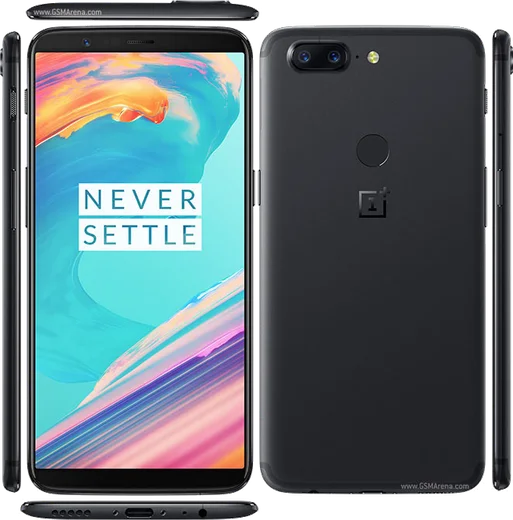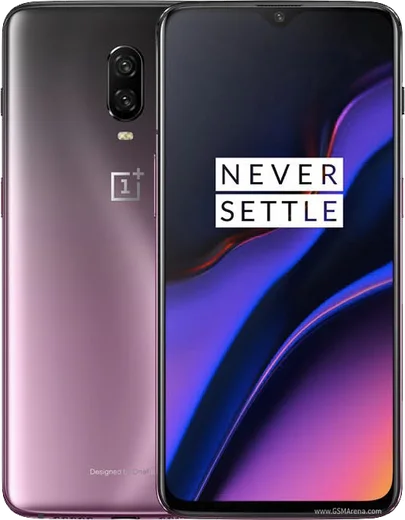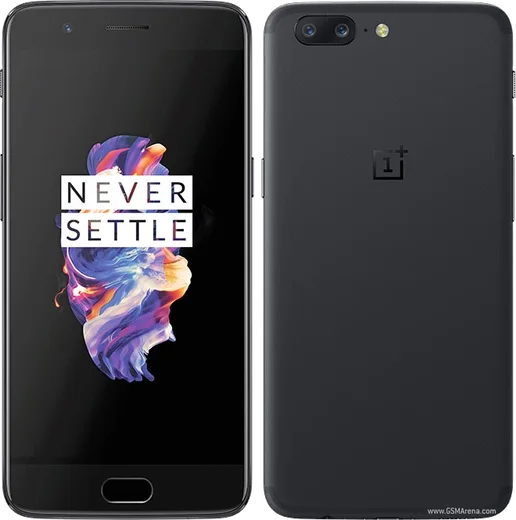
WhatsApp on OnePlus 5T
OnePlus Android

WhatsApp for OnePlus 5T

Snapdragon 835, 6.01-inch 18:9 AMOLED

WhatsApp Messenger 4.7 · 64.2M reviews Free · Android · ~40 MB · by WhatsApp LLC
Download WhatsApp

Ask a question / report a problem

You can ask any question about WhatsApp support on the OnePlus 5T — leave it below and we'll help.

Ask a question

Can the OnePlus 5T run WhatsApp?

Fully supported
  • Operating systemAndroid
  • ProcessorSnapdragon 835
  • WhatsApp versionLatest supported

Latest known WhatsApp problems on OnePlus 5T

1

Why does WhatsApp open to a white screen and crash on my OnePlus 5T?

A blank white screen usually means a corrupted app cache or an outdated build of WhatsApp on OxygenOS. Go to Settings > Apps > WhatsApp > Storage and tap Clear cache (not Clear data, which would erase your chats), then update WhatsApp from the Play Store. If it persists, uninstall and reinstall WhatsApp and restore your chats from the Google Drive backup during setup. See how others solved this on Reddit
2

Why are videos choppy and stuttering when I play them in WhatsApp on my OnePlus 5T?

Choppy video playback inside WhatsApp on the 5T is typically a hardware-decoding issue, and it shows up most on custom ROMs like LineageOS where the codec/vendor libraries differ from stock OxygenOS. On a custom ROM, make sure you flashed the matching firmware and vendor blobs for 'dumpling', since mismatched blobs are the usual cause of broken hardware-accelerated decoding. On stock OxygenOS, clear WhatsApp's cache (Settings > Apps > WhatsApp > Storage > Clear cache) and update both WhatsApp and the OS; if you previously enabled Developer options like 'Disable HW overlays', turn that back off as it can force slower software rendering. See how others solved this on Reddit
3

WhatsApp notifications still pop up while I'm in Gaming Mode on my OnePlus 5T. How do I block them?

OnePlus Gaming Mode only silences notifications when its notification-blocking option is actually switched on, and call notifications can still slip through. Open Settings > Utilities > Gaming Mode (or Game Space) and enable 'Block notifications' or 'Notifications as text' so banners are suppressed during play. For full silence, also turn on Do Not Disturb from Quick Settings, since WhatsApp calls can otherwise still ring through. See how others solved this on Reddit
4

Why don't my WhatsApp messages and notifications arrive on time on my OnePlus 5T?

OxygenOS aggressively closes background apps to save battery, which delays WhatsApp's push notifications until you open the app. Go to Settings > Apps > WhatsApp > Battery and set it to 'Don't optimize', and in the Recent apps screen lock WhatsApp so it isn't cleared. Also confirm notifications are fully enabled under Settings > Apps > WhatsApp > Notifications and that Battery Saver isn't restricting background data. See how others solved this on Reddit
5

Can I record WhatsApp voice and video calls on my OnePlus 5T?

OxygenOS on the 5T does not offer built-in WhatsApp call recording, because Android blocks apps from capturing another app's call audio directly. The practical workaround is the built-in screen recorder (swipe down to Quick Settings > Screen recorder) with internal audio enabled, though on older OxygenOS builds it may only capture mic audio. There is no native WhatsApp call-recording feature, so for reliable two-way recording you generally need a third-party recorder app or speakerphone. See how others solved this on Reddit
6

How do I make WhatsApp the default app when I tap a phone number on my OnePlus 5T?

OxygenOS routes a tapped number to the dialer, not WhatsApp, because WhatsApp calls are handled inside the app rather than as a system default. To call someone via WhatsApp, open the contact in WhatsApp and use the call icon, or save the number to a contact so the 'WhatsApp call' option appears in your Contacts app. There is no OxygenOS setting to make WhatsApp the default phone handler, but adding contacts through WhatsApp gives you one-tap WhatsApp calling. See how others solved this on Reddit

Ask a question / report a problem

You can ask any question about WhatsApp support on the OnePlus 5T — leave it below and we'll help.

Ask a question

Watch: setting up WhatsApp

Prefer to watch? This short walkthrough shows the whole installation and number-verification flow.

How to install WhatsApp on OnePlus 5T — video walkthrough

How to install WhatsApp on OnePlus 5T

1

Choose how to download

On your OnePlus 5T you can get the official app two ways: from the Google Play Store — the easiest option, since it keeps WhatsApp updated automatically — or directly from the official website. You can download an APK file, by clicking a link “Download WhatsApp directly”.

2

Open WhatsApp

Launch WhatsApp from your home screen or app drawer and accept the Terms of Service to start setup.

3

Verify your phone number

Enter your phone number. If your OnePlus 5T uses dual SIM, pick the line you want WhatsApp tied to, then enter the 6-digit code it sends by SMS — it usually fills in automatically.

4

Restore chats and finish setup

Restore your chat history from Google Drive (use the same Google account), add your name and photo, and tap Allow for notifications so messages and calls arrive reliably.

Stay safe: only ever install WhatsApp from the official Android source. The Download button above already points there — modified copies (GB/Plus/Aero WhatsApp) can get your number banned.

Comments (8)

No registration needed. No email required.
P
pablo.aOct 19, 2025

endlich danke, mein 5T hat jetzt whatsapp 👍

X
xX_rayOct 8, 2025

Wow respect, this helped alot 😍

M
ms_louAug 14, 2025

tbh set up whatsapp on my dads oneplus 5t no problem

N
nick.jMay 14, 2025

guys this fixed whatsapp on my 5t thx

D
dan07Mar 7, 2025

Guys i tried 3 other guides before this one ✌️

Q
quickfixFeb 11, 2025

Omg got it working on my 5t first try :)

B
bea_pabDec 6, 2024

So running whatsapp on my 5t like new

K
kai45Nov 30, 2024

omg anyone pls i cant download it heeeelp me

AppWhatsOfficialDec 3, 2024

Don't worry, you can do this! Use the Download button, install the app, and enter your number to verify.