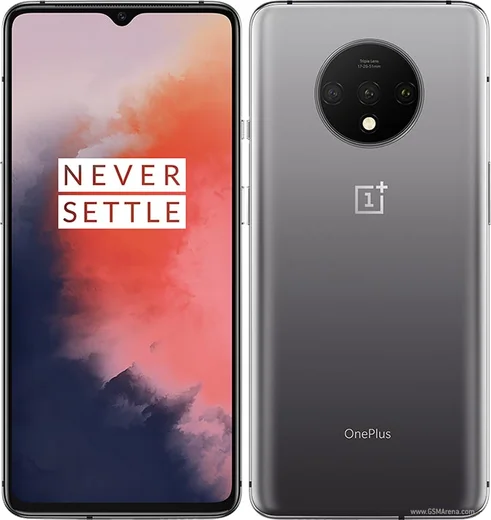
WhatsApp on OnePlus 7 Pro
OnePlus Android

WhatsApp for OnePlus 7 Pro

Snapdragon 855, 6.67-inch 90Hz QHD+ pop-up cam

WhatsApp Messenger 4.7 · 64.2M reviews Free · Android · ~40 MB · by WhatsApp LLC
Download WhatsApp

Ask a question / report a problem

You can ask any question about WhatsApp support on the OnePlus 7 Pro — leave it below and we'll help.

Ask a question

Can the OnePlus 7 Pro run WhatsApp?

Fully supported
  • Operating systemAndroid
  • ProcessorSnapdragon 855
  • WhatsApp versionLatest supported

Latest known WhatsApp problems on OnePlus 7 Pro

1

Why does WhatsApp keep freezing or lagging on my OnePlus 7 Pro?

Aggressive battery management in OxygenOS is the usual culprit. Go to Settings > Apps > WhatsApp > Battery and set it to "Don't restrict" (older builds call this "Don't optimize"). Then clear WhatsApp's cache under Settings > Apps > WhatsApp > Storage > Clear cache, and make sure both OxygenOS and WhatsApp are updated (Play Store for WhatsApp). If it still stutters, avoid using aggressive RAM-clearing/auto-clear behavior in the Recents menu so the system stops killing the app in the background. See how others solved this on Reddit
2

My OnePlus 7 Pro screen stays black during WhatsApp calls because of the proximity sensor

The 7 Pro uses a non-physical (software/IR) proximity sensor that can misread, leaving the screen dark after you move the phone away from your ear. Open the hidden engineering test menu by dialing *#*#808#*#*# (the OnePlus feedback/diagnostic tool), and run the proximity sensor test/calibration there. Also keep the top of the screen and any screen protector clean and bubble-free over the sensor area, since dust or a thick protector is a common cause. If misreads continue, a reboot or re-seating/replacing the screen protector often clears it. See how others solved this on Reddit
3

Why is WhatsApp draining my OnePlus 7 Pro battery and making it run hot?

Heavy background activity from WhatsApp (and apps like Maps) keeps the CPU and 90Hz display busy, which heats the phone and burns battery. Check Settings > Battery > Battery usage to confirm WhatsApp is the offender, then restrict it via Settings > Apps > WhatsApp > Battery > Background restriction. While troubleshooting you can drop the screen to 60Hz under Settings > Display > Screen refresh rate and disable Always-on display. Also clear WhatsApp's cache; if it keeps burning even when idle, reinstall WhatsApp to reset a stuck background process. See how others solved this on Reddit
4

My OnePlus 7 Pro doesn't show WhatsApp notifications until I open the app

OxygenOS is putting WhatsApp to sleep in the background, so notifications only arrive when you manually open it. Go to Settings > Apps > WhatsApp > Battery and choose "Don't restrict" ("Don't optimize" on older builds), and make sure "Sleep standby optimization" / "Deep optimization" under Settings > Battery is not freezing the app. Then open the Recents screen, find WhatsApp, and tap the lock icon to keep it from being cleared. Confirm WhatsApp's notifications are enabled under Settings > Apps > WhatsApp > Notifications. See how others solved this on Reddit
5

WhatsApp notifications appear in the tray but I get no popup banner on my OnePlus 7 Pro

This is a notification-channel setting rather than a system bug. Go to Settings > Apps > WhatsApp > Notifications, open the "Messages" channel, and make sure "Pop on screen" (floating notification) and "Sound" are enabled and the importance is set high. Inside WhatsApp, check Settings > Notifications and confirm "High priority notifications" is on for messages. If banners still don't show, toggle the channel off and back on, or clear WhatsApp's cache to reset the notification behavior. See how others solved this on Reddit
6

How do I change the WhatsApp notification sound on my OnePlus 7 Pro?

If changing the tone inside WhatsApp does nothing, it's because on modern Android the sound is controlled by the system notification channel, not just WhatsApp's in-app setting. Go to Settings > Apps > WhatsApp > Notifications > Messages, tap "Sound," and pick your tone there. You can still set it inside WhatsApp via Settings > Notifications > Notification tone, but the Android channel takes priority, so changing it in system Settings is what actually sticks. See how others solved this on Reddit

Ask a question / report a problem

You can ask any question about WhatsApp support on the OnePlus 7 Pro — leave it below and we'll help.

Ask a question

Watch: setting up WhatsApp

Prefer to watch? This short walkthrough shows the whole installation and number-verification flow.

How to install WhatsApp on OnePlus 7 Pro — video walkthrough

How to install WhatsApp on OnePlus 7 Pro

1

Choose how to download

On your OnePlus 7 Pro you can get the official app two ways: from the Google Play Store — the easiest option, since it keeps WhatsApp updated automatically — or directly from the official website. You can download an APK file, by clicking a link “Download WhatsApp directly”.

2

Open WhatsApp

Launch WhatsApp from your home screen or app drawer and accept the Terms of Service to start setup.

3

Verify your phone number

Enter your phone number. If your OnePlus 7 Pro uses dual SIM, pick the line you want WhatsApp tied to, then enter the 6-digit code it sends by SMS — it usually fills in automatically.

4

Restore chats and finish setup

Restore your chat history from Google Drive (use the same Google account), add your name and photo, and tap Allow for notifications so messages and calls arrive reliably.

Stay safe: only ever install WhatsApp from the official Android source. The Download button above already points there — modified copies (GB/Plus/Aero WhatsApp) can get your number banned.

Comments (8)

No registration needed. No email required.
G
guest_userOct 17, 2025

ok so had whatsapp on my oneplus 7 pro in no time 🔥

B
budgetkingSep 9, 2025

hi does this cost money anyone

AppWhatsOfficialSep 10, 2025

Thanks for asking, no payment needed at all. WhatsApp is free, you just need an internet connection. Reach out anytime.

T
tan28Mar 7, 2025

i NEED this app pleaseeee how do i do it :(

AppWhatsOfficialMar 9, 2025

Breathe! Follow the steps above one by one, tap Download first, and you will be chatting in no time.

T
tom5Nov 30, 2024

Instalado sin problemas gracias

B
ben.jNov 24, 2024

Omg did it on my OnePlus 7 Pro in like 2 minutes thanks again

N
nina_katNov 1, 2024

Is the 7 Pro compatible with whatsapp

AppWhatsOfficialNov 5, 2024

Hi! The your phone works great with WhatsApp. Keep your system software current and you are good to go. Let us know if you need anything else.

M
marc99Aug 22, 2024

Well no problems installing on my oneplus 7 pro

J
jay42Aug 1, 2024

honestly installed whatsapp on my oneplus 7 pro with no issues 🔥