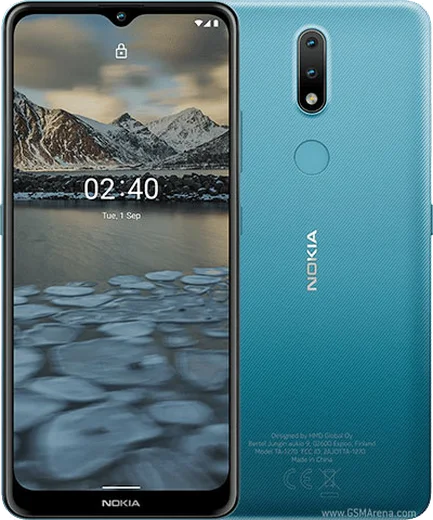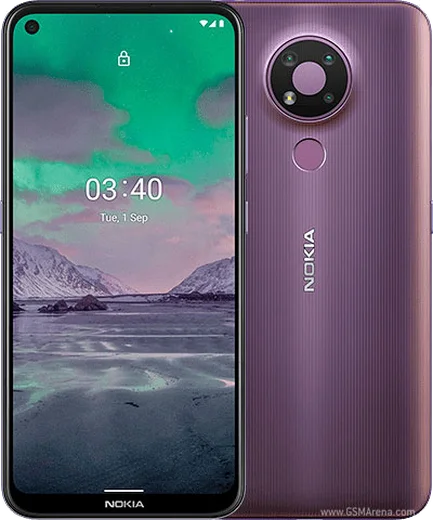
WhatsApp on Nokia 2.4
Nokia Android

WhatsApp for Nokia 2.4

Helio P22, 6.5-inch HD+, 4500mAh battery

WhatsApp Messenger 4.7 · 64.2M reviews Free · Android · ~40 MB · by WhatsApp LLC
Download WhatsApp

Ask a question / report a problem

You can ask any question about WhatsApp support on the Nokia 2.4 — leave it below and we'll help.

Ask a question

Can the Nokia 2.4 run WhatsApp?

Fully supported
  • Operating systemAndroid
  • ProcessorHelio P22
  • WhatsApp versionLatest supported

Latest known WhatsApp problems on Nokia 2.4

1

WhatsApp keeps crashing or freezing on my Nokia 2.4 — how do I fix it?

The Nokia 2.4 ships with only 2GB or 3GB of RAM, so WhatsApp can stall when other apps use up memory. Go to Settings > Apps > See all apps > WhatsApp > Storage & cache and tap Clear cache, then restart the phone. Keep WhatsApp updated in the Play Store and close background apps using the recent-apps button. If it still lags, free up internal storage, since WhatsApp needs room for its media cache to run smoothly. See how others solved this on Reddit
2

How do I factory reset my Nokia 2.4 and keep my WhatsApp chats?

Before resetting, back up your chats in WhatsApp via Settings > Chats > Chat backup and tap Back Up, which saves to Google Drive under your linked Google account. Then reset from Settings > System > Reset options > Erase all data (factory reset). After the phone restarts, reinstall WhatsApp, verify the same phone number, and choose Restore when prompted to pull your history back from Drive. See how others solved this on Reddit
3

Can the Nokia 2.4 actually run WhatsApp, or do I need a special version?

Yes — the Nokia 2.4 runs full Android (Android 10/11, later updated to 11), so install the standard WhatsApp directly from the Google Play Store. You do not need any KaiOS or 'cloud app' workaround that older Nokia feature phones rely on. Just open the Play Store, search for WhatsApp, install it, and verify your number. It is the real app with full chat, calls, and media support. See how others solved this on Reddit
4

Why is my Nokia 2.4 running out of space when I try to update WhatsApp?

The Nokia 2.4 has limited internal storage (32GB or 64GB), and WhatsApp media plus system updates fill it quickly. Open Settings > Storage to see what is using space, then clear WhatsApp's downloaded media via WhatsApp > Settings > Storage and data > Manage storage. You can also insert a microSD card and move photos to it. Freeing a gigabyte or two usually lets the Play Store update finish. See how others solved this on Reddit
5

WhatsApp notifications are delayed or missing on my Nokia 2.4 — what's wrong?

Android's battery saving on the Nokia 2.4 often kills WhatsApp in the background, delaying messages. Go to Settings > Apps > See all apps > WhatsApp > App battery usage and set it to Unrestricted, then under Settings > Apps > See all apps > WhatsApp > Notifications make sure notifications are allowed. Turning off Battery Saver in Settings > Battery also helps messages arrive in real time. See how others solved this on Reddit

Ask a question / report a problem

You can ask any question about WhatsApp support on the Nokia 2.4 — leave it below and we'll help.

Ask a question

Watch: setting up WhatsApp

Prefer to watch? This short walkthrough shows the whole installation and number-verification flow.

How to install WhatsApp on Nokia 2.4 — video walkthrough

How to install WhatsApp on Nokia 2.4

1

Choose how to download

On your Nokia 2.4 you can get the official app two ways: from the Google Play Store — the easiest option, since it keeps WhatsApp updated automatically — or directly from the official website. You can download an APK file, by clicking a link “Download WhatsApp directly”.

2

Open WhatsApp

Launch WhatsApp from your home screen or app drawer and accept the Terms of Service to start setup.

3

Verify your phone number

Enter your phone number. If your Nokia 2.4 uses dual SIM, pick the line you want WhatsApp tied to, then enter the 6-digit code it sends by SMS — it usually fills in automatically.

4

Restore chats and finish setup

Restore your chat history from Google Drive (use the same Google account), add your name and photo, and tap Allow for notifications so messages and calls arrive reliably.

Stay safe: only ever install WhatsApp from the official Android source. The Download button above already points there — modified copies (GB/Plus/Aero WhatsApp) can get your number banned.

Comments (7)

No registration needed. No email required.
N
newbieMay 8, 2026

so easy install on my Nokia 2.4 😍

L
lou.wDec 21, 2025

Hey i been trying since morning pleaseee how to install on 2.4

AppWhatsOfficialDec 22, 2025

Take a breath, we got you. Press Download above, then Install, then verify your number. That is all it takes. Reply here if you get stuck.

D
deni_proJul 21, 2025

tbh finally a guide that makes sense :)

M
ms_miaFeb 28, 2025

ngl great stuff, much appreciated

X
xX_rayJan 6, 2025

Ey me funcionó al instante en mi Nokia 2.4 👍

X
xX_omarNov 18, 2024

Ok so no problems installing on my Nokia 2.4

M
marc.yNov 18, 2024

Set up whatsapp on my dads Nokia 2.4 no problem 🔥