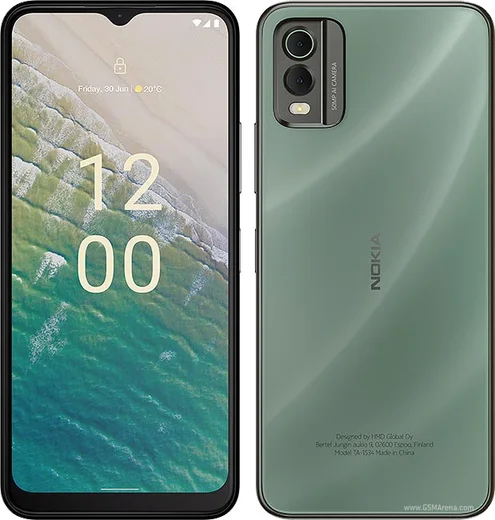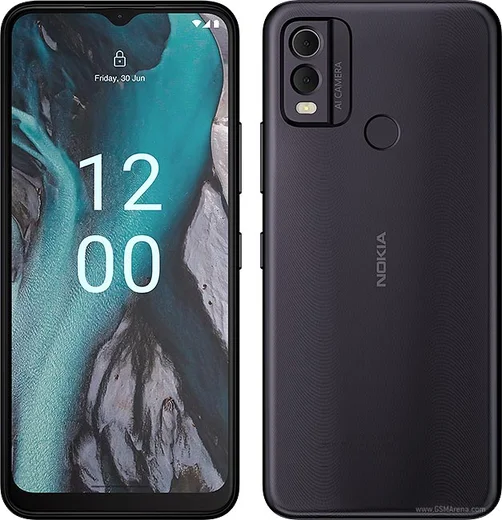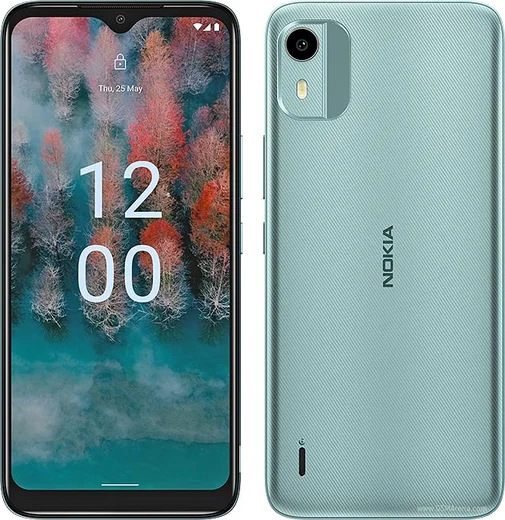
WhatsApp on Nokia C32
Nokia Android

WhatsApp for Nokia C32

Unisoc SC9863A1, 6.52-inch HD+, 50MP camera

WhatsApp Messenger 4.7 · 64.2M reviews Free · Android · ~40 MB · by WhatsApp LLC
Download WhatsApp

Ask a question / report a problem

You can ask any question about WhatsApp support on the Nokia C32 — leave it below and we'll help.

Ask a question

Can the Nokia C32 run WhatsApp?

Fully supported
  • Operating systemAndroid
  • ProcessorUnisoc SC9863A1
  • WhatsApp versionLatest supported

Latest known WhatsApp problems on Nokia C32

1

Why are my WhatsApp voice and video calls failing or dropping on the Nokia C32?

The C32 runs Android 13 Go edition with limited RAM, so background restrictions can cut WhatsApp's connection before a call connects. Go to Settings > Apps > WhatsApp > Battery (or App battery usage) and set it to Unrestricted, then open Settings > Apps > WhatsApp > Mobile data & Wi-Fi and enable Background data and Unrestricted data usage. A weak signal also breaks VoIP, so test on stable Wi-Fi to confirm whether it's the network or the app. See how others solved this on Reddit
2

Where does the Nokia C32 save my WhatsApp voice messages and recorded calls?

WhatsApp voice messages you record are stored under Internal storage > Android > media > com.whatsapp > WhatsApp > Media > WhatsApp Voice Notes, which you can browse with the Files app. WhatsApp itself does not record voice or video calls. If you use the Nokia/Google dialer's call recording, recordings are typically saved under Internal storage > Recordings > Call. Note that recording calls without consent may be illegal in your region. See how others solved this on Reddit
3

WhatsApp notifications are delayed or silent on my Nokia C32 — how do I fix it?

On Android Go this is almost always aggressive battery optimization. Open Settings > Apps > WhatsApp > Battery and choose Unrestricted, then go to Settings > Battery and turn off Battery saver (and Adaptive Battery if present). Also confirm Settings > Apps > WhatsApp > Notifications is enabled, and that WhatsApp's own Settings > Notifications has the correct tones and Conversation tones selected. See how others solved this on Reddit
4

WhatsApp keeps crashing or won't update from the Play Store on my Nokia C32 — what should I do?

On an entry-level Android Go phone, low storage and stale cache are the usual causes. Free up space via Settings > Storage and clear WhatsApp's cache under Settings > Apps > WhatsApp > Storage & cache > Clear cache (this won't delete your chats). Then update through the Google Play Store; if it stalls, clear the Play Store cache the same way and reboot. If problems persist, back up your chats to Google Drive first, then reinstall. See how others solved this on Reddit
5

How do I move my WhatsApp chats from the Nokia C32 to a new phone?

Because the C32 is an Android device, back up first via WhatsApp > Settings > Chats > Chat backup, making sure the backup uses the Google account you'll sign into on the new phone. On a new Android phone, install WhatsApp, verify the same number, and tap Restore when prompted. Moving to an iPhone instead requires Apple's Move to iOS app during the initial iPhone setup. See how others solved this on Reddit

Ask a question / report a problem

You can ask any question about WhatsApp support on the Nokia C32 — leave it below and we'll help.

Ask a question

Watch: setting up WhatsApp

Prefer to watch? This short walkthrough shows the whole installation and number-verification flow.

How to install WhatsApp on Nokia C32 — video walkthrough

How to install WhatsApp on Nokia C32

1

Choose how to download

On your Nokia C32 you can get the official app two ways: from the Google Play Store — the easiest option, since it keeps WhatsApp updated automatically — or directly from the official website. You can download an APK file, by clicking a link “Download WhatsApp directly”.

2

Open WhatsApp

Launch WhatsApp from your home screen or app drawer and accept the Terms of Service to start setup.

3

Verify your phone number

Enter your phone number. If your Nokia C32 uses dual SIM, pick the line you want WhatsApp tied to, then enter the 6-digit code it sends by SMS — it usually fills in automatically.

4

Restore chats and finish setup

Restore your chat history from Google Drive (use the same Google account), add your name and photo, and tap Allow for notifications so messages and calls arrive reliably.

Stay safe: only ever install WhatsApp from the official Android source. The Download button above already points there — modified copies (GB/Plus/Aero WhatsApp) can get your number banned.

Comments (8)

No registration needed. No email required.
S
speedyApr 25, 2026

Pls help download takes forever for me ?

AppWhatsOfficialApr 26, 2026

Good question, it depends on your connection. Try switching to wifi if you can, and the download should finish in under a minute on most networks. Glad to help.

W
whatsappfanJul 12, 2025

so installed in 2 min ✌️

M
ms_kevJun 2, 2025

omg i was scared it was a virus but its the real app 😍

AppWhatsOfficialJun 4, 2025

Love to hear it!

B
big_rosaMar 21, 2025

Do i need to pay for the app

AppWhatsOfficialMar 25, 2025

Thanks for asking, no payment needed at all. WhatsApp is free, you just need an internet connection. Hope that helps!

P
priya.lFeb 13, 2025

stuck and so stressed how do i get whatsapp on Nokia C32 pls

AppWhatsOfficialFeb 15, 2025

Breathe! Follow the steps above one by one, tap Download first, and you will be chatting in no time.

X
xX_gabeJan 18, 2025

honestly downloaded and installed on my C32

M
ms_linaJan 13, 2025

Hé tout fonctionne sur mon c32, merci beaucoup

R
rosa24Jan 1, 2025

Ok so best guide for the Nokia C32 by far