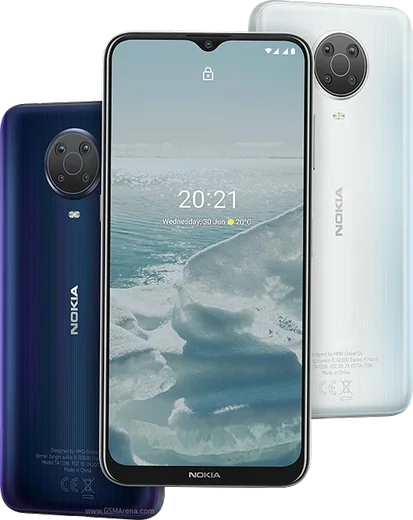
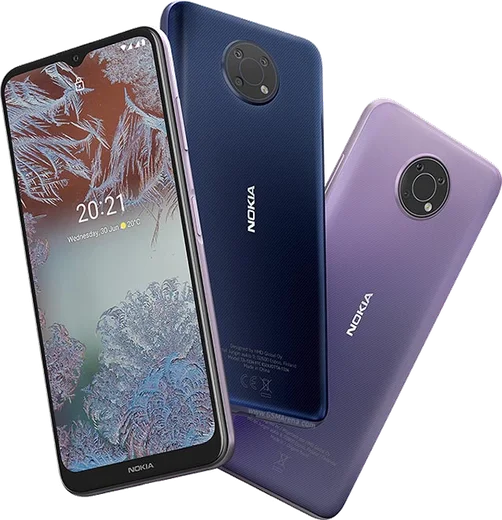
WhatsApp on Nokia G20
Nokia Android

WhatsApp for Nokia G20

Helio G35, 6.5-inch HD+, 5050mAh battery

WhatsApp Messenger 4.7 · 64.2M reviews Free · Android · ~40 MB · by WhatsApp LLC
Download WhatsApp

Ask a question / report a problem

You can ask any question about WhatsApp support on the Nokia G20 — leave it below and we'll help.

Ask a question

Can the Nokia G20 run WhatsApp?

Fully supported
  • Operating systemAndroid
  • ProcessorHelio G35
  • WhatsApp versionLatest supported

Latest known WhatsApp problems on Nokia G20

1

WhatsApp won't verify my Nokia G20 number — it says it can't send the SMS code

This is almost always a network or number-format issue, not a WhatsApp fault. Make sure you entered the number with the correct country code and no leading zero, and confirm the SIM can receive normal texts. On the verification screen, wait for the full countdown to finish, then tap "Call me" to get the code by voice instead. If it still fails, toggle Airplane mode off and on to re-register on the network, check that mobile data is allowed under Settings > Apps > WhatsApp > Mobile data & Wi-Fi, and try again on a stable connection. See how others solved this on Reddit
2

WhatsApp suddenly looks different / a weird new screen popped up on my Nokia G20

WhatsApp rolls out interface changes through app updates, so a sudden new look usually just means it auto-updated. Open the Play Store, tap your profile icon > Manage apps & device, and confirm WhatsApp is fully up to date, since a half-finished update can leave glitchy or unfamiliar screens. If a screen looks broken rather than simply new, clear the app cache via Settings > Apps > WhatsApp > Storage > Clear cache (this does not delete your chats) and reopen it. See how others solved this on Reddit
3

WhatsApp is laggy and slow to open on my Nokia G20

The G20 uses a modest Helio G35 chip with 4GB of RAM, so apps like WhatsApp can stutter once storage and memory fill up. Free space by going to Settings > Apps > WhatsApp > Storage and clearing the cache, then inside WhatsApp open Settings > Storage and data > Manage storage to delete large forwarded videos and old media. Turning off Settings > Chats > Media visibility and reducing auto-download also helps chats and the gallery load faster on the limited hardware. See how others solved this on Reddit
4

My Nokia G20 feels sluggish and WhatsApp notifications arrive late

Android can aggressively limit background apps to save battery, which delays WhatsApp alerts. Open Settings > Apps > WhatsApp > Battery (or App battery usage) and set it to "Unrestricted", then go to Settings > Battery and turn off any power-saving or Battery saver mode. Finally, in WhatsApp under Settings > Notifications make sure notifications are on, and confirm the system notification channels aren't muted under Settings > Apps > WhatsApp > Notifications. See how others solved this on Reddit
5

Can I run full WhatsApp on the Nokia G20 or do I need a special version?

The G20 is a standard Android phone (it ships with Android 11 and is upgradable up to Android 13), so it runs the normal WhatsApp from the Google Play Store with no workaround needed. Install it straight from the Play Store rather than sideloading an APK, and sign in with your number — there's no need for a KaiOS or feature-phone client. If WhatsApp ever claims your OS is unsupported, install all pending updates via Settings > System > System update first. See how others solved this on Reddit
6

I rely on my Nokia G20 for work WhatsApp but the battery drains too fast

With its large 5050mAh battery the G20 should normally last well, so heavy drain usually points to constant syncing or media auto-download. In WhatsApp go to Settings > Storage and data and set Media auto-download to "No media" on mobile data, and change Settings > Chats > Chat backup to a less frequent schedule such as Weekly. Then open Settings > Battery > Battery usage to see whether WhatsApp or another app is being woken constantly, and restrict any unused apps that show up high on the list. See how others solved this on Reddit

Ask a question / report a problem

You can ask any question about WhatsApp support on the Nokia G20 — leave it below and we'll help.

Ask a question

Watch: setting up WhatsApp

Prefer to watch? This short walkthrough shows the whole installation and number-verification flow.

How to install WhatsApp on Nokia G20 — video walkthrough

How to install WhatsApp on Nokia G20

1

Choose how to download

On your Nokia G20 you can get the official app two ways: from the Google Play Store — the easiest option, since it keeps WhatsApp updated automatically — or directly from the official website. You can download an APK file, by clicking a link “Download WhatsApp directly”.

2

Open WhatsApp

Launch WhatsApp from your home screen or app drawer and accept the Terms of Service to start setup.

3

Verify your phone number

Enter your phone number. If your Nokia G20 uses dual SIM, pick the line you want WhatsApp tied to, then enter the 6-digit code it sends by SMS — it usually fills in automatically.

4

Restore chats and finish setup

Restore your chat history from Google Drive (use the same Google account), add your name and photo, and tap Allow for notifications so messages and calls arrive reliably.

Stay safe: only ever install WhatsApp from the official Android source. The Download button above already points there — modified copies (GB/Plus/Aero WhatsApp) can get your number banned.

Comments (6)

No registration needed. No email required.
R
ray88Mar 2, 2026

Installé sans souci sur mon Nokia G20

T
tom.fJan 29, 2026

Omg PLEASE i need whatsapp on my G20 its urgent pls

AppWhatsOfficialJan 31, 2026

Don't worry, you can do this! Use the Download button, install the app, and enter your number to verify.

J
jay_officialJan 6, 2026

ok so got it working on my nokia g20 first try 🎉

V
val44Sep 4, 2025

Well got it working on my G20 first try ✌️

G
gabe72Aug 9, 2025

honestly thank u so much

AppWhatsOfficialAug 13, 2025

Good to hear!

L
luca_lucMay 28, 2025

wow got it working on my G20 first try 🙏