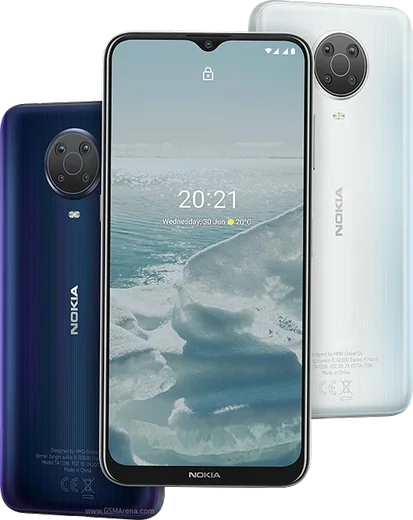
Nokia Android

WhatsApp for Nokia 5.4

Snapdragon 662, 6.39-inch HD+, 48MP quad camera

WhatsApp Messenger 4.7 · 64.2M reviews Free · Android · ~40 MB · by WhatsApp LLC
Download WhatsApp

Ask a question / report a problem

You can ask any question about WhatsApp support on the Nokia 5.4 — leave it below and we'll help.

Ask a question

Can the Nokia 5.4 run WhatsApp?

Fully supported
  • Operating systemAndroid
  • ProcessorSnapdragon 662
  • WhatsApp versionLatest supported

Latest known WhatsApp problems on Nokia 5.4

1

Why do I hear cracking or crackling sounds during WhatsApp calls on my Nokia 5.4?

This is usually tied to the WhatsApp beta build, which often ships audio bugs. Leave the beta in the Play Store (open the WhatsApp store page, scroll to 'You're a beta tester' and tap Leave), then let it update to the stable version. Also clear WhatsApp's cache under Settings > Apps > WhatsApp > Storage & cache > Clear cache, and check the call isn't being routed to a half-paired Bluetooth device. See how others solved this on Reddit
2

WhatsApp started misbehaving on my Nokia 5.4 after the Android 11 system update — how do I fix it?

Major Android upgrades can leave WhatsApp's stored data in a stale state. Go to Settings > Apps > WhatsApp > Storage & cache and tap Clear cache (not Clear storage, which wipes chats). If problems continue, back up your chats from WhatsApp > Settings > Chats > Chat backup, then uninstall and reinstall the latest version from the Play Store so it rebuilds cleanly against Android 11. See how others solved this on Reddit
3

My Nokia 5.4 is slow and laggy and WhatsApp feels sluggish — how can I make it run better?

The Nokia 5.4's modest hardware struggles when storage fills up and background apps pile on. Free up space and review battery/background usage under Settings > Apps. For WhatsApp specifically, turn off media auto-download in WhatsApp > Settings > Storage and data, and periodically delete large media from Manage storage to keep the app responsive. See how others solved this on Reddit
4

How did people get rid of the bugs and freezing on the Nokia 5.4 that affect apps like WhatsApp?

Most Nokia 5.4 stability issues ease after installing every pending update via Settings > System > System update, then doing a clean reinstall of any misbehaving app. If the phone is still buggy, back up your WhatsApp chats from WhatsApp > Settings > Chats > Chat backup first, then factory reset under Settings > System > Reset options > Erase all data, which cleared persistent glitches for many owners. See how others solved this on Reddit
5

WhatsApp keeps crashing on my Nokia 5.4 and some of my chats disappeared — what should I do?

Repeated crashes often point to a corrupt local message database. First force-stop it via Settings > Apps > WhatsApp > Force stop, clear cache, and reopen. If chats are still missing, uninstall and reinstall WhatsApp from the Play Store and tap Restore when prompted, which pulls back your most recent Google Drive backup. See how others solved this on Reddit

Ask a question / report a problem

You can ask any question about WhatsApp support on the Nokia 5.4 — leave it below and we'll help.

Ask a question

Watch: setting up WhatsApp

Prefer to watch? This short walkthrough shows the whole installation and number-verification flow.

How to install WhatsApp on Nokia 5.4 — video walkthrough

How to install WhatsApp on Nokia 5.4

1

Choose how to download

On your Nokia 5.4 you can get the official app two ways: from the Google Play Store — the easiest option, since it keeps WhatsApp updated automatically — or directly from the official website. You can download an APK file, by clicking a link “Download WhatsApp directly”.

2

Open WhatsApp

Launch WhatsApp from your home screen or app drawer and accept the Terms of Service to start setup.

3

Verify your phone number

Enter your phone number. If your Nokia 5.4 uses dual SIM, pick the line you want WhatsApp tied to, then enter the 6-digit code it sends by SMS — it usually fills in automatically.

4

Restore chats and finish setup

Restore your chat history from Google Drive (use the same Google account), add your name and photo, and tap Allow for notifications so messages and calls arrive reliably.

Stay safe: only ever install WhatsApp from the official Android source. The Download button above already points there — modified copies (GB/Plus/Aero WhatsApp) can get your number banned.

Comments (6)

No registration needed. No email required.
D
deni_realDec 14, 2025

man got my Nokia 5.4 sorted thanks to you 👌

G
gabe.iNov 25, 2025

wow the 5.4 steps actually work unlike other sites 👌

M
ms_rajOct 17, 2025

hey SOS i cant figure out how to install whatsapp heeelp 😭😭

AppWhatsOfficialOct 18, 2025

We are here to help. Hit Download, follow the steps on this page, and if the code is slow just request it again. You got this!

F
finn85Mar 18, 2025

running whatsapp on my Nokia 5.4 like new :)

D
dan99Dec 24, 2024

Richtig klare schritte für das 5.4

N
not_lucyNov 14, 2024

so the Nokia 5.4 steps actually work unlike other sites