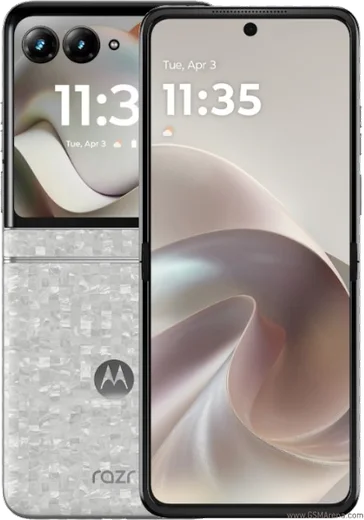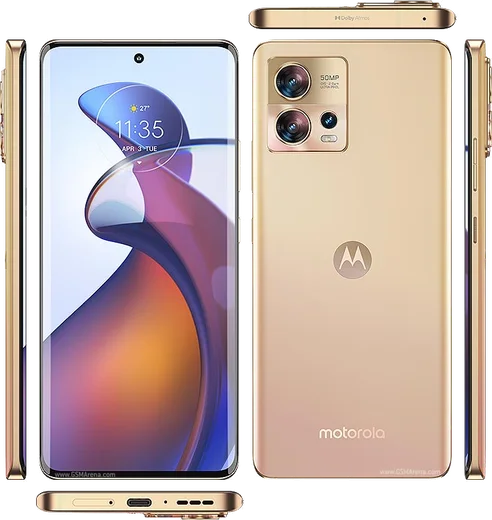
WhatsApp on Motorola Razr (2022)
Motorola Android

WhatsApp for Motorola Razr (2022)

Snapdragon 8+ Gen 1, 2.7-inch cover, 6.7-inch foldable

WhatsApp Messenger 4.7 · 64.2M reviews Free · Android · ~40 MB · by WhatsApp LLC
Download WhatsApp

Ask a question / report a problem

You can ask any question about WhatsApp support on the Motorola Razr (2022) — leave it below and we'll help.

Ask a question

Can the Motorola Razr (2022) run WhatsApp?

Fully supported
  • Operating systemAndroid
  • ProcessorSnapdragon 8+ Gen 1
  • WhatsApp versionLatest supported

Latest known WhatsApp problems on Motorola Razr (2022)

1

How do I transfer all my data and WhatsApp chats from my old phone to my new Motorola Razr?

During the Razr's first-time setup, choose 'Copy apps & data' and connect both phones with a cable or wirelessly, then sign in with the same Google account so apps and settings come across. For WhatsApp specifically, back up your chats first on the OLD phone in WhatsApp > Settings > Chats > Chat backup (to Google Drive, using the same Google account tied to the Razr). Then on the Razr, install WhatsApp, verify the same phone number, and tap Restore when prompted. If you've already finished setup, you can rerun the copy process from Settings > System > Reset options only after a factory reset, so it's worth getting the WhatsApp backup right before you start. See how others solved this on Reddit
2

Why is my Motorola Razr Bluetooth dropping connection to my car and earbuds?

Forget the device in Settings > Connected devices > tap the gear next to the device > Forget, then re-pair from scratch, which clears the corrupted pairing profile that usually causes audio dropouts. You can also clear the Bluetooth cache via Settings > Apps > See all apps > tap the three-dot menu > Show system > Bluetooth > Storage & cache > Clear cache, then reboot. Finally, make sure the Razr is on the latest software in Settings > System > System update, since Motorola has pushed Bluetooth stability fixes for the Razr line. See how others solved this on Reddit
3

People say my voice sounds muffled or robotic on WhatsApp calls from my Razr, how do I fix the microphone?

First confirm WhatsApp has mic access in Settings > Apps > WhatsApp > Permissions > Microphone > Allow, then test the mic with the Recorder app to rule out a hardware fault. Muffled or distorted call audio on recent Motorola phones is often caused by another app holding the mic, so close or uninstall any third-party call-recording or voice-changer apps. Clearing WhatsApp's cache (Settings > Apps > WhatsApp > Storage & cache > Clear cache) and updating both WhatsApp and the system software in Settings > System > System update usually restores normal call audio. See how others solved this on Reddit
4

Why do photos I save from WhatsApp not show up in my Razr's gallery?

The Razr uses Google Photos as its default gallery, so first make sure WhatsApp is allowed to save media: open WhatsApp > Settings > Chats and turn on 'Media visibility' (and check Storage and data > Media auto-download). This lets received images appear in your gallery. If pictures are still missing, open Google Photos > Library and confirm the 'WhatsApp Images' and 'WhatsApp' device folders are showing, since an unsynced or hidden folder is the usual cause. You can also install a separate gallery app from the Play Store if you prefer browsing local WhatsApp media folders directly. See how others solved this on Reddit
5

My RCS texts aren't working right alongside WhatsApp on my Razr, how do I fix messaging?

RCS lives in Google Messages, not WhatsApp, so open Messages > tap your profile picture > Messages settings > RCS chats and toggle it on, then wait for the status to read 'Connected.' If it stays stuck, clear the cache in Settings > Apps > Messages > Storage & cache > Clear cache and confirm your number is verified; on T-Mobile and similar carriers, re-seating the SIM or waiting up to 24 hours often finishes registration. WhatsApp is separate from RCS and will keep working independently over your data or Wi-Fi connection. See how others solved this on Reddit
6

My Motorola Razr gets hot and buggy during long WhatsApp video calls, what can I do?

Some warmth during long video calls is normal on slim foldables, but you can reduce it by lowering screen brightness, closing background apps, and taking off any thick case that traps heat. Clear WhatsApp's cache via Settings > Apps > WhatsApp > Storage & cache > Clear cache and keep both the app and system updated through Settings > System > System update, since Motorola ships optimization and bug fixes there. If the phone still gets buggy, restart it and check that battery saver is off (Settings > Battery), since it can throttle performance during calls. See how others solved this on Reddit

Ask a question / report a problem

You can ask any question about WhatsApp support on the Motorola Razr (2022) — leave it below and we'll help.

Ask a question

Watch: setting up WhatsApp

Prefer to watch? This short walkthrough shows the whole installation and number-verification flow.

How to install WhatsApp on Motorola Razr (2022) — video walkthrough

How to install WhatsApp on Motorola Razr (2022)

1

Choose how to download

On your Motorola Razr (2022) you can get the official app two ways: from the Google Play Store — the easiest option, since it keeps WhatsApp updated automatically — or directly from the official website. You can download an APK file, by clicking a link “Download WhatsApp directly”.

2

Open WhatsApp

Launch WhatsApp from your home screen or app drawer and accept the Terms of Service to start setup.

3

Verify your phone number

Enter your phone number. If your Motorola Razr (2022) uses dual SIM, pick the line you want WhatsApp tied to, then enter the 6-digit code it sends by SMS — it usually fills in automatically.

4

Restore chats and finish setup

Restore your chat history from Google Drive (use the same Google account), add your name and photo, and tap Allow for notifications so messages and calls arrive reliably.

Stay safe: only ever install WhatsApp from the official Android source. The Download button above already points there — modified copies (GB/Plus/Aero WhatsApp) can get your number banned.

Comments (6)

No registration needed. No email required.
L
luca4Apr 17, 2026

HELP it just wont work on my Motorola Razr

AppWhatsOfficialApr 21, 2026

You are almost there! Tap Download, allow the install, open WhatsApp and confirm your number.

L
leo_linDec 23, 2025

This fixed whatsapp on my motorola razr :)

T
the_real_solFeb 27, 2025

finally cheers for the clear instructions 😍

AppWhatsOfficialMar 2, 2025

Good to hear!

V
val81Oct 1, 2024

So works like a charm on the Motorola Razr 🙏

L
lina00Sep 12, 2024

Sehr einfach, in 2 minuten auf meinem Motorola Razr erledigt danke

U
ugh_helpAug 1, 2024

Guys how do i hide my last seen thanks

AppWhatsOfficialAug 5, 2024

Happy to help, yes, go to Settings then Privacy and set Last Seen and Online to Nobody or My Contacts. Your activity stays private. Hope that helps!