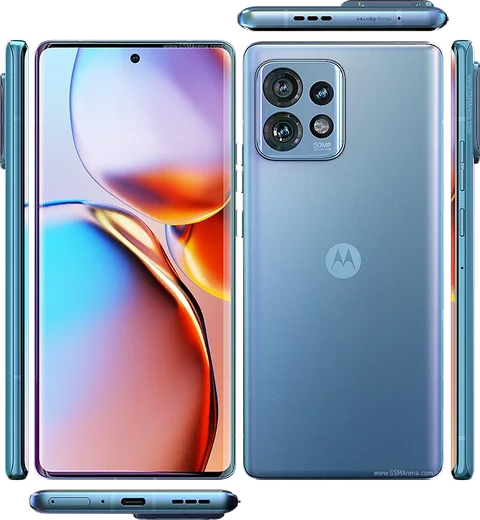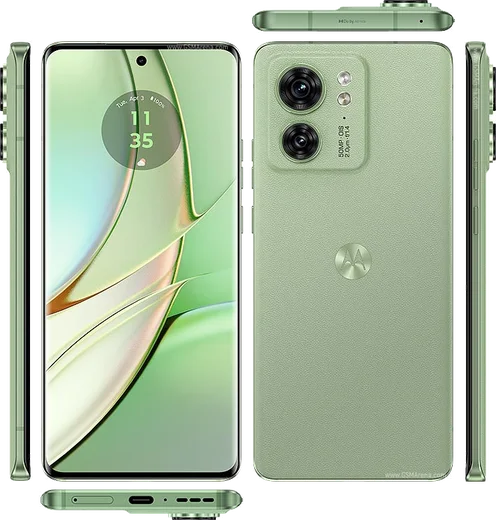
WhatsApp on Motorola Edge 40 Pro
Motorola Android

WhatsApp for Motorola Edge 40 Pro

Snapdragon 8 Gen 2, 6.67-inch pOLED 165Hz

WhatsApp Messenger 4.7 · 64.2M reviews Free · Android · ~40 MB · by WhatsApp LLC
Download WhatsApp

Ask a question / report a problem

You can ask any question about WhatsApp support on the Motorola Edge 40 Pro — leave it below and we'll help.

Ask a question

Can the Motorola Edge 40 Pro run WhatsApp?

Fully supported
  • Operating systemAndroid
  • ProcessorSnapdragon 8 Gen 2
  • WhatsApp versionLatest supported

Latest known WhatsApp problems on Motorola Edge 40 Pro

1

Why are my WhatsApp notifications delayed or not showing on the Motorola Edge 40 Pro?

Motorola's aggressive battery optimization is the usual culprit, so go to Settings > Apps > WhatsApp > Battery and set it to Unrestricted, then open Settings > Battery > Battery optimization and exclude WhatsApp there too. Also check Settings > Apps > Sleeping apps (Moto's Optimized Charging/cleanup) and make sure WhatsApp is never put to sleep, and confirm notifications are fully enabled under Settings > Apps > WhatsApp > Notifications. See how others solved this on Reddit
2

WhatsApp messages arrive late on my Edge 40 Pro even though I have signal, how do I fix it?

This delayed-delivery behavior is almost always a background restriction: set WhatsApp's battery usage to Unrestricted in Settings > Apps > WhatsApp > Battery, and disable any data saver in Settings > Network & internet > Data Saver by adding WhatsApp to the unrestricted-data list. Turning off Adaptive Battery under Settings > Battery and keeping WhatsApp out of the Sleeping apps list will let push notifications come through in real time. See how others solved this on Reddit
3

My Motorola Edge 40 Pro gets very hot during WhatsApp video calls, is something wrong?

Warming up during long video calls is normal because the modem, camera, and screen all run at once, but you can reduce it by lowering screen brightness, removing thick cases, and avoiding charging while on the call. Make sure WhatsApp is updated from the Play Store and clear its cache via Settings > Apps > WhatsApp > Storage, since an outdated build or corrupted cache can keep the CPU running hotter than needed. See how others solved this on Reddit
4

People can't hear me clearly on WhatsApp video calls from my Edge 40 Pro, how do I improve the microphone?

First confirm WhatsApp has microphone access in Settings > Apps > WhatsApp > Permissions > Microphone, and clean out the bottom mic port since lint often muffles audio. Then test the mic with a voice recorder app to rule out hardware, disable any Bluetooth device that might be capturing audio, and update WhatsApp from the Play Store, as several mic-clarity issues on Edge phones were resolved by app updates. See how others solved this on Reddit
5

Where does WhatsApp store photos and files on the Motorola Edge 40 Pro and how do I find them?

Open the Files app or any file manager and go to Internal storage > Android > media > com.whatsapp > WhatsApp > Media, where you'll find separate folders for Images, Video, Audio, and Documents. If you want received media to also appear in your Gallery, enable Settings > Chats > Media visibility inside WhatsApp, and you can back these folders up to Google Drive for safekeeping. See how others solved this on Reddit
6

WhatsApp groups open with a noticeable delay on my Edge 40 Pro, what causes this lag?

Lag when opening large or media-heavy groups is usually a storage and cache issue, so clear WhatsApp's cache via Settings > Apps > WhatsApp > Storage > Clear cache and free up internal space if you're running low. Make sure the app is updated from the Play Store and that it has Unrestricted battery access, and consider clearing media from very large groups, since thousands of cached files slow down how quickly a chat renders. See how others solved this on Reddit

Ask a question / report a problem

You can ask any question about WhatsApp support on the Motorola Edge 40 Pro — leave it below and we'll help.

Ask a question

Watch: setting up WhatsApp

Prefer to watch? This short walkthrough shows the whole installation and number-verification flow.

How to install WhatsApp on Motorola Edge 40 Pro — video walkthrough

How to install WhatsApp on Motorola Edge 40 Pro

1

Choose how to download

On your Motorola Edge 40 Pro you can get the official app two ways: from the Google Play Store — the easiest option, since it keeps WhatsApp updated automatically — or directly from the official website. You can download an APK file, by clicking a link “Download WhatsApp directly”.

2

Open WhatsApp

Launch WhatsApp from your home screen or app drawer and accept the Terms of Service to start setup.

3

Verify your phone number

Enter your phone number. If your Motorola Edge 40 Pro uses dual SIM, pick the line you want WhatsApp tied to, then enter the 6-digit code it sends by SMS — it usually fills in automatically.

4

Restore chats and finish setup

Restore your chat history from Google Drive (use the same Google account), add your name and photo, and tap Allow for notifications so messages and calls arrive reliably.

Stay safe: only ever install WhatsApp from the official Android source. The Download button above already points there — modified copies (GB/Plus/Aero WhatsApp) can get your number banned.

Comments (13)

No registration needed. No email required.
J
justmeMay 26, 2026

Best site for this honestly 👌

T
theo.hMay 9, 2026

Someone anyone pls i cant download it heeeelp me 😭

AppWhatsOfficialMay 10, 2026

No panic needed. The Download button takes you to the official app, then just install and verify your number. It is easier than it looks, promise.

H
helpmeeeMar 14, 2026

Finally whatsapp is working on my Motorola Edge 40 Pro now 💯

S
sooo_confusedJan 31, 2026

Anyone? is whatsapp free or do i have to pay ?

AppWhatsOfficialFeb 3, 2026

Happy to help, it is completely free. There is no fee for the app, only your usual data or wifi is used. Feel free to ask if you get stuck.

M
moDec 5, 2025

والله أفضل موقع، اشتغل من أول مرة شكراً

P
pablo_linMay 17, 2025

best site for this honestly

I
ivan.kApr 15, 2025

omg bookmarking this site for sure

T
techguyFeb 27, 2025

got it working on my edge 40 pro first try

K
kai99Jan 2, 2025

wow installato senza problemi sul mio Motorola Edge 40 Pro

L
lucy.vNov 13, 2024

quick q how do i restore my old messages thanks

AppWhatsOfficialNov 19, 2024

No worries, if you made a backup before, sign in with the same number and tap Restore when asked. WhatsApp pulls your chats from the cloud backup.

A
anonOct 18, 2024

ok so all set up and chatting now

L
lucy.cSep 20, 2024

best guide for the Edge 40 Pro by far

M
mia75Aug 23, 2024

muy fácil, lo hice en 2 minutos en mi Edge 40 Pro