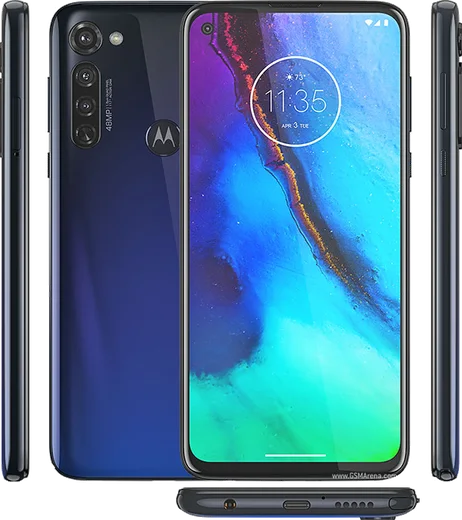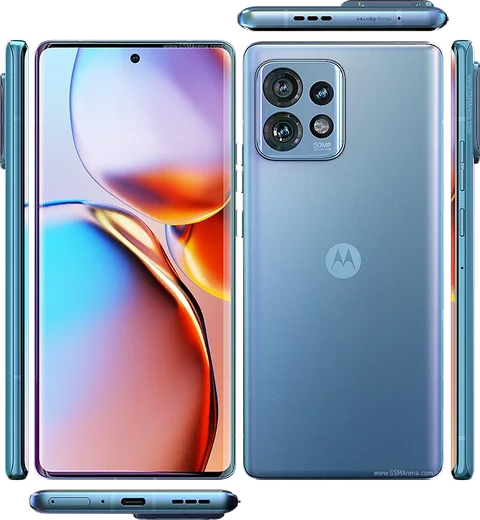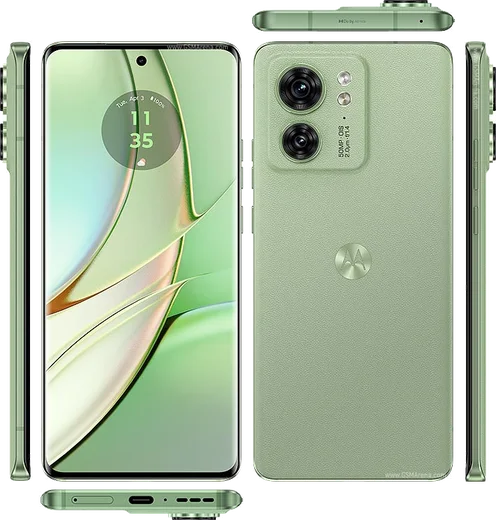
WhatsApp on Motorola Moto G Stylus (2023)
Motorola Android

WhatsApp for Motorola Moto G Stylus (2023)

Helio G85, 6.5-inch 90Hz, integrated stylus

WhatsApp Messenger 4.7 · 64.2M reviews Free · Android · ~40 MB · by WhatsApp LLC
Download WhatsApp

Ask a question / report a problem

You can ask any question about WhatsApp support on the Motorola Moto G Stylus (2023) — leave it below and we'll help.

Ask a question

Can the Motorola Moto G Stylus (2023) run WhatsApp?

Fully supported
  • Operating systemAndroid
  • ProcessorHelio G85
  • WhatsApp versionLatest supported

Latest known WhatsApp problems on Motorola Moto G Stylus (2023)

1

Why am I not getting WhatsApp notifications on my Moto G Stylus (2023)?

Motorola's aggressive battery management is the usual culprit, so open Settings > Apps > WhatsApp > Battery and set it to Unrestricted (Optimized cuts off background syncing). Also check Settings > Battery > More (3-dot menu) and turn off Adaptive Battery, then confirm WhatsApp notifications are allowed under Settings > Apps > WhatsApp > Notifications and that Do Not Disturb isn't active. See how others solved this on Reddit
2

My WhatsApp notifications are delayed or only arrive when I open the app on my Moto G Stylus (2023)

Delayed notifications almost always trace back to the app being killed in the background, so go to Settings > Apps > WhatsApp > Battery and choose Unrestricted. Then in Settings > Battery, disable any battery-saver schedule, and make sure WhatsApp isn't being closed when you swipe it from recents by avoiding the lock icon in the recent-apps view. See how others solved this on Reddit
3

People can't hear me on WhatsApp voice and video calls on my Moto G Stylus (2023)

Confirm WhatsApp has microphone access under Settings > Apps > WhatsApp > Permissions > Microphone (set to Allow), since a revoked or auto-reset permission is the most common cause. If the mic works elsewhere, clear WhatsApp's cache via Settings > Apps > WhatsApp > Storage & cache > Clear cache, and check that no screen protector or case is blocking the bottom microphone hole. See how others solved this on Reddit
4

WhatsApp and Meet video calls freeze or fail on my Moto G Stylus (2023)

Give WhatsApp full camera and microphone access in Settings > Apps > WhatsApp > Permissions, then update the app from the Play Store since older builds had camera bugs on Moto G hardware. If video still stutters, set the app to Unrestricted under Settings > Apps > WhatsApp > Battery and disable Data Saver inside WhatsApp (Settings > Storage and data) so the call isn't throttled. See how others solved this on Reddit
5

WhatsApp messenger notifications stop coming through after a while on my Moto G Stylus (2023)

When notifications work at first and then quit, the system has put WhatsApp to sleep, so go to Settings > Apps > WhatsApp > Battery and select Unrestricted, and toggle on Allow background activity. It also helps to lock WhatsApp in the recent-apps screen and to re-enable its notification categories under Settings > Apps > WhatsApp > Notifications after any system update. See how others solved this on Reddit

Ask a question / report a problem

You can ask any question about WhatsApp support on the Motorola Moto G Stylus (2023) — leave it below and we'll help.

Ask a question

Watch: setting up WhatsApp

Prefer to watch? This short walkthrough shows the whole installation and number-verification flow.

How to install WhatsApp on Motorola Moto G Stylus (2023) — video walkthrough

How to install WhatsApp on Motorola Moto G Stylus (2023)

1

Choose how to download

On your Motorola Moto G Stylus (2023) you can get the official app two ways: from the Google Play Store — the easiest option, since it keeps WhatsApp updated automatically — or directly from the official website. You can download an APK file, by clicking a link “Download WhatsApp directly”.

2

Open WhatsApp

Launch WhatsApp from your home screen or app drawer and accept the Terms of Service to start setup.

3

Verify your phone number

Enter your phone number. If your Motorola Moto G Stylus (2023) uses dual SIM, pick the line you want WhatsApp tied to, then enter the 6-digit code it sends by SMS — it usually fills in automatically.

4

Restore chats and finish setup

Restore your chat history from Google Drive (use the same Google account), add your name and photo, and tap Allow for notifications so messages and calls arrive reliably.

Stay safe: only ever install WhatsApp from the official Android source. The Download button above already points there — modified copies (GB/Plus/Aero WhatsApp) can get your number banned.

Comments (11)

No registration needed. No email required.
L
lina92Jun 21, 2026

this fixed whatsapp on my moto g stylus lol

R
ray.xMay 26, 2026

omg help meee i pressed everything and nothing 😭 🙏

AppWhatsOfficialMay 29, 2026

Breathe! Follow the steps above one by one, tap Download first, and you will be chatting in no time. Reply here if you get stuck.

A
andy92May 22, 2026

el mejor sitio, funcionó a la primera 😍

T
tan_proFeb 2, 2026

Omg easy install on my Moto G Stylus

A
andy14Dec 13, 2025

installed in 2 min 👌

AppWhatsOfficialDec 16, 2025

Great to hear it worked out!

I
ivan0Apr 26, 2025

Pls help how to add a profile photo thanks

AppWhatsOfficialApr 30, 2025

Open WhatsApp, go to Settings, tap your name at the top, then tap the camera icon to set a new photo. Feel free to ask if you get stuck.

T
theuserApr 14, 2025

Finally got it working on my moto g stylus first try lol

B
budgetkingFeb 26, 2025

omg respect, this helped alot

B
big_leoFeb 9, 2025

excelente guía, funcionó en mi Motorola Moto G Stylus

R
raj_lucOct 4, 2024

sorry but the app crashes every time i open it thanks

AppWhatsOfficialOct 8, 2024

Happy to help, sorry to hear that. Please clear the app cache in Settings, make sure your system software is updated, then reinstall the latest version.

A
alex88Aug 2, 2024

so whatsapp running great on my moto gstylus