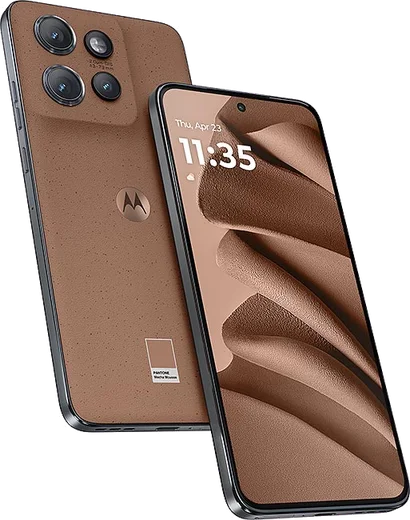
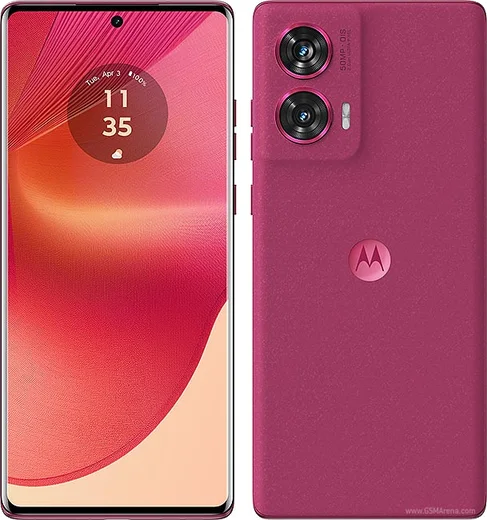
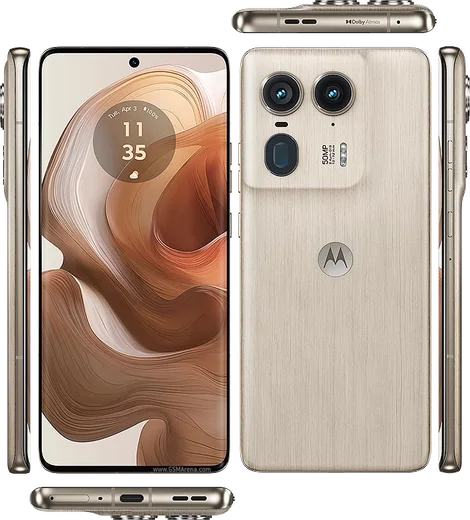
WhatsApp on Motorola Edge 50 Neo
Motorola Android

WhatsApp for Motorola Edge 50 Neo

Dimensity 7300, 6.4-inch pOLED 120Hz

WhatsApp Messenger 4.7 · 64.2M reviews Free · Android · ~40 MB · by WhatsApp LLC
Download WhatsApp

Ask a question / report a problem

You can ask any question about WhatsApp support on the Motorola Edge 50 Neo — leave it below and we'll help.

Ask a question

Can the Motorola Edge 50 Neo run WhatsApp?

Fully supported
  • Operating systemAndroid
  • ProcessorDimensity 7300
  • WhatsApp versionLatest supported

Latest known WhatsApp problems on Motorola Edge 50 Neo

1

Where does WhatsApp store its media and backups on the Motorola Edge 50 Neo?

WhatsApp saves received photos, videos and voice notes to internal storage under Internal storage > Android > media > com.whatsapp > WhatsApp > Media, which you can browse with the Files by Google app (Browse > Internal storage). Local message databases sit in the Databases subfolder, but your real backup lives in Google Drive, so check WhatsApp > Settings > Chats > Chat backup and confirm the Google account and frequency there. See how others solved this on Reddit
2

WhatsApp messages and notifications arrive late on my Edge 50 Neo until I open the app, how do I fix it?

This is almost always Motorola's aggressive battery optimization killing WhatsApp in the background. Go to Settings > Apps > WhatsApp > Battery and set it to Unrestricted, then open Settings > Battery > Battery saver and make sure it isn't forcing restrictions, and confirm WhatsApp notifications are fully enabled under Settings > Apps > WhatsApp > Notifications. Keeping WhatsApp out of any 'sleeping apps' or auto-clean list lets messages push through in real time. See how others solved this on Reddit
3

People say my microphone sounds muffled or quiet on WhatsApp video and voice calls from my Edge 50 Neo, what can I do?

First clean out the bottom mic port and remove any case lip covering it, then check Settings > Sound & vibration to rule out a noise-suppression conflict. In WhatsApp itself, open App info > Permissions and confirm Microphone is allowed, and test a normal voice recorder to see if the issue is hardware or app-specific. If only WhatsApp is affected, clearing its cache via Settings > Apps > WhatsApp > Storage & cache > Clear cache often restores normal mic pickup. See how others solved this on Reddit
4

WhatsApp and other apps keep crashing or freezing on my Motorola Edge 50 Neo, how do I stabilize them?

Start by updating WhatsApp in the Play Store and installing any pending system update under Settings > System > System updates, since Motorola has pushed stability fixes for the Neo. Then clear the app cache via Settings > Apps > WhatsApp > Storage & cache > Clear cache (not Clear storage, which deletes chats) and reboot the phone. If multiple apps still crash, free up internal storage and consider Settings > System > Reset options > Reset app preferences to clear corrupted background states. See how others solved this on Reddit
5

I keep getting unwanted 'recommended' or suggested quick replies in WhatsApp and Signal on my Edge 50 Neo, how do I turn them off?

These suggestion chips come from the Gboard keyboard, not the app itself. Open Settings > System > Languages & input > On-screen keyboard > Gboard > Text correction and switch off Smart Reply (and Suggest contacts/Show suggestion strip if you want a cleaner bar). The recommended response prompts above WhatsApp and Signal chats will disappear once Gboard's Smart Reply is disabled. See how others solved this on Reddit
6

A cloned or duplicate WhatsApp app appeared on my Edge 50 Neo without me creating it, is this safe and how do I remove it?

Motorola's built-in 'Cloned apps' feature can create a second WhatsApp instance, and it sometimes shows up after a feature update rather than from anything you installed. Open Settings > Apps > Cloned apps (or search 'clone' in Settings), select WhatsApp, and toggle the clone off to delete that duplicate copy and its separate data. The original WhatsApp stays untouched, and disabling clones here prevents it from reappearing. See how others solved this on Reddit

Ask a question / report a problem

You can ask any question about WhatsApp support on the Motorola Edge 50 Neo — leave it below and we'll help.

Ask a question

Watch: setting up WhatsApp

Prefer to watch? This short walkthrough shows the whole installation and number-verification flow.

How to install WhatsApp on Motorola Edge 50 Neo — video walkthrough

How to install WhatsApp on Motorola Edge 50 Neo

1

Choose how to download

On your Motorola Edge 50 Neo you can get the official app two ways: from the Google Play Store — the easiest option, since it keeps WhatsApp updated automatically — or directly from the official website. You can download an APK file, by clicking a link “Download WhatsApp directly”.

2

Open WhatsApp

Launch WhatsApp from your home screen or app drawer and accept the Terms of Service to start setup.

3

Verify your phone number

Enter your phone number. If your Motorola Edge 50 Neo uses dual SIM, pick the line you want WhatsApp tied to, then enter the 6-digit code it sends by SMS — it usually fills in automatically.

4

Restore chats and finish setup

Restore your chat history from Google Drive (use the same Google account), add your name and photo, and tap Allow for notifications so messages and calls arrive reliably.

Stay safe: only ever install WhatsApp from the official Android source. The Download button above already points there — modified copies (GB/Plus/Aero WhatsApp) can get your number banned.

Comments (10)

No registration needed. No email required.
B
big_chrisNov 26, 2025

Ok so 10 out of 10 ✌️

S
saaaaamNov 20, 2025

sorry but why is it downloading so slowly

AppWhatsOfficialNov 23, 2025

Hey there, speed comes down to your data or wifi. On a good connection it only takes a few seconds. Happy chatting!

R
rob_andJul 25, 2025

Whatsapp running great on my Motorola Edge 50 Neo ✌️

Q
quickfixMar 7, 2025

did it on my Edge 50 Neo in like 2 minutes

T
techguyJan 7, 2025

Merci, mon motorola edge 50 neo a whatsapp maintenant

J
jess39Nov 20, 2024

ugh SOS i cant figure out how to install whatsapp heeelp pls

AppWhatsOfficialNov 23, 2024

Relax, it is simpler than it looks. Press Download, install, then verify with the SMS code. You got this! Reply here if you get stuck.

J
joe_nicOct 20, 2024

Should i remove the old version before this anyone

AppWhatsOfficialOct 25, 2024

No worries, you can keep the old one. Installing the newest build simply updates it and your chats stay put. Feel free to ask if you get stuck.

N
newbieOct 10, 2024

did it without any help, very simple 🎉

J
jess1990Aug 13, 2024

Danke, mein edge50neo hat jetzt whatsapp

C
coolcatJul 27, 2024

Yo no problems installing on my edge50neo