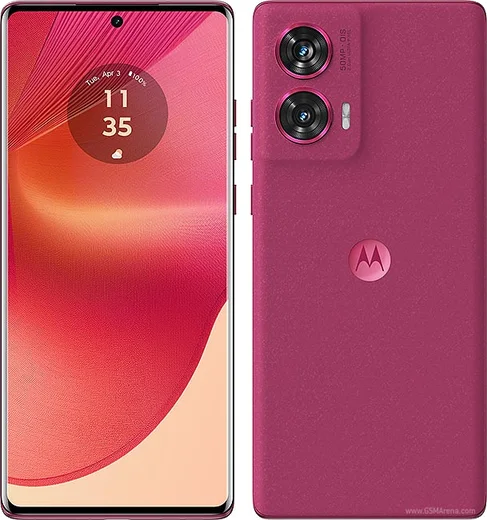
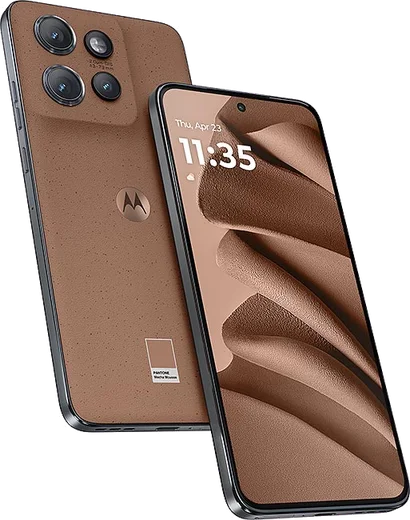
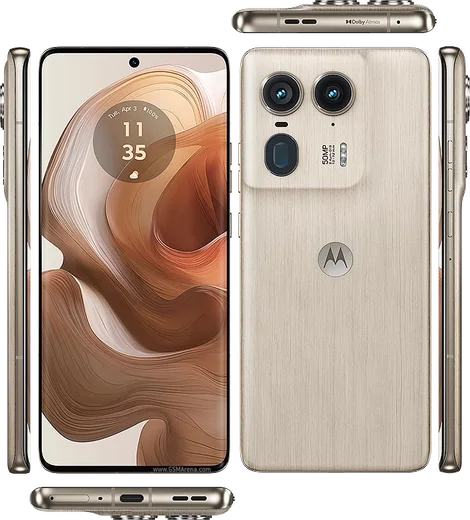
Motorola Android

WhatsApp for Motorola Moto G 5G (2024)

Snapdragon 4 Gen 2, 6.6-inch 120Hz, 5G

WhatsApp Messenger 4.7 · 64.2M reviews Free · Android · ~40 MB · by WhatsApp LLC
Download WhatsApp

Ask a question / report a problem

You can ask any question about WhatsApp support on the Motorola Moto G 5G (2024) — leave it below and we'll help.

Ask a question

Can the Motorola Moto G 5G (2024) run WhatsApp?

Fully supported
  • Operating systemAndroid
  • ProcessorSnapdragon 4 Gen 2
  • WhatsApp versionLatest supported

Latest known WhatsApp problems on Motorola Moto G 5G (2024)

1

WhatsApp notifications aren't showing up on my Moto G 5G (2024) — how do I fix it?

Open Settings > Apps > WhatsApp > Notifications and make sure all categories (Messages, Groups, Calls) are toggled on, then check Settings > Apps > WhatsApp > Battery and set it to 'Unrestricted' so Android doesn't put it to sleep. Also disable any 'Moto battery saver' or adaptive battery features under Settings > Battery, and inside WhatsApp go to Settings > Notifications and confirm 'High priority notifications' is enabled. See how others solved this on Reddit
2

People can't hear me on WhatsApp calls on my Moto G 5G (2024) but I can hear them — what's wrong?

First confirm WhatsApp has microphone access in Settings > Apps > WhatsApp > Permissions > Microphone, and turn off any noise-suppression or 'crystal talk' audio enhancements in Settings > Sound. If it only happens on WhatsApp, clear the app cache via Settings > Apps > WhatsApp > Storage > Clear cache, and test a voice recording in the Recorder app to rule out a hardware mic fault. See how others solved this on Reddit
3

My microphone cuts out on the Moto G 5G (2024) when the other person is talking on WhatsApp — how do I stop it?

This half-duplex behavior usually comes from an aggressive echo-cancellation or background-app limit, so go to Settings > Apps > WhatsApp > Battery and set it to 'Unrestricted', then disable any audio/voice enhancement under Settings > Sound & vibration. If it persists, toggle off Bluetooth (a paired earbud can grab the mic) and reinstall WhatsApp so it re-registers the audio routing. See how others solved this on Reddit
4

My contacts aren't showing up in WhatsApp on my new Moto G 5G (2024) — how do I get them back?

Grant WhatsApp full access in Settings > Apps > WhatsApp > Permissions > Contacts, then open WhatsApp, go to the Chats tab, tap the new-chat icon and pull down to refresh the contact list. If they're still missing, make sure your contacts are synced to your Google account under Settings > Passwords & accounts > Google > Account sync > Contacts, since contacts saved only to the SIM may not appear. See how others solved this on Reddit
5

Images and media won't download automatically in WhatsApp on my Moto G 5G (2024) — how do I enable auto-download?

In WhatsApp go to Settings > Storage and data > Media auto-download and tick Photos, Audio, Videos and Documents for 'Mobile data', 'Wi-Fi' and 'Roaming'. Then check Settings > Apps > WhatsApp > Permissions to ensure storage/media access is allowed, and confirm Settings > Apps > WhatsApp > Battery is set to 'Unrestricted' so downloads aren't paused in the background. See how others solved this on Reddit
6

Is the Moto G 5G (2024) good enough for just calls and WhatsApp, and how do I set it up simply?

Yes — the Moto G 5G (2024) handles calls and WhatsApp easily; just install WhatsApp from the Google Play Store, verify your number, and allow Contacts, Microphone and Notifications when prompted. To keep it reliable for messaging set Settings > Apps > WhatsApp > Battery to 'Unrestricted', and back up your chats via WhatsApp Settings > Chats > Chat backup to your Google Drive account. See how others solved this on Reddit

Ask a question / report a problem

You can ask any question about WhatsApp support on the Motorola Moto G 5G (2024) — leave it below and we'll help.

Ask a question

Watch: setting up WhatsApp

Prefer to watch? This short walkthrough shows the whole installation and number-verification flow.

How to install WhatsApp on Motorola Moto G 5G (2024) — video walkthrough

How to install WhatsApp on Motorola Moto G 5G (2024)

1

Choose how to download

On your Motorola Moto G 5G (2024) you can get the official app two ways: from the Google Play Store — the easiest option, since it keeps WhatsApp updated automatically — or directly from the official website. You can download an APK file, by clicking a link “Download WhatsApp directly”.

2

Open WhatsApp

Launch WhatsApp from your home screen or app drawer and accept the Terms of Service to start setup.

3

Verify your phone number

Enter your phone number. If your Motorola Moto G 5G (2024) uses dual SIM, pick the line you want WhatsApp tied to, then enter the 6-digit code it sends by SMS — it usually fills in automatically.

4

Restore chats and finish setup

Restore your chat history from Google Drive (use the same Google account), add your name and photo, and tap Allow for notifications so messages and calls arrive reliably.

Stay safe: only ever install WhatsApp from the official Android source. The Download button above already points there — modified copies (GB/Plus/Aero WhatsApp) can get your number banned.

Comments (10)

No registration needed. No email required.
S
saaaaamDec 7, 2025

endlich whatsapp installiert danke

R
ray_xXSep 27, 2025

omg SOS i cant figure out how to install whatsapp heeelp pls

AppWhatsOfficialSep 30, 2025

No panic needed. The Download button takes you to the official app, then just install and verify your number.

B
ben_lucAug 17, 2025

ngl installed on my Moto G 5G, super simple

S
sol.sAug 10, 2025

well running whatsapp on my Moto G 5G like new :)

Y
yuki_katAug 3, 2025

Omg all good on my moto g5g now

I
ivan72Jun 24, 2025

well clear steps for the moto g 5g, cheers ✌️

J
jess_kNov 29, 2024

Finally respect, this helped alot

AppWhatsOfficialDec 2, 2024

Good to hear!

B
budgetkingNov 20, 2024

finally cheers for the clear instructions

W
whatsappfanOct 23, 2024

Worked perfect on my moto g 5g

P
priya.xSep 13, 2024

franchement installé sans souci 😍