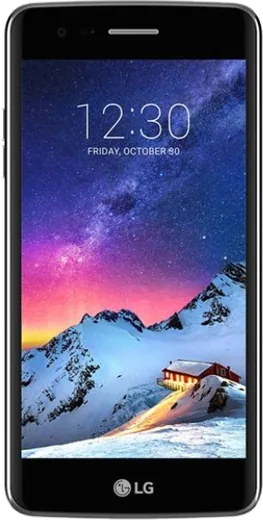
WhatsApp on LG K8 (2017)
LG Android

WhatsApp for LG K8 (2017)

Install the official WhatsApp on your LG K8 (2017) in a few simple steps.

WhatsApp Messenger 4.7 · 64.2M reviews Free · Android · ~40 MB · by WhatsApp LLC
Download WhatsApp

Ask a question / report a problem

You can ask any question about WhatsApp support on the LG K8 (2017) — leave it below and we'll help.

Ask a question

Can the LG K8 (2017) run WhatsApp?

Fully supported
  • Operating systemAndroid
  • WhatsApp versionLatest supported

Latest known WhatsApp problems on LG K8 (2017)

1

Why won't WhatsApp and other apps work properly on my LG K8 (2017) anymore?

The K8 (2017) shipped on an old Android version (6.0 Marshmallow, with 7.0 Nougat on some variants) and never got newer OS updates, so current WhatsApp releases gradually drop support for older Android. Open the Play Store, search WhatsApp, and install any update still offered for your device; if the newest build refuses to install, keep the most recent compatible version and back up your chats regularly via Settings > Chats > Chat backup. Long term, moving to a phone on Android 9 or newer is the only reliable fix, since WhatsApp requires a recent Android version and keeps raising that minimum. See how others solved this on Reddit
2

Can I install a custom ROM like LineageOS on the LG K8 (2017) to get newer Android and run WhatsApp?

There is no official LineageOS build for the K8 (2017, model X240AR), only community attempts, so you would need to unlock the bootloader and flash an unofficial build manually, which carries a real risk of bricking. If you go this route, back up everything first, confirm your exact model number under Settings > General > About phone > Hardware info, and follow a build thread for your specific variant, since flashing the wrong image causes a bootloop. For most users, staying on stock or upgrading the phone is safer than chasing an unofficial ROM just to keep messaging apps current. See how others solved this on Reddit
3

My LG K8 (2017) is stuck in a bootloop and won't start past the LG logo, how do I fix it?

Bootloops on older LG phones often follow a failed update, a bad flash, or aging storage. First try a forced restart by holding Power plus Volume Down for about 10 seconds until it reboots. If it still loops, the last software option on these LG models is a hardware factory reset: with the phone off, hold Power + Volume Down, and when the LG logo appears release and immediately re-hold both keys until the factory reset screen appears, then confirm (this erases your data). If looping continues after a reset, it usually points to a hardware fault that needs service. See how others solved this on Reddit
4

WhatsApp and Messenger chat bubbles freeze or lag on my LG K8 (2017), what can I do?

Floating chat bubbles are memory-heavy and the K8 (2017) only has 1.5GB of RAM, so they stutter when other apps are open. Disable the floating bubbles (in Messenger turn off chat heads, or just use WhatsApp's standard chat view), then clear the app cache under Settings > Apps > the app > Storage > Clear cache, and close background apps before chatting. Keeping fewer apps running and restarting the phone regularly noticeably reduces freezing on low-RAM hardware like this. See how others solved this on Reddit

Ask a question / report a problem

You can ask any question about WhatsApp support on the LG K8 (2017) — leave it below and we'll help.

Ask a question

Watch: setting up WhatsApp

Prefer to watch? This short walkthrough shows the whole installation and number-verification flow.

How to install WhatsApp on LG K8 (2017) — video walkthrough

How to install WhatsApp on LG K8 (2017)

1

Choose how to download

On your LG K8 (2017) you can get the official app two ways: from the Google Play Store — the easiest option, since it keeps WhatsApp updated automatically — or directly from the official website. You can download an APK file, by clicking a link “Download WhatsApp directly”.

2

Open WhatsApp

Launch WhatsApp from your home screen or app drawer and accept the Terms of Service to start setup.

3

Verify your phone number

Enter your phone number. If your LG K8 (2017) uses dual SIM, pick the line you want WhatsApp tied to, then enter the 6-digit code it sends by SMS — it usually fills in automatically.

4

Restore chats and finish setup

Restore your chat history from Google Drive (use the same Google account), add your name and photo, and tap Allow for notifications so messages and calls arrive reliably.

Stay safe: only ever install WhatsApp from the official Android source. The Download button above already points there — modified copies (GB/Plus/Aero WhatsApp) can get your number banned.

Comments (5)

No registration needed. No email required.
N
newphoneJan 11, 2026

honestly running whatsapp on my K8 like new

M
ms_omarOct 12, 2025

Honestly thank u, whatsapp installed on my K8 ✌️

N
newbieMay 30, 2025

plz heeeelp me how to download on my lg k8

AppWhatsOfficialMay 31, 2025

Take a breath, we got you. Press Download above, then Install, then verify your number. That is all it takes. Reply here if you get stuck.

H
helpmeJan 17, 2025

well my new K8 is all set up now

R
ray30Oct 18, 2024

wow alles läuft auf meinem LG K8, vielen dank danke